
In the modern enterprise, employees don’t struggle with a lack of tools — they struggle with finding and moving between information inside those tools.
Most companies invest in search. Fewer invest in navigation. The highest-performing organizations build both.
If your enterprise relies only on search or only on navigation, you’re leaving productivity — and competitive advantage — on the table.
This guide explains:
- What search is in the enterprise context
- What navigation means internally
- The difference between search vs navigation
- Why enterprises need both
- How combining GoLinks and GoSearch creates a unified knowledge layer
TL;DR
- Search helps employees answer unknown questions.
- Navigation helps employees reach known destinations.
- Enterprises need to eliminate both friction and context switching.
- AI-powered enterprise search improves answers.
- Structured internal navigation improves speed and consistency.
- Together, they create a scalable knowledge infrastructure.
What Is Enterprise Search?
Enterprise search is software that allows employees to search across internal systems — including cloud storage, wikis, CRMs, messaging platforms, and databases — from a single interface.
Modern enterprise search goes beyond keyword matching. It includes:
- Natural language understanding
- AI-generated summaries
- Cross-system indexing
- Source citations for accuracy
- Context-aware results
Instead of returning a list of links, AI-powered search tools provide direct answers grounded in enterprise data.
Example:
“What’s our latest enterprise pricing model for healthcare customers?”
Enterprise search should return:
- A summarized answer
- Supporting documentation
- Linked source files
- Related context from CRM or product documentation
That’s intelligence — not just search.
What Is Enterprise Navigation?
Enterprise navigation refers to structured pathways that help employees quickly reach known internal destinations.
Examples:
- Short links like
go/pricing - Standardized internal URLs
- Departmental link hubs
- Bookmark libraries
- Intranet menus
Navigation is used when employees already know what they need — they just need to get there quickly.
Example:
“I need the enterprise pricing doc.”
Navigation lets them instantly type:go/pricing
No searching. No filtering. No browsing.
Navigation reduces cognitive load by eliminating decision-making friction.
Enterprise Search vs Navigation: The Core Difference
| Scenario | Search | Navigation |
|---|---|---|
| I know what I need and where it lives | ❌ Slower | ✅ Faster |
| I know what I need but not where it lives | ✅ | ❌ |
| I don’t know exactly what I need | ✅ | ❌ |
| I need to explore options | ✅ | ❌ |
| I need a standardized destination | ❌ | ✅ |
The mistake enterprises make is assuming one replaces the other.
They don’t.
They solve different problems.
Why Enterprises That Only Invest in Search Struggle
Many organizations deploy enterprise search but ignore navigation structure.
What happens?
- Employees still rely on inconsistent bookmarks
- Teams duplicate links across Slack
- Naming conventions vary
- Important resources are hard to remember
Even the best search engine can’t fix chaotic internal routing.
Search helps you discover.
Navigation helps you execute.
Without navigation:
- High-frequency resources are still slow to access
- Institutional knowledge isn’t standardized
- Adoption suffers
Why Enterprises That Only Rely on Navigation Fall Behind
On the other side, some organizations rely heavily on link systems, wikis, and curated hubs.
But navigation breaks down when:
- Employees don’t know the exact resource name
- Knowledge spans multiple systems
- Information is fragmented
- The question is conceptual rather than destination-based
Example:
“What messaging did we use in last quarter’s healthcare campaign?”
That’s not a link problem.
That’s a knowledge discovery problem.
Navigation cannot answer unknown questions.
Search can.
The Productivity Cost of Choosing One Over the Other
Modern enterprises operate across:
- 50–200+ SaaS tools
- Distributed teams
- Remote environments
- Rapidly changing documentation
If employees must:
- Switch apps repeatedly
- Guess where knowledge lives
- Ask colleagues for links
- Recreate lost documents
You introduce hidden friction.
Friction compounds.
Over time, that becomes:
- Slower decision-making
- Inconsistent customer messaging
- Reduced innovation velocity
The most competitive enterprises minimize friction at the infrastructure level.
The AI Factor: Why Enterprise Search Has Evolved
AI has dramatically upgraded enterprise search.
Modern AI-powered search tools:
- Understand conversational queries
- Synthesize answers across documents
- Connect related insights
- Provide source-backed responses
That’s where GoSearch comes in.
GoSearch acts as an AI reasoning layer across your enterprise systems. It:
- Indexes content across SaaS tools
- Provides summarized, grounded answers
- Surfaces source citations
- Reduces context switching
It turns enterprise knowledge into actionable intelligence.
But even AI-powered answers require structured pathways to execute next steps.
That’s where navigation becomes critical.
The Role of Navigation Infrastructure
Navigation solves high-frequency access patterns.
GoLinks creates human-friendly internal short links that:
- Standardize resource naming
- Reduce Slack dependency
- Eliminate broken bookmarks
- Improve knowledge consistency
Instead of remembering:drive.company.com/folder/8923/doc_v3_final_FINAL.pdf
Employees use:go/pricing
Navigation becomes muscle memory.
That consistency compounds over time.
The Real Competitive Advantage: Combining Both
The strongest enterprises build a dual-layer knowledge system:
Layer 1: Navigation Infrastructure
- Fast access to known destinations
- Standardized internal routing
- Reduced cognitive overhead
Layer 2: AI-Powered Search & Reasoning
- Answers to unknown questions
- Cross-system synthesis
- Intelligent recommendations
Together:
| Need | Solution |
|---|---|
| I need to go somewhere specific | GoLinks |
| I need to understand something | GoSearch |
| I need to go somewhere after understanding it | Both |
This creates a seamless workflow:
Question → Answer → Destination → Action
Without switching tools. Without friction.
Real-World Example
Imagine a revenue team preparing for a strategic account meeting.
They ask:
“What were the objections from similar healthcare customers last quarter?”
GoSearch:
- Surfaces CRM notes
- Summarizes common objections
- Links to relevant enablement docs
Then they navigate instantly via:
go/playbookgo/pricinggo/healthcare-case-study
That flow is only possible when search and navigation work together.
Why This Matters for Enterprise AI
By building content and infrastructure around both enterprise search and navigation, companies:
- Strengthen knowledge governance
- Improve AI grounding
- Create internal clarity
- Remove bottlenecks and improve productivity
In other words:
Search improves intelligence.
Navigation improves structure.
Together they improve trust.
How to Know If Your Enterprise Needs Both
You likely need both if:
- Employees frequently ask for links in Slack
- Teams recreate documents because they can’t find originals
- AI tools produce inconsistent answers
- Internal knowledge is siloed
- Search results feel incomplete
- High-value resources aren’t standardized
If any of these sound familiar, your knowledge layer is fragmented.
The Future: Unified Knowledge Infrastructure
The most forward-thinking enterprises are no longer asking:
“Do we need search?”
They’re asking:
“How do we design a unified knowledge access layer?”
That layer includes:
- Intelligent enterprise search
- Structured internal navigation
- AI grounding and validation
- Cross-system connectivity
This is not about adding more tools.
It’s about reducing friction across all tools.
Final Takeaway
Search and navigation are not competing systems.
They are complementary.
Search helps employees understand.
Navigation helps employees act.
Enterprises that invest in both create:
- Faster workflows
- Better knowledge retention
- Higher employee productivity
- Stronger competitive advantage
By combining the structured routing of GoLinks with the AI-powered reasoning of GoSearch, organizations build a modern knowledge infrastructure designed for speed, intelligence, and scale.
And in today’s enterprise environment, that infrastructure is no longer optional.
It’s the advantage.
Access and share resources instantly with GoLinks
Schedule a demo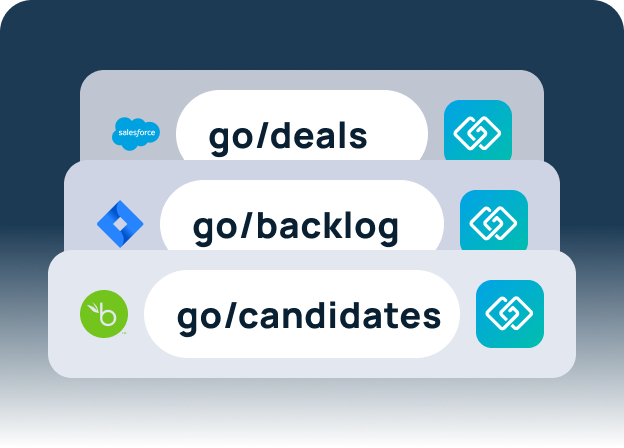
Frequently Asked Questions
Enterprise search helps employees find answers to questions they don’t know the location of, often using AI-powered indexing across multiple systems. Navigation helps employees reach known internal destinations quickly using structured pathways, like short links. Together, they solve different problems but complement each other.
Relying on only one creates friction. Search alone can leave high-frequency resources hard to access. Navigation alone can’t answer unknown questions. Combining the two reduces context switching, speeds workflows, and improves knowledge retention.
GoLinks provides human-friendly short links, standardizes internal routing, and makes high-value resources discoverable. It eliminates URL chaos and ensures employees can quickly navigate to the exact document, dashboard, or workflow they need.
GoSearch indexes content across all enterprise systems, understands natural language queries, and delivers AI-powered answers with source citations. It allows employees to access intelligence across multiple silos without leaving a single interface.
No. Search and navigation solve different problems: search helps you find unknown information, navigation helps you get to known destinations efficiently. Together, they provide a complete knowledge infrastructure.
Combining GoLinks and GoSearch creates a unified knowledge layer. Employees can quickly navigate to known resources (GoLinks) and get AI-powered answers to unknown questions (GoSearch). This improves productivity, reduces duplicated work, and strengthens enterprise-wide knowledge sharing.
By eliminating wasted time searching across systems or asking colleagues for links, employees spend more time on high-value work. Knowledge flows faster, decisions are better informed, and collaboration improves.
Yes — when paired with a structured knowledge layer like GoLinks, AI search is grounded in verified internal resources. This reduces hallucinations and ensures employees can trust the answers they receive.
Track metrics like time-to-information, query success rate, reduction in duplicated work, employee satisfaction, and speed of decision-making. Organizations that combine GoLinks and GoSearch often see measurable gains across these areas.
Absolutely. Any organization with multiple systems, documents, or teams can reduce friction and improve knowledge access by implementing both structured navigation and AI-powered search. The benefits scale with complexity, but even smaller teams see immediate improvements.