



Every day, we face a mix of personal and work-related emails flooding our inboxes.
To help you manage all that information, we’ve created a GoLinks integration for Gmail — your quick and easy shortcut for accessing key resources faster.
Read below to learn how our add-on can boost your workflow.
Accessing info in Gmail can be time-consuming
Email stands as the top choice for communication among peers, making up 31% of all workplace interactions.
Those discussions often feature links to websites, documents, and other valuable company resources, requiring you to manually scan through email threads and copy/paste links.
This extra effort can add up quickly — causing a slowdown in your workflow as well as your peers.
With the GoLinks integration, you can say goodbye to this unnecessary manual effort and streamline your workflow.
Explore the benefits of GoLinks for Gmail
Access resources instantly
Tired of copying and pasting links?
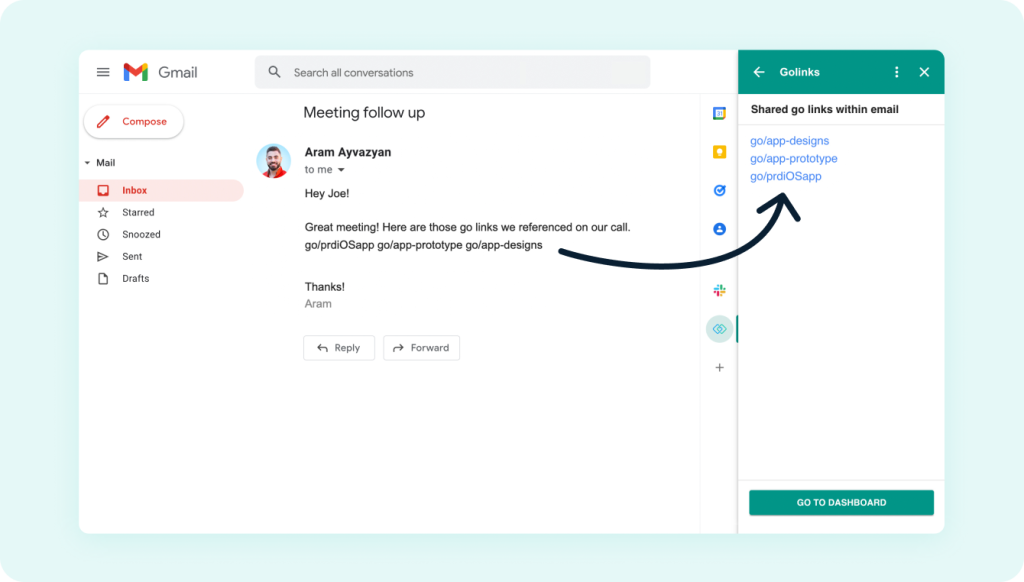
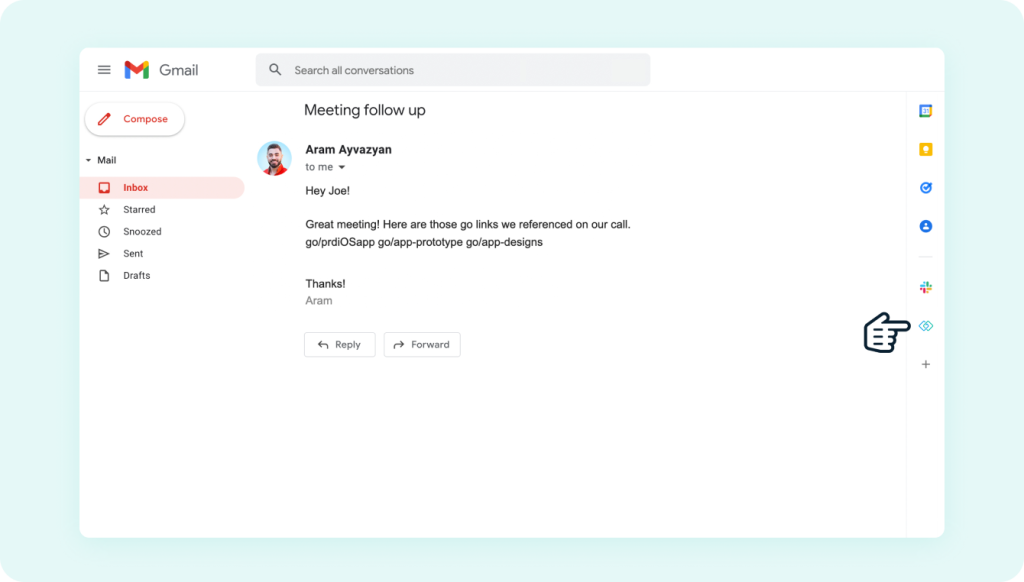
With the GoLinks Gmail add-on, click on any email that includes a go link and view a clickable version in the sidebar. Access key resources instantly — without needing to leave your inbox.
Boost productivity
Say goodbye to the hassle of searching for links!
All go links are displayed in the sidebar, keeping resource-heavy emails organized and easy to manage — no need to search or scan through lengthy email threads.
Start saving valuable time while boosting workflow productivity.
Enhance collaboration
Imagine a coworker is reaching out to you over email at the last minute requesting multiple resources. You would have to take the time to hunt them down and copy and paste all the links — delaying communication.
But go links are short and easy to recall, allowing them to be shared quickly and easily with peers. They also can be accessed directly from your inbox, providing swift access to resources and faster decision-making.
Try the GoLinks add-on in Gmail today
With GoLinks for Gmail, accessing and sharing resources becomes simplified. Add the free extension today and boost your work productivity.
Heavy user of Google Workspace? Check out our other Google integrations on our app marketplace.
Not using GoLinks yet? Start for free at www.golinks.com.
Access and share resources instantly with GoLinks
Try for free