
Go links are one of the simplest ways teams navigate workplace knowledge. Instead of hunting for a file, bookmarking something you’ll lose track of, or asking a colleague where something lives, you type a short human-readable link and get there instantly. GoLinks has been the go-to tool for teams managing that library of shortcuts across their organization. Now, GoLinks is available in the ChatGPT App Store. That means your company’s entire go links library is now accessible inside ChatGPT — searchable, queryable, and manageable without leaving the conversation.
Quick answer: GoLinks is now available in the ChatGPT App Store. With the GoLinks app for ChatGPT, employees can search their company’s go links library, look up resources by keyword, get details about specific go links, and create new go links directly inside ChatGPT. Access is scoped to your workspace permissions, so company resources stay secure.
What Are Go Links?
Go links are short, memorable links that give teams instant access to any URL — internal tools, documents, dashboards, portals, or any resource with a web address. Instead of sharing a long, forgettable URL, you create a go link: something like go/roadmap, go/benefits, or go/pitch. Anyone on your team can use it.
What makes go links particularly useful is how they travel. You can share them verbally in a meeting, drop them in a Slack message, add them to a slide deck, or type them directly into a browser. They work across every context where you’d otherwise need to share or remember a URL. The link is the same everywhere, always pointing to the right place.
GoLinks is the platform teams use to create and manage their go links library. It’s one of the most widely used internal tools at technology companies, giving every employee a shared, searchable shortcut layer across everything the organization uses — from engineering runbooks to HR resources to executive dashboards.
What GoLinks Does
GoLinks turns long, hard-to-remember URLs into short, human-readable go links that anyone on your team can use. Instead of digging through bookmarks, asking in Slack, or searching through multiple tools to find a resource, you type a go link and get there.
The real value compounds as your organization grows. New employees can find resources without knowing where everything lives. Institutional knowledge stays accessible even as teams change. And instead of important links living in someone’s browser bookmarks or a pinned Slack message, they live in a shared, searchable library that belongs to the whole organization.
GoLinks already integrates with the tools your team uses every day. The ChatGPT integration extends that reach further, making your go links library available inside one of the most widely used AI tools in the workplace.
What You Can Do with GoLinks in ChatGPT
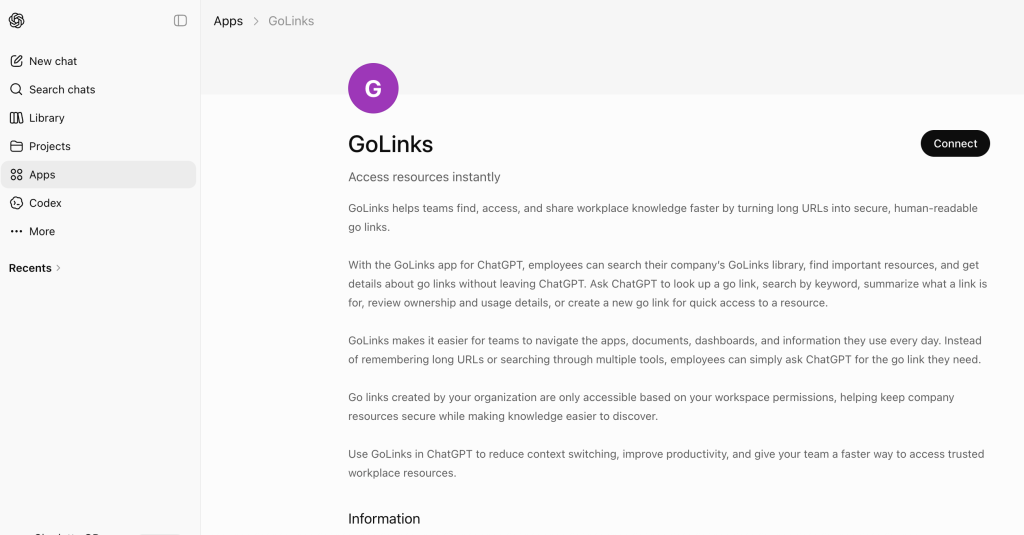
The GoLinks app for ChatGPT gives your team a conversational interface into your organization’s go links library. Here’s what that looks like in practice.
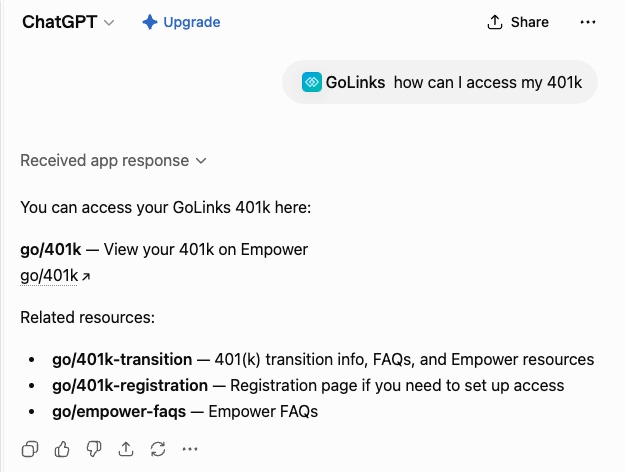
Look up a go link by name. Ask ChatGPT what a specific go link points to and get the destination, a summary of what it’s for, and details like who owns it and how frequently it’s used.
Search by keyword. If you don’t know the exact go link, search by keyword and GoLinks will surface relevant results from your company’s library. Useful when you know roughly what you’re looking for but not the precise shortlink.
Get ownership and usage details. Ask ChatGPT about a go link and get more than just the URL. You can see who created it, who owns it, and how it’s being used across your organization — helpful for teams auditing their go links library or tracking down the right person to update a resource.
Create new go links without leaving ChatGPT. If you’re working in ChatGPT and come across a resource worth saving, you can create a new go link for it right there in the conversation. No switching to a separate tool, no interruption to your workflow.
GoLinks in ChatGPT: Real Workflows
The feature list is one thing. Here’s what using GoLinks inside ChatGPT actually looks like across a few common scenarios.
An engineer debugging a production issue is already in ChatGPT working through the problem. They need to pull up the relevant runbook. Instead of switching tabs to search for it, they ask ChatGPT for go/runbook-payments, get the link, and keep going. If the runbook has moved or the go link name has changed, they can search by keyword and find the right one without leaving the conversation.
A product manager preparing for a roadmap review is drafting talking points in ChatGPT. They need to reference the latest roadmap doc and the most recent pitch deck. They ask for go/roadmap and go/pitch, get both links with a quick summary of what each points to, and fold them into their prep without opening a new tab.
A new employee in their first week doesn’t know where anything lives yet. Rather than messaging a colleague every time they need a resource, they ask ChatGPT. They can search the go links library by keyword, or take an educated guess at the name — go/benefits, go/handbook, go/onboarding — and usually land in the right place. The naming convention is intuitive enough that new hires can navigate the company’s resources from day one without a guided tour.
A team lead reviewing their department’s go links wants to audit what exists, check for outdated resources, and identify links that haven’t been used recently. They can ask ChatGPT for ownership and usage details across their go links, get a clear picture of the library’s current state, and figure out what needs updating, all without logging into a separate admin interface.
Why This Matters for Teams Already Using ChatGPT
The way teams use ChatGPT at work has expanded significantly. It’s a writing tool, a coding assistant, a research aid, a first draft for almost anything. What it hasn’t had is easy access to your company’s internal resources.
Go links are often how teams navigate those resources. They’re the shortcuts to the things that matter: your analytics dashboard, your internal wiki, your deployment pipeline, your HR portal. Making that library available inside ChatGPT means less context switching when you’re in the middle of a task. You’re working in ChatGPT, you need a resource, you ask for it and get it, and you keep going.
For teams that have invested in building out a solid go links library, this integration makes that investment more accessible. The library your team has built becomes queryable in natural language, not just typeable in a browser.
Go links get you to resources fast. But sometimes you need more than a link. You need an answer synthesized from across everything your company knows. That’s where GoSearch comes in.
GoSearch is also now available in the ChatGPT App Store, bringing a real-time AI knowledge layer into ChatGPT that searches and synthesizes across Google Drive, Slack, Jira, Notion, and more. If your team is building out a connected knowledge stack inside ChatGPT, the two integrations work well together: GoLinks for fast, direct access to your most-used resources, GoSearch for deeper questions that need context from across your tool stack.
Permissions and Security
Go links created by your organization are only accessible based on your workspace permissions. When an employee uses GoLinks in ChatGPT, they see the resources they’re already authorized to access. Company resources stay secure, and the convenience of conversational search doesn’t come at the cost of your existing access controls.
Getting Started
GoLinks is available now in the ChatGPT App Store. If your team is already using GoLinks, the integration gives you a new way to interact with your existing library inside ChatGPT. If you’re new to GoLinks, it’s a good starting point for understanding how go links can simplify how your team navigates workplace knowledge. Sign up for free to try it yourself!
Access and share resources instantly with GoLinks
Try for free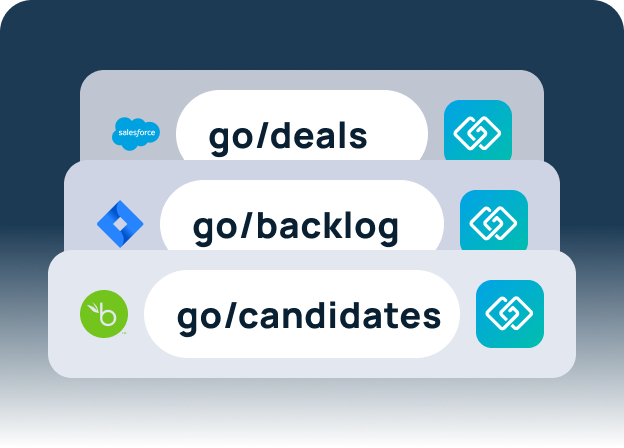
Frequently Asked Questions
Go links are short, memorable links that give teams instant access to any URL. Instead of sharing or remembering a long web address, you create a go link — like go/roadmap or go/benefits — that anyone on your team can use. Go links can be shared verbally, visually, or across any app, and always point to the right destination.
The GoLinks app for ChatGPT lets employees search their company’s go links library, look up resources by keyword, get details about specific go links, and create new go links directly inside ChatGPT. It’s available now in the ChatGPT App Store.
Yes. The GoLinks app connects to your organization’s full go links library. Access is scoped to your workspace permissions, so you see the resources you’re already authorized to access.
Yes. You can create a new go link directly inside a ChatGPT conversation without switching to a separate tool.
You can get the destination URL, a summary of what the link is for, ownership details, and usage information — all from inside the ChatGPT conversation.
New hires get access to the go links library on day one. They can search by keyword or take an educated guess at a go link name — go/benefits, go/handbook, go/onboarding — and usually land in the right place. It means less time asking colleagues where things live and faster access to company resources from the start.
Yes. GoLinks respects your existing workspace permissions, so employees only see go links they’re already authorized to access.