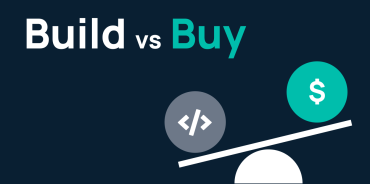

The licensing fee for a GoLinks open source alternative is $0. The total cost of ownership is not.
When teams evaluate GoLinks against open source alternatives, the conversation starts with licensing and ends with a spreadsheet that does not account for engineering time, security gaps, downtime risk, or the compounding cost of a tool that gradually stops getting maintained. Most teams only run that calculation after something breaks.
Here’s what that calculation actually looks like — and why so many engineering and IT teams eventually make the switch.
What Is a GoLinks Open Source Alternative?
A GoLinks open source alternative is a self-hosted URL shortener that replicates the go/ shortlink experience using publicly available code. Typically, engineers build the functionality for internal use, publish it to GitHub, and then other teams adopt it to avoid software licensing costs.
The appeal is straightforward: no licensing fees, complete infrastructure control, and full ability to modify the codebase. For a small team with a dedicated engineer and a narrow use case, that tradeoff can make sense — at least at the start.
In practice, “at the start” is a shorter window than most teams expect.
The Hidden Costs Add Up Fast
Free to license. Expensive to run. The real price — engineering hours, security overhead, maintenance debt — isn’t on the invoice. Here’s where those costs actually land.
Engineering time. Someone has to build it, maintain it, and handle every bug, outage, and security patch. Setup, ongoing maintenance, and feature work can cost upward of $160,000 annually — a line item that never appears in a licensing comparison but always appears in engineering headcount.
Single point of failure. Most open source go link tools have exactly one owner. When that engineer leaves, so does the knowledge of how it works — the tool stalls, and adoption erodes behind it.
Downtime risk. If a catastrophic incident occurs — a bad deployment, a security breach, data corruption — recovery isn’t guaranteed. And when that system goes down, the whole company loses its shortcut to internal tools and docs at the same moment — hours of collective productivity gone while people hunt for links manually.
Security gaps. With open source, security is your team’s job — our engineers build and maintain SSL, access control, compliance certifications, and audit logging in-house. GoLinks includes them out of the box: SOC 2 Type 2, 2048-bit SSL encryption, SSO, SAML (Okta, OneLogin, Azure AD, Ping), GDPR compliance, fault-tolerant AWS infrastructure, and a 99.9% uptime SLA. For a deeper look at what’s at stake, see the hidden risks of open source go links.
Where Open Source Go Links Fall Short on Adoption
The biggest cost of an open source go link tool usually isn’t security or maintenance — it’s the links that never get created because the tool is too limited or too clunky to bother with.
Open source tools handle the basic use case: create a short link, point it at a URL. That’s enough to get a demo working. It’s rarely enough to drive company-wide adoption.
GoLinks includes the features enterprise teams need at scale:
- Variable go links — route one link to multiple destinations, no manual duplication
- Smart suggestions — surface the right link even from partial or misspelled input
- Granular admin controls — workspace, admin, and member permissions down to the individual link
- History and changelog — track every edit to every go link for full transparency
- Built-in analytics — see usage, engagement, and link performance without custom development
- Slack integration — create and resolve go links without leaving the channel
- Multi-domain support — manage links across every domain your company owns
Open source tools rarely evolve past their first version. GoLinks improves continuously, shaped by customer feedback and built entirely on our side.
GoLinks vs. Open Source: Side-by-Side Comparison
| GoLinks | Open Source | |
|---|---|---|
| Deployment | Instant | Weeks to months |
| Security & compliance | SOC 2 Type 2, GDPR, SSO, SAML | Manual implementation required |
| Maintenance | Fully managed | Requires dedicated internal resources |
| Analytics | Built-in dashboard | Requires custom development |
| Feature updates | Continuous | Limited by internal capacity |
| Support | 24/7 dedicated support | Community forums or self-serve |
| Uptime guarantee | 99.9% SLA | No guarantee |
Already Started With an Open Source Go Link Tool?
Plenty of teams start with an open source go link tool. It’s free, it works, and for a while it’s enough. The reason so many of them end up shopping for a replacement is that the cost shows up later. Every engineering sprint spent maintaining a homegrown URL shortener means time not spent on your product. Every missed security patch is a liability. And every feature you can’t add makes the tool less useful over time.
Switching sounds like a project. It isn’t. GoLinks migrates all your existing links for you — no data loss, no broken redirects, no rebuild. You hand it off and stop thinking about it.
When Open Source Go Links Actually Make Sense
Open source go link tools aren’t categorically wrong. They’re the right call for organizations with dedicated engineering resources, a compliance requirement that mandates self-hosting, or a real operational reason to control the infrastructure directly. For those teams, the overhead is a fair tradeoff.
However, for everyone else — teams that chose open source to avoid a licensing fee rather than to gain control — the math almost always flips over time.
GoLinks vs. Open Source: Which Should You Choose?
GoLinks open source alternatives offer a low-cost starting point and a complicated long-term picture. Licensing savings tend to get consumed by engineering time, security risk, and feature limitations that cap adoption before it can scale.
GoLinks is built for teams that want the go link experience to work — not teams that want to own the go link infrastructure. Start using GoLinks free and see how easy it is to get up and running, or book a demo to talk through your current setup.
Access and share resources instantly with GoLinks
Try for free
Frequently Asked Questions: GoLinks vs. Open Source
A GoLinks open source alternative is a self-hosted URL shortener built on publicly available code that replicates the go/ shortlink experience. These tools require your team to manage deployment, maintenance, security, and feature development internally — costs that make them significantly more expensive than they appear.
No. GoLinks is a fully managed, enterprise SaaS platform. Unlike open source go link tools, GoLinks handles all infrastructure, security, compliance, and product updates — your team maintains nothing.
While the licensing fee is $0, total cost of ownership — including engineering time for setup, monthly maintenance, security implementation, and feature development — can reach $160,000 or more annually, before accounting for downtime risk.
GoLinks ships with SOC 2 Type 2 certification, 2048-bit SSL encryption, SSO, SAML authentication (Okta, OneLogin, Azure AD, Ping), GDPR compliance, and a 99.9% uptime SLA. Open source go link tools require your team to implement and maintain every security measure manually.
Yes. GoLinks handles the full migration of your existing links — no broken redirects, no data loss, no rebuild required.
GoLinks is the better fit for teams that need reliable, secure, company-wide go link adoption without dedicating engineering resources to infrastructure. Open source makes sense only for organizations that genuinely require self-hosted control and have sustained engineering capacity to support it.