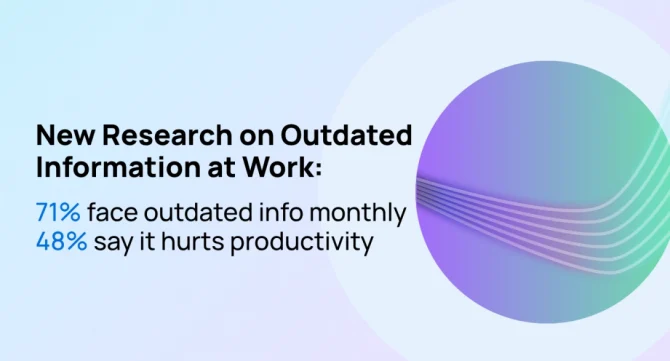

Only 23% of frontline workers and managers feel fully supported by the information and tools they use to do their jobs, according to new research from Forrester Consulting. The study, commissioned by Staffbase, found that 71% of respondents run into conflicting, outdated, or unclear information at least a couple of times a month. Nearly half, 48%, say it lowers their productivity or operational efficiency.
The findings frame outdated information in the workplace as an operations problem, not a communications one. When people can’t tell which version of a policy, template, or guide is current, every shared link spreads the wrong answer further. Below, we cover what the research found, why outdated copies multiply, five steps to tackle outdated information, and how go links keep every team on the current version.
What Forrester Found: Outdated Information Hits a Third of Workers Every Week
Forrester Consulting surveyed frontline workers and managers at US enterprises in retail, healthcare, manufacturing, and logistics. For about one in three respondents, bad information is a weekly problem: 35% run into conflicting, outdated, or unclear information at least once a week.
The sample is small and limited to frontline roles, so these figures are best read as a directional signal rather than a benchmark. Still, the pattern will be familiar to anyone who has searched a shared drive for the “final” version of a file. The more tools an organization uses to store information, the more information silos form, and the more places outdated copies can persist.
Why Outdated Copies Multiply and Slow Your Team Down
People bookmark, download, and share links but rarely go back to update or remove them. So last year’s price sheet or a retired travel policy keeps circulating through old links in chat threads, docs, and bookmarks. AI assistants can add to the problem, since they answer from the files they can access, current or not.
Three habits allow outdated information to persist:
- Links live in personal places. Long URLs sit in bookmarks, pinned messages, and old emails, still pointing to a page after it’s been moved or replaced by a more current version.
- Every update creates a new link. Each new version of a file gets its own URL, while links to older versions stay in circulation.
- No one owns the links. As documents are updated, no one updates the links that point to them.
Every extra version costs time twice: once when people search for the right one, and again when they act on the wrong one. A missed policy change can lead to rework, support tickets, or an awkward customer call. One of the simplest knowledge management best practices: make sure people can find the current version without thinking about it.
Five Steps to Tackle Outdated Information
The fix starts with the links people already use:
- Find the links people use most. Start with the resources your team asks for again and again, and note which links people share to reach them.
- Give each resource one short, memorable link. A name people can remember and type, like go/benefits, beats a long URL buried in someone’s bookmarks.
- Point old links to the current version. Redirect or retire links to outdated copies so every path leads to the same place.
- Give every link an owner. When a resource moves or changes, its owner updates the link.
- Share the link, not the file. When people pass around a link instead of a download or a copy, one update reaches everyone.
Give every key resource one link that serves as its single source of truth, and outdated copies stop spreading.
How Go Links Stop Outdated Information From Spreading
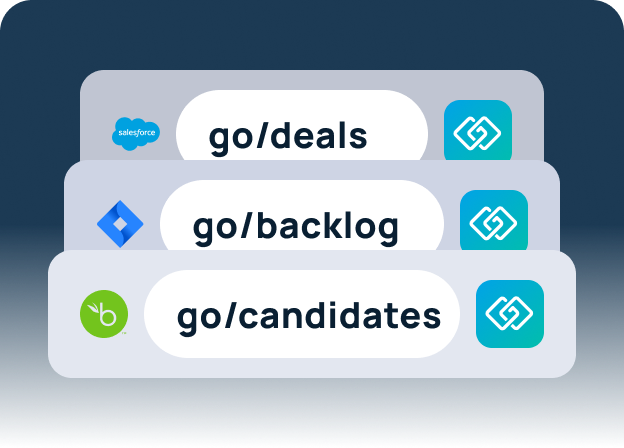
A go link is a short, memorable address for a resource, like go/travel or go/benefits. Anyone on your team can type it into a browser, or drop it into Slack, email, or a doc. It takes them to the current destination.
Go links put one person in charge of updates. When the travel policy moves, its owner updates go/travel once. Every bookmark, message, and deck that uses go/travel then leads to the new page.
Because go links are easy to remember, people stop asking teammates for links and stop saving their own copies.
GoLinks handles internal link management for the whole team. Teams can:
- Create go links for the resources people ask about most
- Update a link’s destination and keep every existing bookmark and shared link working
- See which resources people rely on and which go unused
Forrester’s research found that only 23% of frontline workers feel fully supported by the information and tools they use. Closing that gap starts with the resources people rely on to do their jobs. Give each one a single, memorable go link and an owner who keeps it current. Start with the resources your team asks for most, and build from there.
Try GoLinks free and give your team one address for every answer.
Access and share resources instantly with GoLinks
Try for free