
Some people avoid URL shorteners because of two concerns: that short links hurt SEO and that they create security risks.
In reality, using the right URL shortener delivers measurable benefits — from cleaner links and better branding to improved analytics, social sharing, and internal knowledge access.
So why use a URL shortener, and how does it actually help modern teams?
This guide explains what a URL shortener is, how it works, and five practical reasons businesses continue to rely on short links — securely.
What Is a URL Shortener?
A URL shortener is a tool that creates a short, custom link that redirects users to a longer destination URL.
Instead of sharing long, complex URLs, teams can use short links that are easier to remember, faster to share, and simpler to manage.
While consumer tools focus on shortening public links, business URL shorteners also support internal short links (often called go links), making it easier for employees to access internal tools, documents, and knowledge instantly.
How Does a URL Shortener Work?
URL shorteners work through redirects.
First, you enter a long URL into the shortener. The tool generates a short link. When someone clicks the short link, they are redirected to the original destination.
The redirect happens almost instantly. When a shortener uses permanent (301) redirects, search engines credit the destination page instead of the short link, so SEO isn’t affected.
Why Use a URL Shortener? 5 Key Reasons
There are a number of reasons why you might want to use a URL shortener for both internal and external use including:
1. Overcome Character Limits
Many platforms — including social media, messaging tools, and internal systems — impose character limits.
Using a URL shortener reduces link length, preserves space for messaging, and improves readability and engagement. This is especially useful on platforms like Slack and in text messages.
2. Track Link Performance
Most URL shorteners include analytics dashboards that show click counts, referrers, location data, and device types.
This visibility helps teams understand how links perform across campaigns, channels, and audiences without adding complex tracking infrastructure.
3. Strengthen Branding
Short links can be branded to reflect your company or internal naming conventions.
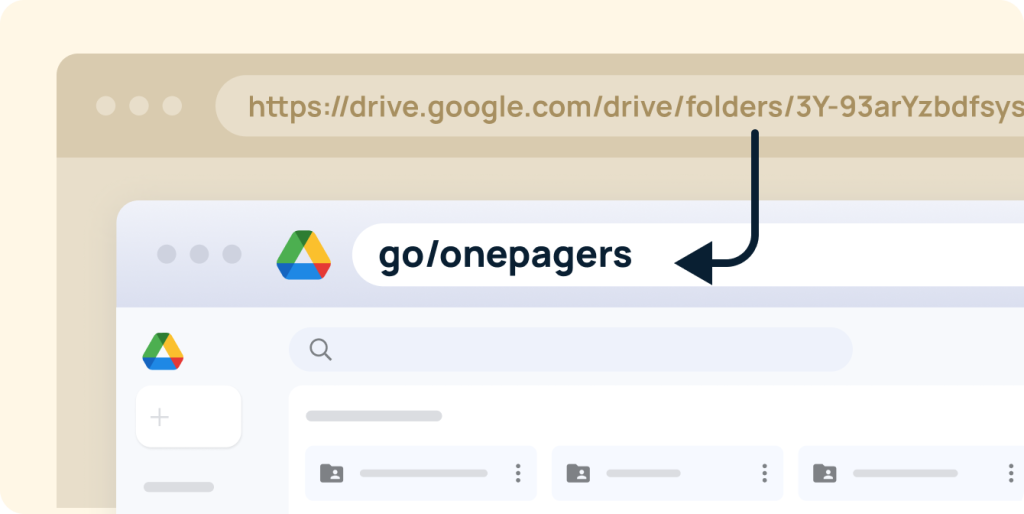
For example, links like go/blog, go/benefits, or acme.com/demo are easier to recognize and trust than long, unreadable URLs. Branded links improve recall and present a more professional experience.
4. Make Link Sharing Easier
Short links are easier to share verbally, remember, and reuse across channels.
This is especially valuable for social media posts, presentations, documentation, and internal onboarding materials, where clarity and speed matter.
5. Improve Internal Knowledge Sharing
One of the biggest reasons businesses use URL shorteners is internal efficiency.
Instead of searching across tools, employees can use short links to instantly access documents, dashboards, internal tools, and HR resources.
Platforms like GoLinks let teams create secure internal short links, so employees can open resources directly and spend less time searching for information.

Are URL Shorteners Safe?
URL shorteners sometimes get a bad reputation because they mask the destination URL, which bad actors have historically abused.
However, modern browsers and enterprise tools have reduced this risk. Browsers flag malicious destinations automatically, and reputable URL shorteners implement strong security controls. Internal short links are typically access-restricted and permission-aware.
When used responsibly, URL shorteners are safe for both external and internal use.
Security Best Practices for Shortened URLs
To stay safe when using shortened links, verify the source before clicking unfamiliar links, keep browsers and security tools updated, and preview links when possible.
It’s also important to use enterprise-grade tools that support access controls and logging.
How Secure Is GoLinks?
GoLinks is designed specifically for secure internal and external link sharing.
Security features include access logging with user, device, and IP visibility; HTTPS encryption using TLS 1.2, with 2048-bit RSA SSL certificates signed with SHA-256; encryption at rest and in transit; and high availability with data recovery safeguards.
These protections ensure that short links remain private, permission-aware, and auditable at scale.
Final Answer: Why Use a URL Shortener?
URL shorteners sometimes get a bad reputation, but when you use the right tool — and use it securely — they can become a meaningful advantage for your business.
Beyond shortening links, modern URL shorteners help teams share information faster, improve visibility into link usage, and reduce time spent searching for resources. This is especially valuable for internal use, where speed, clarity, and access directly impact productivity.
Tools like GoLinks make internal knowledge sharing simpler, more intuitive, and less time-consuming for teams by turning hard-to-remember URLs into easy, permission-aware go links.
If you’re weighing whether to use a URL shortener and how it fits into your workflows, try GoLinks for free and see how internal short links improve everyday productivity.
Access and share resources instantly with GoLinks
Try for free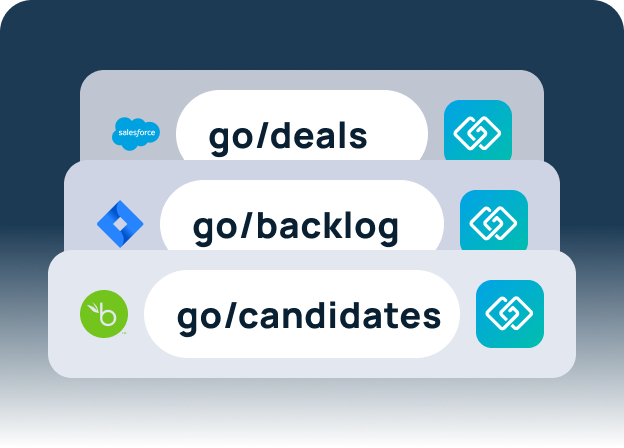
FAQs: Why Use a URL Shortener?
Yes. Most URL shorteners provide analytics beyond basic click counts, including referral sources, geographic location, device type, and usage trends. These insights help teams understand how links are used and improve distribution, messaging, and internal workflows.
There can be. Links may break if a shortener shuts down or if links expire, and some platforms restrict shortened URLs. These risks are minimized by using reliable, enterprise-grade URL shorteners that prioritize uptime, permanence, and security.
GoLinks is built for internal use, not public link shortening. It combines secure access controls, authentication, and logging with intuitive go links designed for internal knowledge sharing. This makes it especially effective for teams that need fast, permission-aware access to information.