
What Are Custom Short Links for Internal Use?
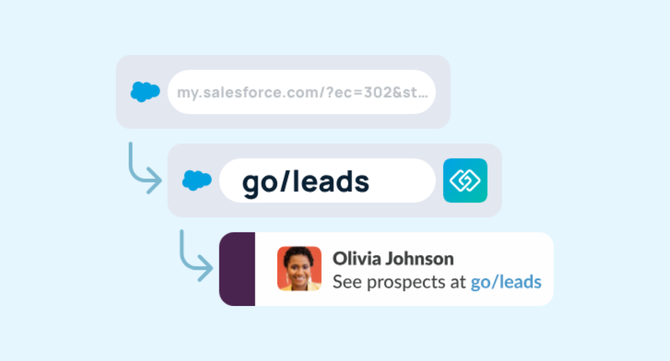
Custom short links for internal use are human-readable, memorable URLs that map to longer internal destinations — tools, wikis, dashboards, docs, or any resource your team accesses regularly.
Unlike public URL shorteners (Bitly, TinyURL), internal custom short links are built for behind-the-firewall use, where the goal isn’t tracking clicks on social media but giving employees instant, frictionless access to the knowledge they need to do their jobs. Additionally, these tools are short, but not memorable, and you can’t customize the URL.
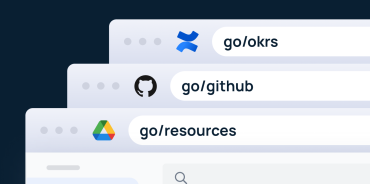
The most common format is the go link: a simple shorthand like go/roadmap, go/hr-handbook, or go/oncall that anyone on your network can type into a browser and land exactly where they need to go — no search required.
Why Custom Short Links Matter for Internal Knowledge Management
Every organization runs on information. But the problem isn’t that teams lack information — it’s that finding the right information at the right moment is slow, inconsistent, and frustrating.
Consider how your team currently navigates internal resources:
- Someone pastes a 200-character Confluence URL into Slack
- A new hire spends 20 minutes hunting for the correct onboarding doc
- A manager bookmarks a tool no one else can find on their machine
- A link in a team wiki breaks because the underlying URL changed
These aren’t small inefficiencies. They compound daily across every team in your organization. Custom short links solve this at the infrastructure level.
Custom short links for internal use allow organizations to:
- Create a single, memorable alias for any internal resource
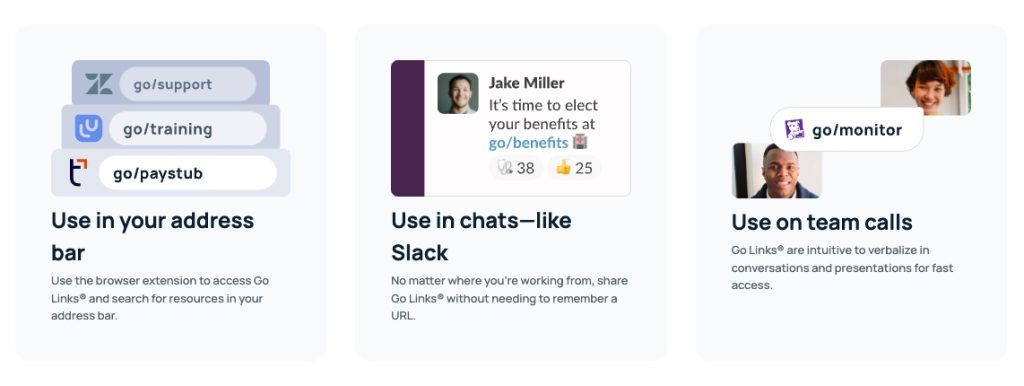
- Share that alias verbally, in Slack, in docs, or in presentations
- Update the destination URL behind the link without changing the alias
- Give every employee consistent, equal access to institutional knowledge
How Go Links Work: The Technical Basics
How do go links work?
Go links function through a browser extension or network-level configuration that intercepts requests to the go/ namespace and redirects them to a registered destination URL. When a user types go/benefits into their browser, the system looks up the registered destination for that alias and redirects them in milliseconds — no search, no clicking, no memory required.
The setup typically involves:
- A link registry — a centralized database where admins and users can create and manage custom short link aliases
- A browser extension or DNS configuration — so that
go/requests resolve within your organization’s environment - Authentication — so that only authorized employees can access or manage links
- An admin dashboard — for visibility into link usage, ownership, and health
GoLinks provides all of this out of the box, with deep integrations into tools your teams already use.
Custom Short Links vs. Public URL Shorteners: What’s the Difference?
Many teams initially try to use consumer URL shorteners for internal purposes. This creates more problems than it solves.
| Feature | Public URL Shorteners | Custom Internal Short Links (GoLinks) |
|---|---|---|
| Designed for internal use | ✗ | ✓ |
| Human-readable aliases | Sometimes | Always |
| Customized URLs | ✗ | ✓ |
| SSO / authentication | ✗ | ✓ |
| Link ownership & governance | ✗ | ✓ |
| Analytics by team / department | ✗ | ✓ |
| AI Search | ✗ | ✓ |
The core distinction: public shorteners are built to distribute content outward. Custom internal short links are built to organize and surface knowledge inward.
Top Use Cases for Custom Short Links in the Workplace
1. Onboarding and Employee Enablement
New hires don’t know where anything lives. Custom short links give HR and IT teams a way to hand new employees a canonical set of links that just work — no “could you share the link to the benefits portal again?” moments.
Common go links for onboarding:
go/onboarding→ onboarding checklistgo/benefits→ benefits enrollment portalgo/it-setup→ IT provisioning guidego/org-chart→ team directory
2. Engineering and DevOps Workflows
Engineering teams navigate dozens of internal tools every day — dashboards, runbooks, CI/CD pipelines, incident trackers, and deployment environments. Custom short links reduce context-switching and make on-call rotations faster and less error-prone.
Common go links for engineering:
go/oncall→ PagerDuty schedulego/deploy→ deployment pipeline dashboardgo/alerts→ monitoring and alerting hubgo/postmortem→ incident retrospective template
3. Sales and GTM Enablement
Sales teams need instant access to decks, pricing sheets, competitive battle cards, and CRM records. Custom short links give reps a reliable, shareable way to access the right content in the middle of a call — without fumbling through Google Drive.
Common go links for GTM teams:
go/deck→ latest sales presentationgo/pricing→ pricing guidego/competitive→ competitive intelligence hubgo/crm→ Salesforce homepage
4. Executive and Cross-Functional Alignment
Leaders use custom short links to share consistent resources across the entire organization — from all-hands decks to OKR trackers to company-wide announcements.
go/okrs→ current company objectivesgo/allhands→ all-hands recording and slidesgo/strategy→ strategic planning doc
5. IT and Operations Management
IT teams can standardize the tools and portals employees use, reducing shadow IT and support ticket volume by making approved resources the path of least resistance.
go/vpn→ VPN setup guidego/helpdesk→ IT support portalgo/software-request→ software access request form
The Link Decay Problem: Why Internal Knowledge Breaks Down
One of the most common — and most invisible — problems in internal knowledge management is link decay: the gradual degradation of internal URLs as tools are migrated, wikis are reorganized, and documentation moves between systems.
Every time a link breaks, institutional knowledge becomes inaccessible. Employees who can’t find the right resource either waste time searching, ask a colleague, or (worse) work from outdated information.
Custom short links solve this through link decoupling: the alias (go/handbook) stays stable regardless of where the actual document lives. When your HR team migrates from Confluence to Notion, you update one field in the GoLinks registry — and every existing reference to go/handbook continues to work without any additional effort.
This is why custom short links are increasingly considered core infrastructure for internal knowledge management, not just a convenience feature.
How to Create a Custom Short Link with GoLinks
Getting started with GoLinks takes minutes. Here’s the basic workflow:
Step 1: Install the GoLinks browser extension: Available for Chrome, Edge, Firefox, and Safari. Works with SSO via Okta, Google, or Microsoft.
Step 2: Type go/ followed by your desired alias: For example: type go/roadmap in your browser. GoLinks recognizes unregistered links and prompts you to create one.
Step 3: Paste the destination URL: Add the long URL you want the alias to point to. Add a description and tag it for discoverability.
Step 4: Share the go link: Share go/roadmap in Slack, your wiki, an email, or verbally in a meeting. Any team member with GoLinks installed can access it immediately.
Step 5: Manage and update When the destination URL changes, update it from the GoLinks dashboard. The alias stays the same everywhere it’s been shared.
Custom Short Link Governance at Scale
As your organization grows, so does your link library. Without governance, you end up with duplicate aliases, orphaned links, and no clear ownership.
GoLinks is built for enterprise-scale link management with:
- Link ownership — every link has an assigned owner responsible for keeping it accurate
- Expiration policies — set links to expire or prompt for review after a set period
- Usage analytics — see which links are used frequently, which are stale, and which have never been accessed
- Admin controls — IT and Ops teams can audit, archive, or reassign links organization-wide
- Namespace management — define conventions (e.g.,
go/[team]-[resource]) to keep your library organized
This governance layer is what separates consumer bookmark tools from enterprise knowledge infrastructure.
Frequently Asked Questions: Custom Short Links for Internal Use
What is a custom short link for internal use? A custom short link for internal use is a short, memorable alias (like go/benefits) that redirects employees to an internal resource such as a document, tool, or portal — without requiring them to search for or remember the full URL.
What is the best tool for internal custom short links? GoLinks is the leading enterprise platform for internal custom short links, offering browser extensions, SSO integration, analytics, and administrative controls built specifically for internal knowledge management.
How are go links different from bookmarks? Bookmarks are local to one person’s browser. Go links are shared across the entire organization — any employee with GoLinks installed can use the same alias to reach the same resource, regardless of their device or browser.
Can custom short links work without internet access? Yes. GoLinks can be configured to resolve through your internal network so that go links work even when employees are on a VPN or behind a corporate firewall without internet access.
How do I manage custom short links at scale? GoLinks includes link ownership, audit logs, expiration policies, and usage analytics to help IT and Ops teams maintain a healthy, accurate link registry as the organization grows.
Do custom short links support SSO? Yes. GoLinks integrates with major identity providers including Okta, Microsoft Entra ID, and Google Workspace to enforce authentication and access control on your internal link registry.
What happens when a destination URL changes? With GoLinks, you update the destination once in the registry. Every place the alias has been shared — Slack messages, wikis, emails, presentations — continues to work automatically.
Why GoLinks for Custom Short Links?
GoLinks was built from the ground up to solve the internal knowledge navigation problem for growing enterprises. It’s not a repurposed public URL shortener — it’s purpose-built infrastructure for how modern organizations manage and share internal information.
What sets GoLinks apart:
- Ease of setup: Most teams are live in under a day with no IT lift required
- Exceptional support: GoLinks is known across its customer base for responsive, hands-on support that helps teams get up and running fast
- Breadth of integrations: Connect with Google Workspace, Confluence, Notion, Slack, Jira, Salesforce, and hundreds more
- Enterprise security: SOC 2 Type II compliant, with SSO, role-based access, and audit logging
The Bottom Line
Custom short links for internal use aren’t a luxury — they’re infrastructure. In organizations where knowledge is distributed across dozens of tools and hundreds of documents, giving every employee a fast, reliable path to the right information is a competitive advantage.
Go links reduce friction. They eliminate link decay. They give new employees a faster path to productivity and give operations teams a manageable way to maintain institutional knowledge at scale.
If your team is still navigating internal tools by searching Slack history, digging through Google Drive, or asking “does anyone have the link to…?” — it’s time to build a better system.
Access and share resources instantly with GoLinks
Schedule a demo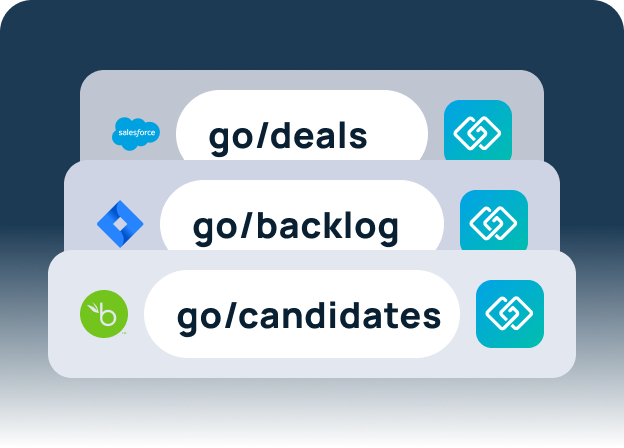
GoLinks is purpose-built enterprise infrastructure for internal knowledge navigation — giving every resource a stable, memorable address your entire organization can rely on.