
Most growing companies don’t have a knowledge problem. They have a knowledge-findability problem. The information exists — it’s buried in Slack threads, aging wikis, email chains, and the memory of whoever’s been around longest.
A company knowledge base brings it to the surface. It gives employees one place to look — and with GoLinks, one address to remember for every resource in it — one source to trust, and one system to maintain. Done well, it cuts onboarding time, ends the cycle of repeated questions, and turns institutional knowledge into something the whole organization can actually use.
This guide walks you through exactly how to build a company knowledge base — from defining purpose and auditing existing knowledge, all the way to the change management and governance that determines whether employees actually trust and use it. For a broader look at how knowledge management works as an organizational discipline, see our guide to the knowledge management process.
What Is a Company Knowledge Base?
A company knowledge base is a structured internal system for storing, organizing, and retrieving trusted, reusable knowledge. Unlike a shared drive or a Slack channel, it’s designed around findability. Content has clear ownership, defined structure, and a process for staying current.
Think of it as the difference between a filing cabinet and a library. Both hold documents, but the library has a catalog, a clear organizational system, staff who maintain it, and rules about what goes in. A knowledge base is the library.
A company knowledge base typically contains:
- Policies — expense guidelines, codes of conduct, security requirements
- How-to guides — step-by-step instructions for common processes
- Process documentation — recurring workflows with assigned owners
- Onboarding materials — everything new employees need in their first weeks
- FAQs — answers to questions that repeatedly surface in Slack and email
A knowledge base is not a dumping ground for all company information. It is a curated, maintained system for knowledge that employees need to find reliably.
Why a Company Knowledge Base Is Worth Building Now
The case for building a company knowledge base has only grown stronger, driven by four converging pressures:
Findability. As companies grow, knowledge fragments across email threads, shared drives, project tools, chat histories, and individual hard drives. Employees lose hours each week searching for information that exists somewhere but can’t be located. A knowledge base centralizes that information and makes it retrievable.
Faster onboarding. New employees are at their most expensive and least productive during their first weeks. A well-built company knowledge base compresses ramp-up time dramatically. Rather than relying on colleagues to answer every question, new hires can self-serve the majority of what they need.
Consistency. Misaligned teams don’t usually know they’re misaligned. One department runs on last year’s policy while another works from an update nobody thought to share — and the gap only surfaces when something goes wrong. A single authoritative source closes that gap before it opens.
AI readiness. Every AI tool your company adopts — search assistants, answer bots, workflow automation — is only as good as the content it runs on. Large language models don’t fix messy, fragmented, inconsistent information; they inherit it. A company knowledge base built on clean, structured, well-maintained content becomes a force multiplier for every AI investment you make next.
9 Steps to Build a Company Knowledge Base
Step 1: Define the Purpose and Scope
The first step in building a company knowledge base is defining who it’s for, what it will contain, and what falls outside its scope. The most common reason knowledge base projects fail is that they begin with a purchase instead of a strategy.
The Three-Question Scope Test
Before you evaluate software, answer these three questions:
- Who is this for?
- What will they use it for?
- What is explicitly out of scope?
Define success in concrete terms. Is the goal to reduce onboarding time by 30%? Cut repeated Slack questions in half? Give the support team a single reference for product answers? Specific goals create accountability and help you decide what content to prioritize.
Establish scope boundaries early. Project work-in-progress, meeting notes, ephemeral decisions, and raw data are usually better stored elsewhere. Scope creep is one of the leading causes of cluttered, untrustworthy knowledge bases.
Identify Your Primary Users
Map users to jobs-to-be-done, not departments. Ask: what are people trying to accomplish when they need information? Common user groups include:
- New employees during onboarding
- Individual contributors looking up processes or policies
- Managers seeking standards and templates
- Technical teams needing specifications or integration guidance
Choose Your First Use Cases
Start narrow. The most effective initial knowledge bases focus on high-frequency, high-value content:
- High-frequency questions — things people ask about repeatedly in Slack, email, or meetings
- Repeatable processes — workflows multiple people follow regularly
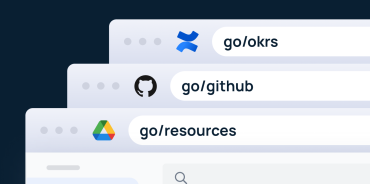
- Onboarding content — information every new hire needs in their first weeks, ideally linked through memorable GoLinks like go/new-hire or go/day-one so they can find it easily
A focused library that solves real problems earns trust. A sprawling one that’s hard to navigate loses it.
Step 2: Audit Existing Knowledge
Before building anything new, take stock of what already exists. Most companies have more documented knowledge than they realize — it’s just scattered, duplicated, and hard to find.
Audit every repository where knowledge currently lives: shared drives, wikis, internal websites, project tools, email threads, and chat channels. Then account for what isn’t written down at all — the processes that exist only in someone’s head or in a personal spreadsheet because no one’s ever formalized them. That undocumented knowledge is often the most important to capture.
Find the Current Sources of Truth
For each knowledge area, ask: where do people currently go when they need this? That’s your source of truth, even if it’s imperfect. Then ask: where else does this information live? Identify all the duplicates, forks, and outdated versions.
Create a simple inventory capturing:
| Field | Description |
| Content area | What topic or process does this cover? |
| Current home | Where does it live today? |
| Owner | Who created or last updated it? |
| Status | Accurate, outdated, or unclear? |
The Knowledge Audit Triage Framework
Apply a simple triage model to everything you find:
- Keep — accurate, well-structured content that can be migrated with minimal changes
- Merge — duplicate or overlapping content that should be consolidated
- Rewrite — content on the right topic that is outdated, unclear, or poorly structured
- Archive — content that is no longer relevant or outside the knowledge base’s scope
Migrating noise into a new system produces a noisy new system.
Step 3: Design the Information Architecture
Information architecture is how you organize and label content so people can find it. A well-designed structure feels invisible. A poorly designed one creates friction every time someone searches.
The most common information architecture mistake: organizing content around the org chart instead of around the tasks employees are trying to complete.
“How do I submit an expense report?” is a task — the right way to organize. “Finance department documentation” is an org chart — a common mistake.
Create a Simple Taxonomy
A taxonomy is a controlled set of terms for organizing content. At minimum, define:
- Content types — policy, how-to guide, reference document, FAQ
- Topic areas — the main subject domains the knowledge base covers
- Content owners — the person or team responsible for accuracy
- Review dates — when content is next due for review
Keep the taxonomy small to start. Five to ten top-level categories are easier to maintain and navigate than thirty.
Organize by Task, Not Only by Team
Design primary navigation paths around tasks and outcomes. Supplement with department-specific sections for genuinely team-specific content. Add cross-links generously. An employee asking how to onboard a new vendor should find the answer whether they navigate through Finance, Operations, or a general Processes section.
Step 4: Set Ownership and Governance
Building a company knowledge base without defined ownership is the most reliable way to watch it degrade. Content goes stale, ownership becomes unclear, and quality varies until employees stop trusting it. Governance isn’t bureaucracy — it’s the structure that keeps the system working over time.
Establish governance before launch, not after. Retrofitting ownership onto an existing knowledge base is significantly harder than building it in from the start.
Four Essential Roles
| Role | Responsibility |
| Executive sponsor | Champions the knowledge base and ensures adequate resources |
| Program owner | Owns overall health: standards, metrics, tooling, improvement |
| Subject matter experts (SMEs) | Create and maintain content in their domains |
| Editors | Review, format, and publish content to quality standards |
Create Content Standards
At minimum, define:
- Templates for the most common content types
- Naming conventions for articles so employees can find them by search. If you’re using GoLinks, align your go/ naming to your article taxonomy — go/expense-policy, go/security-guidelines — so navigation is consistent whether employees search or type directly
- Required metadata fields — owner, review date, content type
- Review cadences — how often each content type should be updated
Good governance fits on one page. A style guide and three templates will outlast any fifty-page manual nobody reads.
Step 5: Choose the Right Knowledge Base Software
Tool selection follows strategy, not the other way around. The right knowledge base software depends on four factors: your team’s technical sophistication, your governance requirements, your integration needs, and how much maintenance overhead you can absorb. Nail those first — then evaluate software.
Must-Have Features
| Feature | Why It Matters |
| Full-text search | Employees find answers in seconds, not minutes |
| Metadata and tagging | Filter and surface content contextually |
| Versioning | Track changes, roll back errors |
| Analytics | Identify what’s working and what isn’t |
| Permissions | Control who can read, edit, and publish |
| Workflow support | Enable review and approval without manual coordination |
Common Tradeoffs
Most knowledge base tools sit on a spectrum between flexibility and ease of use:
- Flexible tools (wikis, CMS platforms) offer more control but require more discipline to maintain consistently
- Structured tools (dedicated knowledge base platforms) enforce more consistency but may feel rigid for complex use cases
Your Knowledge Base and Your Search Tool Are Two Different Decisions
Your knowledge base and your search layer are two different problems. Most knowledge base platforms offer basic search as a feature — but a dedicated AI search tool like GoSearch sits across all your connected sources, understands query intent, and returns direct answers rather than a list of documents to sort through. The knowledge base is where content lives. GoSearch is how employees find it.
Step 6: Build the Initial Content Set
The goal of the initial build is not comprehensiveness — it’s usefulness. With strategy, architecture, governance, and tooling in place, launch with a focused library that solves the use cases you identified in Step 1, and expand from there.
Start with These Five Content Types
- Policies — the rules and guidelines that govern company operations
- How-to guides — step-by-step instructions for processes employees perform regularly
- Process documentation — recurring workflows with assigned ownership and expected outputs
- Onboarding guides — information new employees need in their first days and weeks
- FAQs — answers to questions that repeatedly surface in Slack, email, and meetings
The Three Rules for Every Article
For every article, follow three rules:
- Make the title specific and searchable
- Answer the core question in the opening sentence
- Structure content so it can be scanned quickly
Use Templates for Consistency
Build templates for your top three or four content types before populating the knowledge base. A policy template might include: purpose, scope, the policy itself, exceptions, and the review owner. A how-to template might include: context, ordered steps, and what success looks like.
Step 7: Make It Easy to Find and Use
Building a knowledge base and making it findable are two different projects. Most teams nail the first and underinvest in the second. Findability requires work at two levels: the content itself — titles written in the language employees actually search, summaries that answer the question before they click, metadata that powers filtering — and the access points that bring the knowledge base into the workflows where employees already spend their time.
Improve Search Discoverability
- Write titles that match the language employees actually use when searching
- Add a summary or opening sentence to every article that answers the core question up front
- Fill in metadata consistently — tags, content type, and topic labels power filtered search
- Cross-link related articles generously
Review search analytics regularly:
- Zero-result searches → what employees are looking for and not finding
- High-bounce articles → content that isn’t matching expectations
Integrate Into Existing Workflows
The best knowledge base is the one employees use. Reduce the activation energy by bringing the knowledge base to where work already happens:
- Surface articles in Slack or Teams via bot or search integration
- Add a browser extension that surfaces relevant content while employees work
- Link from your intranet, ticketing system, and project management tools
Make Every Article One Step Away with GoLinks
Even well-organized knowledge bases create friction when employees have to remember where an article lives or navigate to find it. GoLinks solves this by giving every important resource a short, memorable URL — go/expense-policy, go/onboarding, go/api-docs — that works from any browser, any tool, any device. Instead of hunting for the right article, employees type what they need and land directly on it. When you share a link in Slack or a doc, go/expense-policy is faster to type, easier to remember, and more likely to get clicked than a long knowledge base URL nobody can recall.
Step 8: Launch with Change Management
Most knowledge base launches fail not because the content is wrong, but because no one changed the habits that determine where employees look for answers. The biggest mistake is treating a launch as a content deployment rather than a behavior change initiative — you’re not just publishing articles, you’re asking employees to form new habits and trust a new source of truth.
Train Two Audiences
Contributors need to know how to publish content, use templates, assign metadata, and participate in review processes.
Employees need to know how to find what they’re looking for, how to signal when something is wrong or missing, and why the knowledge base is trustworthy.
Keep training short and practical. Walk through real use cases, not abstract features.
Promote the New Source of Truth
Build the habit through consistent redirection:
- When someone asks a Slack question covered in the knowledge base, link to the article rather than repeating the answer — or better yet, a GoLink they’ll actually remember
- When an old document is referenced, update the link to point to the new version
- When managers send policy reminders, include a link to the authoritative source
Identify champions in each team — people who are enthusiastic about the knowledge base and willing to model the behavior for colleagues. Champions are more persuasive than announcements.
Step 9: Measure and Improve
A company knowledge base is not a project with a completion date. It’s an ongoing system that requires regular attention to stay useful.
Core Metrics to Track
The five metrics that best indicate whether a company knowledge base is working are: search success rate, article views and unique users, content freshness, repeated question volume, and user ratings.
| Metric | What It Tells You |
| Search success rate | % of searches that result in an article being read |
| Article views and unique users | Whether the knowledge base is being used |
| Content freshness | % of articles with overdue review dates |
| Repeated question volume | Whether the knowledge base — and GoLinks routing employees directly to answers — is reducing Slack/email load |
| User ratings | Which content is and isn’t meeting employee needs |
Review metrics monthly at first, then quarterly once the system stabilizes.
Build a Review and Archive Process
Content that isn’t maintained erodes trust faster than content that was never created. An employee who follows an outdated process and gets a wrong result is worse off than one who had to ask a colleague.
- Send review reminders to content owners when due dates approach
- Mark content as “under review” so employees know it may be changing
- Archive retired articles so they no longer surface in search
- Periodically delete genuinely obsolete archived content
5 Common Mistakes to Avoid When Building a Company Knowledge Base
Overbuilding before launch. Start with twenty articles that answer the most frequent questions, not two hundred that try to cover everything. A focused library earns trust; a sprawling one loses it.
Weak ownership. “Everyone is responsible” means no one is. Assign explicit ownership to every content area, and hold owners accountable through regular reviews and metrics.
Messy taxonomy. Too many categories and overlapping structures make navigation unusable. Keep the taxonomy simple and enforce it through governance.
Stale content. A knowledge base with outdated information is worse than no knowledge base — employees may follow bad guidance with confidence. Build freshness into governance from day one.
Skipping change management. Publishing content and hoping employees adopt it is not a launch strategy. Behavior change requires communication, training, and sustained reinforcement.
The Knowledge Base That Gets Used Is the One Worth Building
A well-built company knowledge base doesn’t just store information — it makes information findable, trustworthy, and usable at the moment employees need it. That takes time to build and discipline to maintain. But the return compounds: faster onboarding, fewer repeated questions, more consistent decisions, and a knowledge foundation that powers every AI tool you add next.
The tool enables the practice. But the practice is what makes the system worth using.
Start small. Build trust. Maintain rigorously. And make sure every resource in the system is one step away — not buried behind navigation employees won’t take.
GoLinks makes your knowledge base instantly accessible — a short, memorable URL for every policy, guide, and process, accessible from any tool or browser. Because the best knowledge base is the one employees can actually find.
Get started with GoLinks for free today →
Frequently Asked Questions: Building a Company Knowledge Base
A focused knowledge base covering your highest-priority use cases can go live in four to eight weeks. A comprehensive system across the full breadth of company knowledge typically takes six to twelve months of iterative building and refinement. Either way, it should be treated as an ongoing practice, not a finished project.
A wiki is a tool. A knowledge base is a system. Many companies use a wiki as their knowledge base, but without clear ownership, content standards, and review cadences, wikis tend to become cluttered and unreliable. The difference isn’t the software — it’s the governance discipline applied to it.
Through consistent governance: assign content owners, document review cadences, use tooling that surfaces stale articles before employees encounter them, and track content freshness as a measurable metric. The knowledge bases that stay accurate are the ones that treat maintenance as infrastructure — built in from day one, not added as an afterthought.
The right platform depends on your team’s technical sophistication, governance requirements, integration needs, and maintenance capacity. Leading options include Notion, Confluence, Guru, Tettra, and Slite. Pair your knowledge base platform with a dedicated search tool like GoSearch and GoLinks to handle findability separately from storage.
Fifteen to thirty articles is the right range for most initial launches. Start with the content that answers your highest-frequency questions and covers your most critical use cases. A small, accurate library earns more trust than a large, uncertain one.