Quick answer: The best knowledge management platforms for enterprise teams combine strong documentation, AI-powered search, governance controls, and broad integrations. Most enterprises deploy more than one platform — and layer an enterprise search and knowledge activation tool on top to make everything actually usable.
Your company’s knowledge is only valuable if people can actually find and use it. Yet most organizations invest heavily in knowledge management platforms — and then watch that investment stall the moment an employee can’t locate what they need or resorts to pinging a colleague on Slack instead.
This guide breaks down the top five enterprise knowledge management platforms, how they compare across the dimensions that matter most, and — crucially — where tools like GoLinks and GoSearch fit alongside them to close the gap between storing knowledge and activating it.
What Is a Knowledge Management Platform?
A knowledge management platform is software that helps organizations create, store, organize, retrieve, and share institutional knowledge. Enterprise knowledge management platforms go further — they support large-scale documentation workflows, governance controls, integrations with existing tools, and AI-powered search across distributed content.
The best knowledge management platforms don’t just store information. They make sure the right people can access the right knowledge at the right time.
What Makes a Knowledge Management Platform “Comprehensive”?
Not all knowledge management software is built the same. Before comparing tools, it helps to define what a truly comprehensive platform looks like. We evaluate each tool across six dimensions:
- Repository + Capture — Can teams easily create, store, and organize knowledge in a structured way?
- Discovery + Search — Can employees reliably find what they’re looking for, even without knowing exactly where it lives?
- AI Capabilities — Does the platform use AI to surface relevant content, generate answers, or reduce search friction?
- Integrations — How well does it connect to the rest of your tech stack?
- Knowledge Activation — Does it deliver knowledge in context — where and when people need it?
- Governance — Are there controls to keep content accurate, up-to-date, and compliant?
With those criteria in hand, here’s how the top knowledge management platforms stack up.
Top 5 Enterprise Knowledge Management Platforms
1. Confluence
Best for: Documentation-heavy organizations
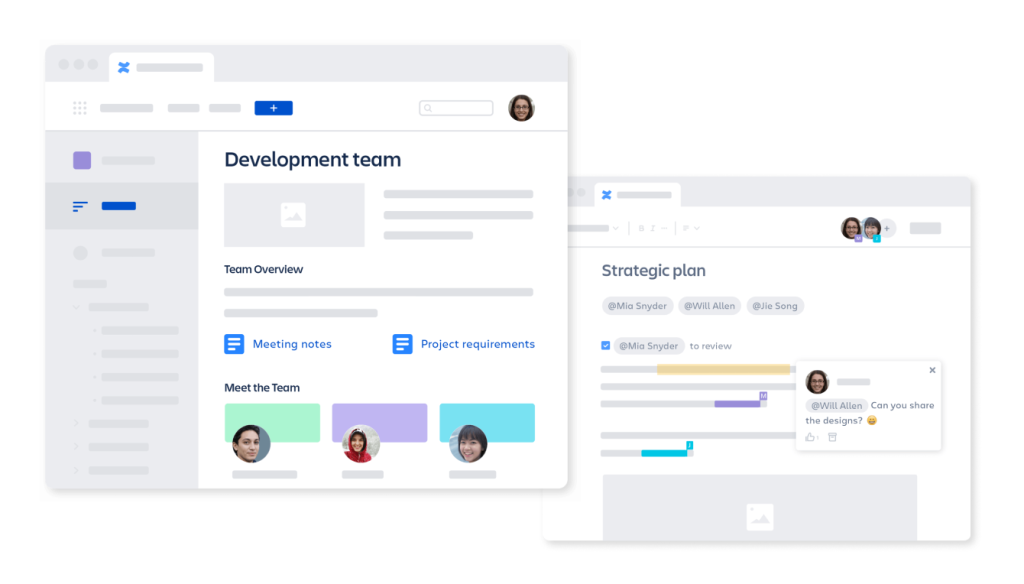
Confluence is one of the most widely deployed knowledge management platforms in the enterprise, particularly among engineering and product teams. Built by Atlassian, it integrates naturally with Jira, Bitbucket, and the broader Atlassian ecosystem — making it a natural home for technical documentation, runbooks, RFCs, and project specs.
Strengths:
- Mature, structured documentation capabilities with a familiar wiki-style format
- Deep Atlassian ecosystem integration for eng-forward organizations
- Scales well across large teams with permission controls and space hierarchies
Limitations:
- Search quality is highly dependent on how well content is organized. Messy spaces produce messy results.
- Requires real taxonomy discipline to stay navigable over time. Without active governance, Confluence spaces can become knowledge graveyards.
Confluence excels as a repository — but retrieval is only as good as the structure beneath it.
2. Microsoft SharePoint + Viva
Best for: Microsoft-native enterprises
For organizations already operating in the Microsoft 365 ecosystem, SharePoint combined with Viva Topics offers a compelling built-in knowledge management solution. It’s tightly integrated with Teams, Outlook, Word, and the rest of the Microsoft stack — and it comes with enterprise-grade compliance and governance tooling out of the box.
Strengths:
- Seamless integration across the Microsoft 365 suite
- Strong compliance and governance controls for regulated industries
- Designed to operate at enterprise scale from day one
Limitations:
- The UX can be complex and unintuitive, leading to low adoption if not carefully managed
- Implementation overhead is significant — getting SharePoint right often requires dedicated IT resources or a systems integrator
SharePoint is powerful, but it’s a platform that demands investment. Teams that don’t commit to proper setup often find themselves with an expensive, underused intranet.
3. Notion Enterprise
Best for: Flexible knowledge + collaboration
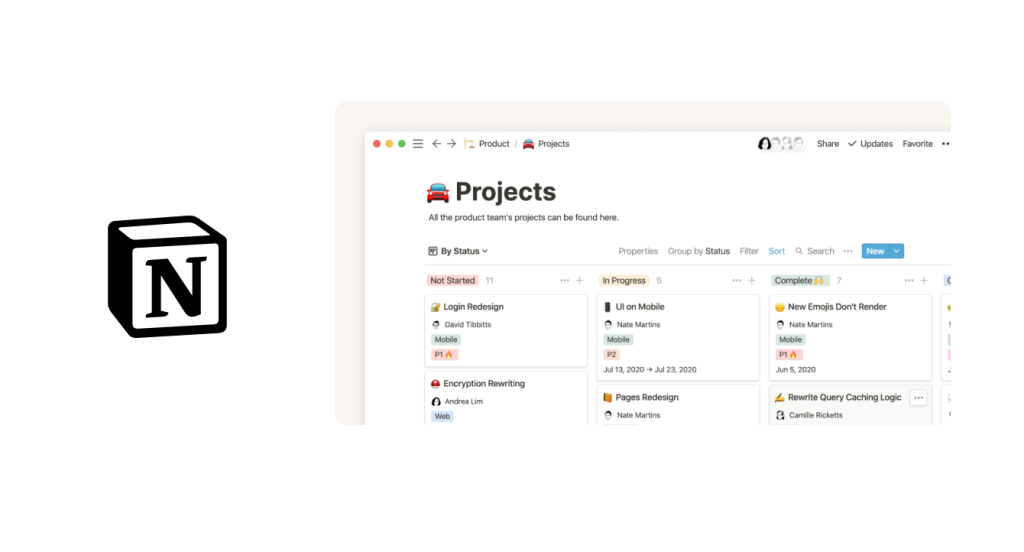
Notion has quickly become a favorite knowledge management tool for fast-moving teams that want a unified workspace where documentation, project management, and wikis coexist. Its block-based, flexible structure makes it easy to spin up new pages and get teams documenting quickly.
Strengths:
- Unified workspace that combines docs, databases, and wikis in one place
- Fast adoption — teams tend to actually enjoy using it
- Flexible enough to fit nearly any knowledge structure
Limitations:
- Governance complexity at scale is a real challenge. Without discipline, Notion sprawls fast.
- Enterprise-grade controls (permissions, audit logs, verification workflows) are still maturing
Notion is great for getting knowledge in. Getting knowledge out reliably is where teams start to feel the friction.

4. Guru
Best for: Verified operational knowledge delivery
Guru has evolved from a simple wiki layer into an AI Agent Center — combining enterprise search with a verified internal knowledge base for teams that need AI answers grounded in company-approved content.
Strengths:
- Built-in verification workflows ensure AI answers rely on expert-approved content
- AI Knowledge Agents let teams build support- or project-specific agents
- Strong fit for support and revenue teams who need fast, trustworthy answers in context
Limitations:
- Search is basic — keyword-dependent with no real understanding of context or intent
- Limited integrations mean it’s not a single source of truth; employees still search outside the platform
- Content connections, permissions, and verification are all manual, creating ongoing governance overhead
Guru works well when content accuracy is the top priority — but teams needing cross-system knowledge discovery will quickly hit its ceiling.
5. Bloomfire / Document360
Best for: Structured knowledge bases
Bloomfire and Document360 are purpose-built knowledge management tools for organizations that want a clean, structured knowledge base — internally for employees, externally for customers, or both. They offer strong knowledge lifecycle management, making it easier to keep content current and organized.
Strengths:
- Purpose-built knowledge lifecycle management, from creation through retirement
- Support for both internal and external knowledge bases
- Clean, structured interface
Limitations:
- Limited cross-system knowledge activation
- Tend to work best for relatively bounded knowledge domains rather than the full sprawl of enterprise information
These platforms are excellent at what they’re designed to do. The gap appears when knowledge needs to surface across multiple systems and workflows.
How the Top Knowledge Management Platforms Compare
No single platform wins across every dimension. The table below scores each tool on the five criteria that matter most for enterprise teams — so you can quickly see where each one leads, and where it falls short.
| Platform | AI Capabilities | Integration Breadth | Governance Depth | Knowledge Activation | Time to Value |
| Confluence | Moderate (Atlassian AI) | Strong (Atlassian ecosystem) | Moderate | Low | Medium |
| SharePoint + Viva | Strong (Microsoft Copilot) | Very Strong (M365) | Very Strong | Moderate | Slow |
| Notion Enterprise | Growing | Moderate | Low–Moderate | Low | Fast |
| Guru | Moderate | Moderate | Strong | High | Fast |
| Bloomfire / Document360 | Moderate | Moderate | Strong | Low | Medium |
| GoLinks + GoSearch | Strong | Very Strong (500+ integrations) | Moderate | Very High | Very Fast |
How to Choose the Right Knowledge Management Platform
The right platform depends on your organization’s pain points — whether that’s documentation structure, ecosystem fit, governance, or speed of adoption. Most of the platforms above solve one or two of those problems well.
But most mature enterprises don’t live in a single tool. They have multiple knowledge management platforms running in parallel — and knowledge scattered across all of them. That’s exactly where the next layer becomes essential.
Where Knowledge Activation Tools Fit in Your KM Stack
Here’s the truth about most knowledge management platform implementations: the platform is not the problem. Access is.
Your engineers know the runbook is somewhere in Confluence. Your support rep knows the policy exists somewhere in SharePoint. Your new hire knows there’s an onboarding doc somewhere. The knowledge exists — it just isn’t accessible in the moment it’s needed.
This is where the three layers of enterprise knowledge management become clear:
- KM platforms (Confluence, SharePoint, Notion, Guru) → Storage + Structure
- Enterprise search (GoSearch) → Retrieval across systems
- GoLinks → Access + Activation in the flow of work
GoSearch connects to your entire knowledge ecosystem and delivers a unified search experience across all of it. No more asking “which tool has the thing I need.” GoSearch finds it, wherever it lives.
GoLinks takes activation a step further. Teams create memorable, shareable short links (go/runbooks, go/q3-plan, go/onboarding) that route anyone to the right resource instantly. No navigation. No hunting. Just go/ and the answer.
Together, GoSearch and GoLinks sit on top of your existing knowledge management platform — not replacing it, but making sure the knowledge inside it is actually used.
Which Knowledge Management Platform Is Right for Your Organization?
Mid-market SaaS — Speed of adoption matters as much as capability. Look for knowledge management platforms that teams will actually use from day one, and prioritize tools that connect your knowledge layer to the places work is already happening. The best KM stack is the one people don’t have to think twice about using.
Regulated Enterprise — Governance and compliance have to be baked in from the start, not bolted on later. Prioritize platforms with strong access controls, audit trails, and content lifecycle management — then make sure your retrieval layer is just as disciplined, so the right people find the right policies without workarounds.
Distributed Workforce — When teams are spread across time zones and tools, knowledge fragmentation is your biggest risk. The priority isn’t just where knowledge lives — it’s how quickly anyone, anywhere, can get to it. Evaluate knowledge management tools on how well they surface information across your full tool ecosystem, not just within a single app.
AI-Forward Organizations — AI tools are only as good as the knowledge they can access. If your information is siloed, inconsistently structured, or hard to retrieve, your AI investments will underperform. Focus on building a clean, connected knowledge management foundation first — then your AI layer has something to actually work with.
Knowledge Exists. The Problem Is Access.
Most knowledge management platforms do their job — they store, organize, and structure information. The gap isn’t the repository. It’s what happens after.
Your investment in Confluence, SharePoint, or Notion is only as valuable as how quickly and reliably your team can access what’s inside. GoSearch unifies retrieval across every tool in your stack. GoLinks puts the most critical resources one keystroke away — so the knowledge your team needs is never more than a go/ link from where they’re already working.
Ready to close the gap between having knowledge and actually using it? Try GoLinks free →
Access and share resources instantly with GoLinks
Try for free
Frequently Asked Questions About Knowledge Management Platforms
The best enterprise knowledge management platform depends on your organization’s needs. Most enterprises benefit from layering an enterprise search tool like GoSearch and a knowledge activation tool like GoLinks on top of their core KM platform.
A knowledge base is a repository of structured information — articles, FAQs, documentation. A knowledge management platform is broader: it encompasses the full lifecycle of organizational knowledge, including creation, storage, search, governance, and delivery. Enterprise knowledge management platforms also typically include integrations, access controls, and AI capabilities that a basic knowledge base does not.
Key features to evaluate include: structured repository and capture tools, AI-powered search and discovery, integration breadth (does it connect to your existing stack?), governance and content lifecycle controls, and knowledge activation — the ability to surface the right information in context, at the moment of need.
Enterprise search tools like GoSearch sit alongside knowledge management platforms to enable simultaneous retrieval across multiple systems. While a KM platform organizes knowledge within a single environment, enterprise search connects across Confluence, SharePoint, Notion, Google Drive, Slack, GitHub, and more — so employees can find what they need regardless of where it lives.
Knowledge activation is the ability to deliver organizational knowledge directly in the flow of work — not just store it. Tools like GoLinks enable knowledge activation by letting teams create instant short links (go/) to any resource, so employees can access critical information without navigating a knowledge management platform at all.