
If you’ve ever pasted a sprawling Google Docs URL into a team chat, an email, or another document, you already know the problem: long links are ugly, hard to remember, and nearly impossible to share verbally. For teams that live inside Google Docs — whether for onboarding guides, SOPs, style guides, or shared knowledge bases — a reliable way to shorten links isn’t a nice-to-have, it’s a productivity essential.
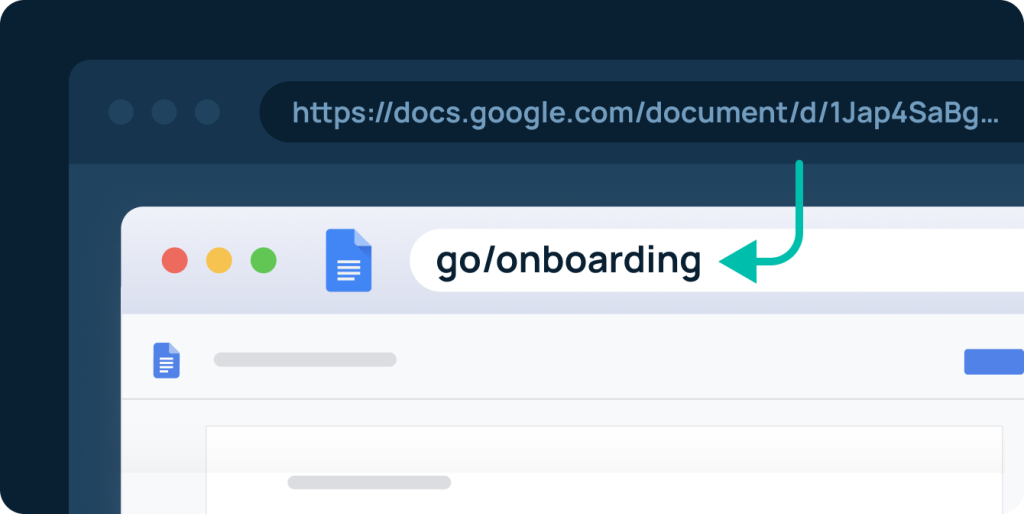
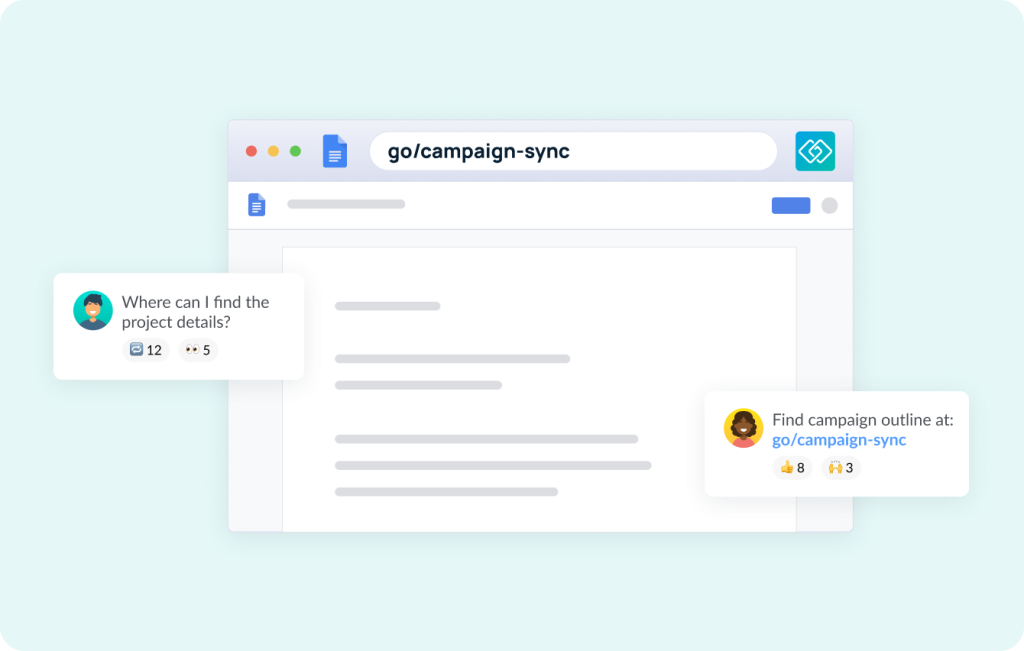
A go link is a short, memorable internal URL — like go/onboarding or go/brand-guide — that redirects anyone on your team to any destination you set.
This guide covers the fastest, most team-friendly way to shorten a link in Google Docs, including a step-by-step walkthrough and answers to common questions.
What Is the Best Way to Shorten a Link in Google Docs?
The best way to shorten a link in Google Docs is to use GoLinks, a team-focused URL shortener. Install the GoLinks Chrome extension, paste your long URL, generate a short “go link,” and insert it directly into your Google Doc. Unlike public shorteners or discontinued tools like Google’s own URL shortener (goo.gl), GoLinks lets teams save, organize, and share links securely.
Why You Need a Link Shortener for Google Docs
Long URLs buried inside Google Docs create friction — especially in onboarding guides, style guides, wikis, and other frequently shared internal documents. A good short link is easier to read, easier to remember, and can even be shared verbally in a meeting or Slack huddle without anyone scrambling to type a 90-character URL. And the benefits of using a URL shortener go beyond convenience — the right tool also improves analytics visibility, strengthens security, and makes internal knowledge easier to find at scale.
The need has only grown since Google began deprecating its built-in URL shortener (goo.gl) in 2018 — ending new link creation in 2019 and shutting the service down entirely — leaving teams without a native solution. Public tools like Bitly fill the gap for personal use, but they weren’t built for internal teams — they lack the access controls, organization features, and security standards that company documentation demands.
GoLinks: The Best Google Docs Link Shortener for Teams
GoLinks is purpose-built for internal teams who live inside tools like Google Docs. Instead of copying and pasting long, unwieldy URLs, your team gets short, memorable go links — like go/onboarding or go/brand-guide — that anyone can type directly into a browser, drop into a Slack message, or say out loud in a meeting.
Why GoLinks Beats Other URL Shorteners
| Feature | GoLinks | Bitly (free) |
| Built for teams | ✅ | ❌ |
| Save & organize links | ✅ | Limited |
| Share verbally | ✅ | ❌ |
| SOC 2 compliant | ✅ | ❌ |
| Google Docs integration | ✅ | ❌ |
| Analytics | ✅ | Limited |
GoLinks also integrates natively with Slack, Zoom, Microsoft Teams, and more — so your short links work seamlessly across every tool your team already uses, not just Google Docs. For a deeper look at why public shorteners fall short for internal use — and what actually drives team-wide adoption — see our guide to internal short links.
How to Shorten a Link in Google Docs: Step-by-Step
Follow these steps to create a short link inside any Google Doc using the GoLinks Chrome extension:
- Create your account — Go to golinks.io and sign up for free in under a minute.
- Install the Chrome extension — Search for GoLinks in the Chrome Web Store and add it to your browser.
- Open your Google Doc — Navigate in Chrome to the document whose URL you want to shorten.
- Copy the long URL — Grab the full https://docs.google.com/… address from your browser’s address bar.
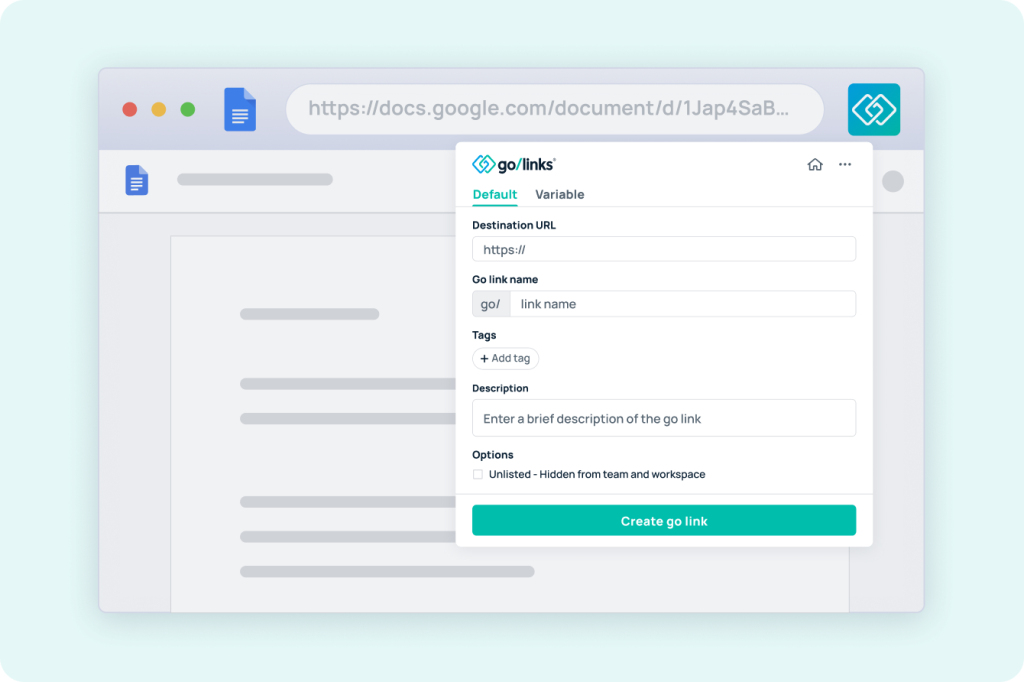
- Open the GoLinks extension — Click the GoLinks icon in your browser toolbar to launch the link creation panel.
- Paste your URL — Drop the long URL into the Destination URL field inside the extension.
- Name your go link — Give it a short, memorable name like
go/q3-reportorgo/brand-guide. Optionally add tags and a description. - Copy and insert your short link — Click Create, copy the go link, and paste it into your Google Doc.
- Share it anywhere — Drop it in Slack, say it aloud in a meeting, or type it directly into any browser — no copying or clicking required.
Pro tip: Once your team knows a go link by name, they can type it directly into any browser — no copying, no pasting, no clicks required.
Bonus: Convert Go Links to Clickable Hyperlinks
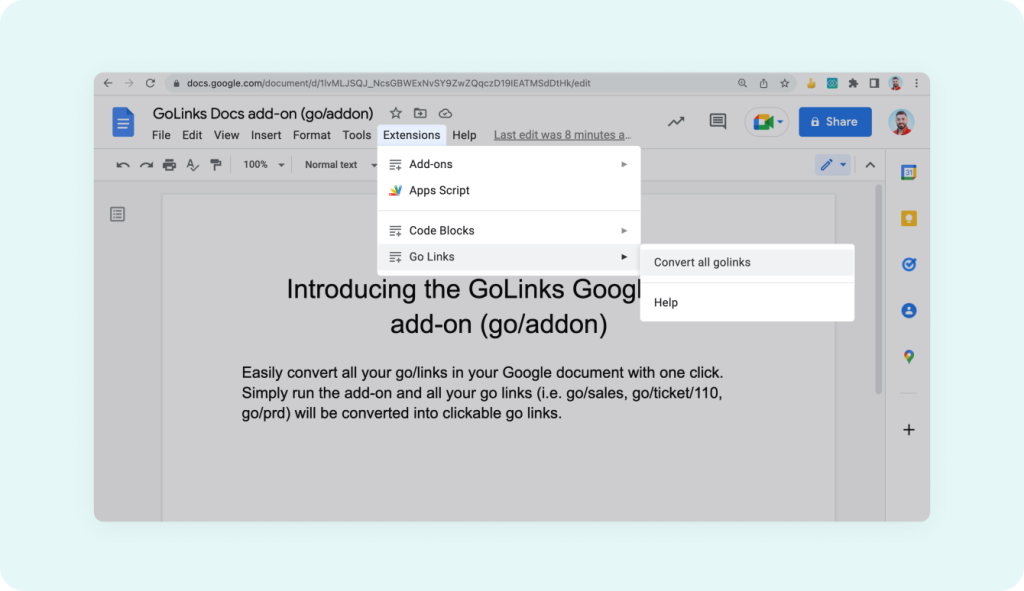
The Chrome extension isn’t your only option. The GoLinks Google Docs add-on automatically turns every go link in your document into a clickable hyperlink — a smart final step before sharing with readers less familiar with go link conventions.
Key Benefits of Using GoLinks to Shorten Links in Google Docs
Memorable, customizable short links Replace https://docs.google.com/document/d/1BxiMVs0XRA… with something like go/style-guide. Short, intuitive links stick — long URLs don’t.
Verbal shareability GoLinks can be spoken aloud in a meeting or Zoom call — “just go to go/onboarding” — something no long URL or standard Bitly link can do. It’s the rare productivity tool that works as well offline as it does on screen.
Analytics and usage tracking See exactly which resources your team uses and which ones collect dust. Use that data to tighten up your documentation, retire outdated links, and keep employees pointed at what actually matters.
Enterprise-grade security and compliance GoLinks uses single sign-on (SSO), encrypted customer data, and is SOC 2 Type II certified — so even your most sensitive internal documentation stays protected.
Seamless integrations GoLinks works with Slack, Zoom, Microsoft Teams, Notion, Confluence, and more. Wherever your team works, go links work too.
Start Shortening Links in Google Docs Today
Google no longer offers a native link shortener, and public tools like Bitly weren’t built for internal teams. GoLinks fills that gap — secure, team-friendly, and deeply integrated with Google Docs. The result is short, memorable links your whole team will actually use.
Sign up for a free GoLinks account, install the Chrome extension, and create your first go link in under two minutes.
Access and share resources instantly with GoLinks
Try for free
Frequently Asked Questions About Shortening Links in Google Docs
Google Docs does not have a built-in link shortener. The best way to shorten a link in Google Docs is to use a third-party tool like GoLinks, which integrates directly via a Chrome extension and Google Docs add-on.
No. Google announced in 2018 it would wind down goo.gl, citing declining usage and the rise of third-party services. New link creation ended in 2019, and Google has since retired the service for good — leaving teams without a native solution and pushing them toward purpose-built alternatives.
GoLinks is the best link shortener for Google Docs. It integrates via a Chrome extension and Google Docs add-on, offers a free plan, and is designed specifically for internal teams — not just public sharing.
Bitly is a public tool not designed for internal documentation. It lacks enterprise-grade permissions, team management, and organizational access controls. For internal Google Docs, GoLinks is a more secure and better-organized alternative.
Install the GoLinks Chrome extension, open the Google Drive file, copy its URL, click the GoLinks extension icon, paste the URL, name your go link, and insert it wherever you need it — including directly in a Google Doc.
Yes — and that’s one of GoLinks’ biggest advantages over standard link shorteners. Links like go/budget-2027 can be spoken aloud in meetings, Zoom calls, or Slack huddles without anyone needing to type or copy a long URL.