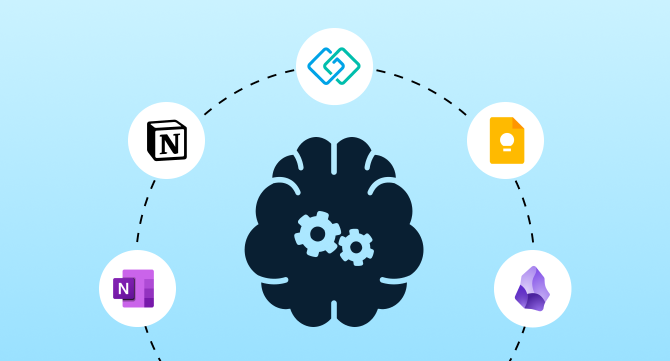

Everything you need to know about personal knowledge management tools: how to capture, organize, and retrieve your knowledge — and why the right system changes everything.
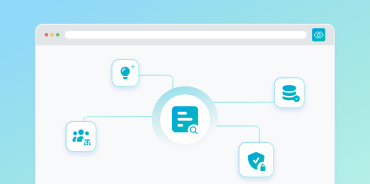
What is personal knowledge management software? Personal knowledge management (PKM) software helps you capture, organize, store, and retrieve information — turning scattered notes, links, and files into a single searchable system you can act on. The category spans lightweight note apps, graph-based second-brain systems, research platforms, and team retrieval tools.
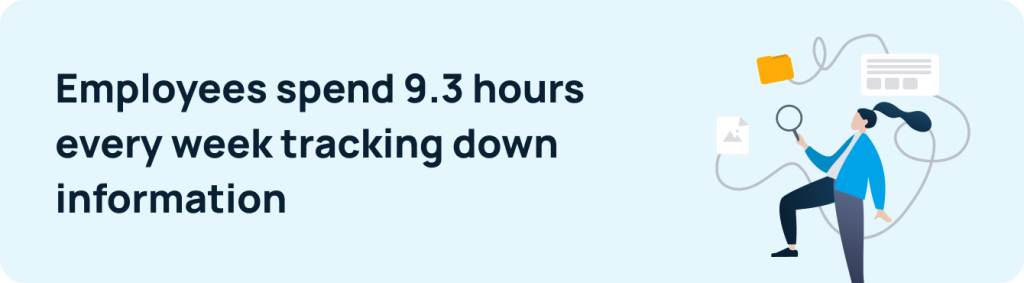
The right system matters because search is a hidden time tax: knowledge workers spend nearly 20% of the workweek hunting for internal information or chasing down colleagues, according to McKinsey research. A trusted PKM system returns that time.
This guide breaks down the 12 best personal knowledge management tools for 2026 — what each one does best, and how to match one to your workflow.
What Does PKM Software Do?
At its core, PKM software converts raw information into usable knowledge — and eventually into action — with a single, trusted system as the foundation.
A high-functioning PKM system helps you:
- Navigate information overload with a clear, searchable structure
- Build a unified personal knowledge base across notes, links, and files
- Turn fragmented content into organized insights you can act on
- Retrieve ideas, references, and context instantly
- Link concepts across projects to support deeper understanding
- Spot patterns, uncover insights, and drive better decisions
The term covers a wide spectrum — from a lightweight personal knowledge management app for quick mobile capture, to graph-based second-brain systems, to enterprise research management platforms. Some buyers also need shared team access alongside personal workflows. This guide covers all of these use cases.
Why You Need a PKM System
Information keeps growing. The cost of not managing it grows with it. Four forces make a personal knowledge management system essential right now:
- Information overload is getting worse. The volume of knowledge work keeps growing — and without a structured PKM system, important information gets buried across apps, emails, docs, and tabs.
- Search is a hidden time tax. Slow, inconsistent retrieval creates friction and missed context. The right PKM tool eliminates the time lost to hunting for information.
- AI is only as good as its inputs. As AI tools become more capable, they depend on clean, connected, well-structured knowledge. A strong personal knowledge management system provides that foundation.
- Attention doesn’t manage itself. A well-designed PKM system reduces cognitive load, sharpens focus, and turns overloaded workstreams into clear, actionable priorities.
Key Features to Look For
Not all personal knowledge management tools are built the same. These are the capabilities that separate a system you’ll actually use from one you’ll abandon:
- Capture flexibility — Add notes, links, images, voice, and web clippings quickly, across any device or context.
- Search and retrieval — Fast, accurate search — ideally AI-powered or semantic — so the right information surfaces when you need it.
- Linking and connections — Bi-directional links that build a networked knowledge base, not just a folder of files.
- Organisation structure — Tags, folders, collections, or graph navigation that matches how you think.
- Collaboration and sharing — Shared access to resources and team knowledge bases for distributed teams.
- AI capabilities — Summarisation, intelligent search, and AI-assisted linking that accelerate how you build and retrieve knowledge.
- Privacy and data control — Local storage, encryption, and full transparency around how your data is stored and used.
How We Evaluated These Tools
Each tool in this guide was assessed against five criteria: capture (how easily information gets in), retrieval (how quickly it comes back out), linking (whether the tool builds connected knowledge or just stores files), pricing (free tier availability and paid value), and team fit (whether knowledge can be shared beyond one person). Assessments draw on each vendor’s documentation and current feature set, verified user feedback on review platforms like G2 and TrustRadius, and how each tool performs in the workflows it’s built for. No tool ranks first overall — each earns its place by serving a specific workflow better than the alternatives.
The 12 Best Personal Knowledge Management Tools for 2026
1. Evernote — PKM Software for Note Capture
Best for: Users who want a familiar, established note capture tool and are comfortable paying for full functionality.
Evernote is one of the most established personal knowledge management tools available — built around capture, notebooks, and search. It supports text, images, audio, and web clippings, with Google Calendar integration for task scheduling alongside notes. Evernote has shipped significant updates, including AI editing features and a major v11 release in early 2026. However, repeated price increases and a heavily restricted free tier have pushed many long-time users toward alternatives. It remains a capable tool for users who value its polished capture experience — but it’s no longer the accessible entry-level option it once was.
Pros
- Strong note capture workflow
- Notebooks and Spaces structure
- Search and recall emphasis
- Multiple media types
- Active development with AI features
Cons
- Significant price increases since acquisition
- Free tier heavily restricted — limited notes, devices, and storage
- Newer PKM tools offer more at lower cost
For most users, Notion or Obsidian now offer better value — and better PKM — for less.
2. Microsoft OneNote — PKM Tool for Microsoft Users
Best for: Users already working inside Microsoft tools who want a well-integrated, structured note system.
As a personal knowledge management tool embedded in Microsoft 365, OneNote organizes content into notebooks, sections, and pages, and supports text, drawings, audio, and images. It syncs across devices and integrates natively with Teams and Outlook.
Pros
- Familiar notebook hierarchy
- Strong Microsoft ecosystem integration
- Cross-device synchronization
- Team collaboration via Teams
Cons
- Notebook hierarchy doesn’t support bi-directional linking or graph views
- Limited differentiation for users who have outgrown basic note-taking
If OneNote feels limiting, Notion offers significantly more flexibility without a steep learning curve.
3. Notion — All-in-One Personal Knowledge Management App
Best for: Users who want a flexible, all-in-one workspace and are willing to invest time in setup.
Notion is a widely used personal knowledge management app that combines docs, notes, and databases into a single platform. Users build pages with modular blocks and custom templates — supporting both personal workflows and lightweight team collaboration.
Pros
- All-in-one workspace
- Structured databases and custom templates
- Supports personal and lightweight team knowledge workflows
- Broad fit across many use cases
Cons
- Broad feature set can create complexity and maintenance overhead over time
- Without structure, workspaces sprawl and become harder to navigate
If Notion’s flexibility creates too much overhead, Obsidian or Logseq are more focused alternatives.
4. TiddlyWiki
Best for: Technical users who want full control over their personal wiki and are comfortable with a hands-on setup.
TiddlyWiki is a non-linear personal knowledge management system that stores all data in a single HTML file. Users create “tiddlers” — individual notes that can be freely linked and tagged. Fully customizable, extensible, and locally stored.
Pros
- Fully customizable and extensible
- Strong local data control
- Open-source and free
- Non-linear notebook model
Cons
- Steeper learning curve
- More technical than typical note apps
- Not suited for team workflows
If TiddlyWiki feels too technical, Obsidian offers similar local-first control with a lower barrier to entry.
5. Zotero
Best for: Students, academics, and professionals whose knowledge base centers on managing research sources.
Zotero is a specialized personal knowledge management tool built for research, not general note-taking. It imports books, articles, and web pages with automatic metadata extraction, and organizes sources with collections and tags. Built specifically for citation management and annotation workflows.
Pros
- Citation management
- Auto metadata extraction
- Cloud sync
- Source import from web and libraries
Cons
- Narrower than general note tools
- Less useful outside academic or research contexts
If your PKM needs extend beyond research sources, Notion or Obsidian offer broader knowledge management capabilities.
6. Google Keep
Best for: Users who need a fast, frictionless capture tool rather than a comprehensive PKM system.
Google Keep is the lightest entry point in the personal knowledge management app category — a minimal notes-and-lists tool built purely for quick capture. Create cards with text, images, voice notes, and drawings, then label, color-code, and set reminders. Integrates with Google Workspace and supports cross-device access.
Pros
- Extremely fast capture
- Simple, accessible interface
- Google Workspace integration
- Cross-device access
Cons
- Limited deep organization
- Weak fit for advanced PKM or networked thought
If you’ve outgrown Google Keep, Evernote or Notion offer more structure without a steep learning curve.
7. Bear
Best for: Writers and professionals who prioritize clean aesthetics, markdown support, and distraction-free writing flow.
Bear is a writing-first personal knowledge management app for macOS and iOS. It supports markdown, flexible nested tagging, and a distraction-free focus mode. Notes can be encrypted and exported in multiple formats.
Pros
- Clean, distraction-free writing experience
- Full markdown support
- Flexible and nested tagging
- Note encryption for privacy
Cons
- Apple ecosystem only
- No shared team workflows
- Lighter than advanced PKM tools
If Bear feels too lightweight for serious PKM, Obsidian offers deeper linking and a full knowledge graph without sacrificing markdown.
8. Logseq
Best for: Privacy-conscious users who want an open-source PKM system with powerful outlining and graph-based linking.
Logseq is an open-source, local-first personal knowledge management tool built around an outliner-first structure and bi-directional linking. Every bullet point is a referenceable block, and a graph view surfaces connections across your entire knowledge base. It also includes whiteboards for visual thinking and built-in flashcards for spaced repetition — making it especially strong for students and researchers. Like Obsidian, all data is stored as plain Markdown or Org-mode files, ensuring full data ownership.
Pros
- Free and open-source
- Local-first with full data ownership
- Powerful bi-directional linking and graph view
- Built-in whiteboards and flashcards
- Block-level references and queries
- Active plugin and community ecosystem
Cons
- Outliner paradigm has a steeper learning curve than document-based tools
- Mobile experience significantly weaker than desktop
- Sync requires manual configuration
If Logseq’s outliner model doesn’t match how you think, Obsidian offers similar local-first principles with a more document-based approach.
9. Obsidian
Best for: Individuals building powerful, long-term personal knowledge systems who value offline-first privacy and customizability.
Obsidian is a markdown-based, local-first personal knowledge management system designed for deep linking and building a personal knowledge graph. Create notes, link them bi-directionally, and visualize relationships through a graph interface. An extensive plugin ecosystem enables significant customization, with all data stored locally by default.
Pros
- Knowledge graph visualization
- Local/offline storage with data ownership
- Extensive plugin ecosystem
- Strong second-brain fit
- Highly customizable
Cons
- Requires setup and method design investment
- Limited team access without third-party plugins
- Steeper learning curve for new users
If Obsidian’s local-first, solo focus is a limitation, GoLinks adds the shared retrieval layer that Obsidian doesn’t provide.
10. Tana
Best for: Power users and systems thinkers who want a highly structured, database-like PKM system with deep AI integration.
Tana is built around a node-based system where every piece of information is a structured object with properties and relationships. Its “supertag” system lets you define content types and apply consistent metadata across your knowledge base — with built-in AI for auto-tagging, summarization, and content generation.
Pros
- Node-based structure with supertags and metadata
- Database-like organization within a PKM tool
- AI integration for tagging, summarization, and generation
Cons
- One of the steeper learning curves in the PKM category
- Overkill for simple note-taking or writing workflows
- Cloud-only — no local storage option
If Tana feels too complex, Notion delivers similar structure without the steep onboarding.
11. Heptabase
Best for: Visual thinkers who need to map and understand complex relationships between ideas spatially.
Heptabase replaces folders and outlines with an infinite whiteboard — place cards, notes, and PDFs spatially on a canvas and connect them like a mind map. It is well-suited to visual thinkers who need to see relationships between ideas, not just store them. A daily journal feeds into whiteboards, and MCP support connects directly to AI tools like Claude and ChatGPT.
Pros
- Infinite whiteboard and visual mapping
- Research and literature review workflows
- Daily journal feeds into whiteboards
- AI suggestions and MCP integration
Cons
- No free plan
- Not suited to linear thinkers
- Limited mobile experience
If Heptabase’s visual approach appeals but feels too niche, Obsidian or Logseq offer graph views as a lighter alternative.
12. GoLinks
Best for: Teams and individuals who need fast, shared access to internal knowledge resources, especially when knowledge is scattered across multiple tools.
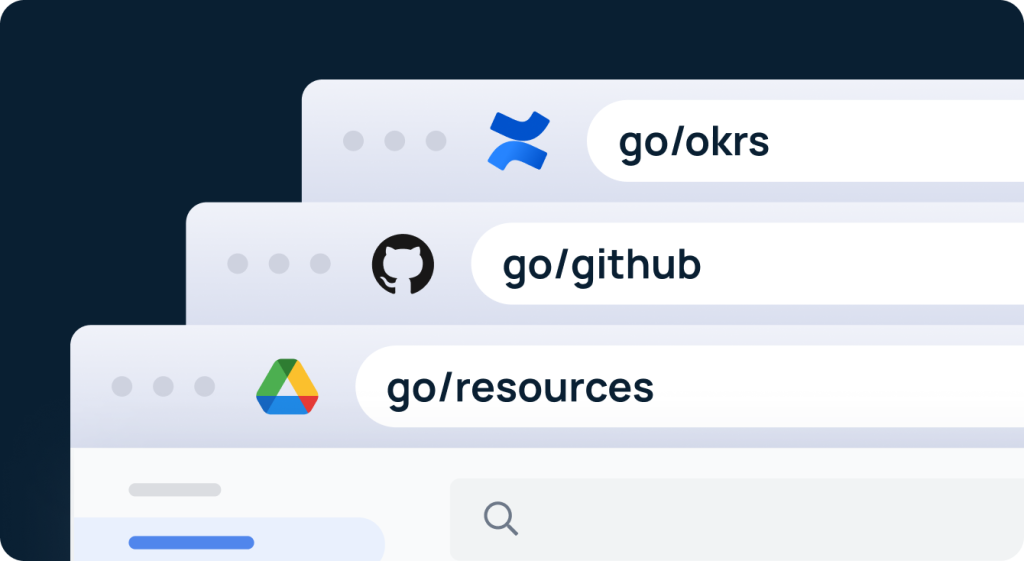
Unlike traditional personal knowledge management tools — which focus on capturing and organizing individual notes — GoLinks is built for retrieval speed and shared access. It creates short, memorable go-links (e.g., go/project-roadmap) that map to internal resources, docs, and dashboards. AI-powered resource search, a searchable link repository, and strong workplace integrations are built for operational and team-wide knowledge retrieval — a job most PKM tools don’t attempt.
Pros
- Instant access to any resource via short, memorable go links
- Searchable repository replaces bookmarks, files, and URL hunting
- Fully customizable naming to match your PKM workflow
- Built for team-wide knowledge sharing and collaboration
- AI-powered search and strong workplace integrations
Cons
- Not a classic personal note app
- Best for shared access, not solo deep PKM
- Works best as a complement to other PKM tools
GoLinks works best alongside a personal PKM system — covering the team retrieval layer that solo note tools don’t address.
Personal Knowledge Management Tools: Quick Comparison
| Tool | Best Use Case | Team Use? | Type |
| Evernote | Note capture for users comfortable with paid plans | Limited | Note app |
| Microsoft OneNote | Microsoft ecosystem users | Yes | Note app |
| Notion | Flexible notes + lightweight collaboration | Yes | Workspace |
| TiddlyWiki | Custom personal wiki (technical users) | Limited | Personal wiki |
| Zotero | Academic & research workflows | Limited | Research tool |
| Google Keep | Fast, lightweight note capture | Basic | Note app |
| Bear | Writing-focused notes & tagging (Apple only) | No | Note app |
| Logseq | Open-source, local-first PKM with outlining | Limited | PKM system |
| Obsidian | Deep personal knowledge graphs | Limited | PKM system |
| Tana | Structured, database-like PKM for power users | Limited | PKM system |
| Heptabase | Visual, whiteboard-based PKM for researchers | Limited | PKM system |
| GoLinks | Fast shared knowledge access for teams | Yes | Retrieval tool |
How to Choose the Right Personal Knowledge Management Software
Not all PKM tools are built for the same workflow. Use these five criteria to match the right personal knowledge management system to how you actually think and work.
1. Match Your Workflow and Information Type Start with how you work, not the tools. The right PKM system depends on what you’re trying to do — long-form thinking, project tracking, academic research, or fast daily capture all call for different approaches. Some tools are built for deep, linked knowledge systems. Others prioritize flexibility, visual organization, or frictionless capture. Match the tool to the workflow, not the other way around.
2. Identify Your Must-Have Features Know your non-negotiables before you choose. Depending on your workflow, the features that matter most might include:
- Bi-directional linking and knowledge graphs
- Visual and spatial organization
- AI-assisted search and retrieval
- Deep integration with existing tools and ecosystems
- Citation and source management
- Local storage and data control
- Fast shared team access and retrieval
Not every tool covers all of these — and not every workflow needs them all. Start with the two or three capabilities you cannot work without, and evaluate tools against those first.
3. Consider Ease of Use and Adoption A PKM tool only delivers value if you use it consistently. Some tools offer near-zero friction and immediate usability. Others reward meaningful setup investment with significantly more power and flexibility. The right choice depends on how much time you are willing to invest upfront — and whether the long-term payoff justifies it.
4. Think About Team vs. Personal Use Most PKM tools solve the personal side of knowledge management well. The team side is harder — knowledge gets scattered across tools, and no single note app solves shared retrieval at scale. The strongest setups combine a personal PKM system with a dedicated retrieval layer. GoLinks is built specifically for that layer — instant, searchable access to shared resources, without replacing the tools your team already uses.
5. Future-Proof Your Choice AI-native search, knowledge graphs, and retrieval-augmented generation (RAG) are evolving rapidly. Prioritize platforms investing in AI-powered features, strong integrations, and long-term scalability — especially if your knowledge base is likely to grow significantly over time.
Personal Knowledge Management Trends to Watch in 2026
These developments are shaping what best-in-class personal knowledge management looks like — and what to prioritize when evaluating PKM tools today.
- AI-native search and assistance — Tools are shifting from basic keyword retrieval to conversational, context-aware AI that interprets intent, surfaces related insights, and summarizes content automatically.
- Knowledge graphs and connected ideas — Stronger emphasis on linking ideas, visualizing relationships, and building connected knowledge networks within personal knowledge bases.
- Semantic search and RAG — Smarter retrieval combining vector search, knowledge graphs, and domain context leads to more accurate, reasoning-driven PKM experiences.
- Cloud, hybrid, and local storage flexibility — Platforms increasingly offer multiple storage options to balance privacy, sync needs, and offline access for different user types.
- Stronger metadata governance — Clean tagging, structured taxonomies, and consistent review cycles are becoming essential for long-term knowledge base clarity.
- Personal and team system convergence — Personal knowledge bases are integrating more deeply with team systems — blending shared knowledge with private workflows without sacrificing individual focus.
- Privacy and data ownership — Users are demanding greater transparency around data control, storage, and ownership — making privacy a key differentiator in tool selection.
Stop Losing Knowledge. Start Managing It.
The best personal knowledge management software does not just store information — it helps you use it, act on it, and share it with clarity. Whether you are building a solo PKM system or equipping a whole team, the right tool makes the difference between knowledge that compounds and knowledge that gets lost.
The right system depends on how you think. Deep linkers need graph-based tools. Visual thinkers need spatial organization. Structured thinkers need database-like flexibility. Writers need distraction-free capture. Researchers need source management. And teams need a shared retrieval layer that works across every tool they already use — something most personal note apps were never built to provide.
Match the tool to the workflow — not the other way around.
Ready to fix how your team accesses shared knowledge? Get started with GoLinks for free.
Access and share resources instantly with GoLinks
Try for free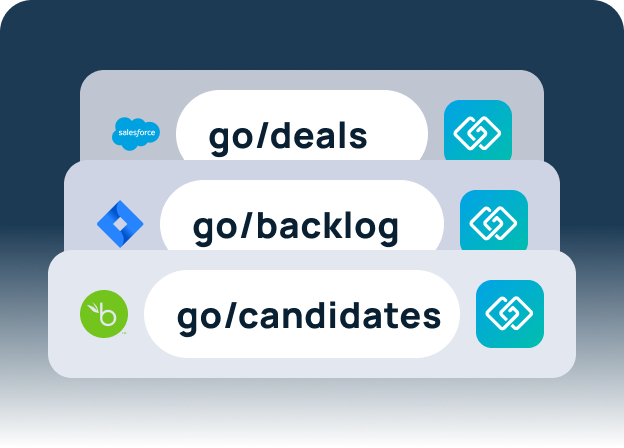
Frequently Asked Questions: Personal Knowledge Management Software
Personal knowledge management (PKM) is the practice of capturing, organizing, storing, and retrieving information to work more effectively. PKM software is the tooling that makes that practice possible — transforming raw information into a usable, searchable system, often called a second brain, that reduces time spent searching and increases time spent doing. The category spans lightweight note-taking apps, graph-based knowledge systems, research management platforms, and team knowledge retrieval tools. The category spans lightweight note-taking apps (Google Keep, Bear), graph-based knowledge systems (Obsidian, Logseq), research management platforms (Zotero), and team knowledge retrieval tools (GoLinks).
The terms are often used interchangeably. A PKM app typically refers to a mobile-first or lightweight tool designed for quick capture and access on the go. PKM software tends to describe fuller desktop or web-based platforms built for deeper knowledge management workflows — note organization, knowledge graphs, research management, and team collaboration. Many tools today span both, offering a full desktop experience alongside a companion mobile app.
There is no single best tool — only the right fit for your workflow. Obsidian and Logseq suit deep linkers and researchers building graph-based, local-first knowledge systems. Notion fits workers who want notes, databases, and lightweight collaboration in one workspace. Zotero handles academic research and citation management. Heptabase serves visual thinkers who map ideas spatially, and Google Keep covers fast, frictionless capture. For the shared access problem personal note apps were never built to address, GoLinks provides the team retrieval layer. Start with your primary use case and match the tool to that need.
Personal knowledge management focuses on individual workflows — capturing and organizing knowledge for personal use and recall. Organizational knowledge management expands this to shared systems, team access, and institutional knowledge. The strongest knowledge setups address both layers: a personal PKM system for individual use and a shared retrieval layer for team-wide access.
It depends on the tool and the workflow. Lightweight capture tools like Google Keep deliver immediate value with near-zero setup. More powerful systems — Obsidian, Logseq, Tana — require upfront investment in design and habit formation, but compound significantly over time. Tools focused on shared team retrieval, like GoLinks, tend to show the fastest measurable productivity gains, since the time saved on searching is immediate and visible.
GoLinks is not a traditional PKM tool — it does not capture or organize personal notes. It is a knowledge retrieval tool built for speed and shared access, designed to complement personal PKM systems rather than replace them. Where most PKM tools solve the individual knowledge problem, GoLinks solves the team retrieval problem — giving everyone instant access to shared resources without replacing the tools they already use.