



If you ever worked at Facebook or Meta, chances are you never bookmarked anything. Instead, you’d just type cal to open your calendar, or wiki plus a search term to find the right page. A few letters brought up almost any internal tool you needed. That magic comes from a tool called bunnylol, which quietly powers the daily workflow for thousands of Meta engineers.
But when you join a new company, everything changes. Suddenly, every dashboard, runbook, and repo hides behind a long URL, a forgotten bookmark, or a frantic Slack search. Most ex-Meta (Facebook) employees notice this gap right away, and many try to rebuild bunnylol from scratch.
This guide will break down what bunnylol and bunny1 actually are, how they work, how they stack up against go links, and why most companies ultimately go farther with a dedicated go links platform like GoLinks instead of a DIY clone.
Here’s the short version: Bunnylol (or Bunny1) is Meta’s smart internal bookmarking tool. You type a command, like cal or wiki onboarding, right into your browser, and you’re instantly taken to the right internal page. It all started as bunny1, a Python project by Charlie Cheever at Facebook, which was later open-sourced. But Meta’s internal commands stay in-house, so you can’t take them with you. The closest thing for the enterprise world is GoLinks, which gives you go/ shortcuts, variable links that take arguments just like bunnylol, AI search for unclaimed shortcuts, and enterprise features like SSO, SCIM, role-based access, and SOC 2 Type 2 compliance.
What Are bunnylol and bunny1?
Bunnylol is what Meta employees call the company’s smart bookmarking tool. Meta’s own developer blog describes it as the way staff get around to every tool, wiki, and knowledge base inside the company.
It all started with bunny1. Charlie Cheever—an early Facebook engineer who later co-founded Quora—wrote the first version in Python. Facebook open-sourced bunny1 on GitHub so people could create smart bookmarks and share them across browsers and teams. Within Meta, the tool continued to evolve and became known as bunnylol.
The idea stuck. Meta later released bunnylol.rs, a modern Rust rewrite of bunny1, and a sample project called rusty-bunny. Plenty of ex-Meta engineers have even built their own versions at new companies—which says a lot about how much people miss it.
How Does bunnylol (bunny1) Work?
Bunnylol turns your browser’s address bar into a command line. Instead of sending your search to Google, the browser sends whatever you type to a small web server. The server reads the first word as a command and then redirects you to the right place.
- You set bunnylol as your browser’s default search engine, using a URL such as server/search?cmd=%s.
- You type a command and optional arguments, such as gh facebook/react.
- The server reads the first word (gh) and matches it to a rule.
- The rule builds a destination URL from the arguments, such as github.com/facebook/react.
- If nothing matches, the query falls through to a regular web search.
That last step matters. Since bunnylol lives in your default search slot, a typo or an unknown command never leaves you stuck. It just falls back to a regular search, which makes people trust the tool enough to use it for everything.
Arguments matter, too. A regular bookmark takes you to just one page. But a bunnylol command can take input, so a single command can cover a whole family of pages—like every repo, every wiki article, or every profile.
What Do bunnylol (bunny1) Commands Look Like?
Most bunnylol commands are two or three letters, with optional arguments after a space. The examples below come from Meta’s public docs and open-source versions. Meta’s internal list is much longer.
| Command | What it does | Source |
|---|---|---|
| cal | Opens the internal calendar tool | Meta for Developers |
| wiki onboarding | Searches internal wiki pages for a term | Meta for Developers |
| gh facebook/react | Opens a specific GitHub repository | bunnylol.rs |
| tw @fbOpenSource | Opens a Twitter/X profile | Meta for Developers |
| Any unknown command | Falls back to a web search | rusty-bunny |
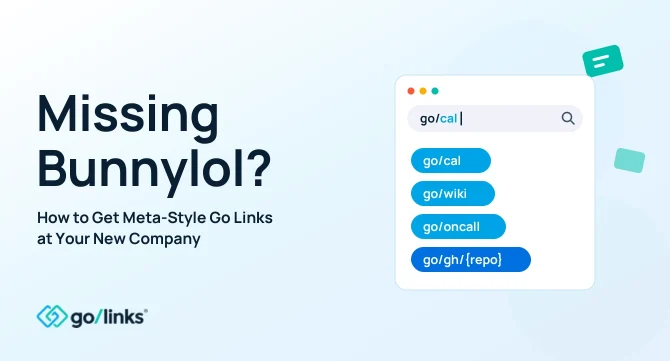
With GoLinks, the same shortcuts become go/cal, go/wiki/onboarding, and go/gh/react.
How Is bunnylol Different from Go Links?
Bunnylol and go links are both about getting people to the right resource—without having to dig up a URL. The biggest differences are in who gets to create shortcuts and how you type them.
| How you type it | A bare command, such as cal | A prefixed link, such as go/cal |
| How it hooks into the browser | Default search engine setting | Browser extension or DNS |
| Who adds shortcuts | Engineers, by editing code (in bunny1 and its clones) | Anyone, through a self-serve UI |
| Arguments | Built into each command | Variable links, such as go/gh/{repo} |
| Unknown shortcut | Falls through to web search | Shows search results and suggestions |
| Shareable in docs and Slack | Rarely, since commands live in your address bar | Yes, go/ links work anywhere you paste them |
Authorship is the main gap. At Meta, a dedicated group of engineers keeps bunnylol commands fresh. But at most companies, it’s HR, sales, IT, and ops who know where the resources live. A go links tool lets anyone—even non-engineers—create a shortcut in seconds, no code editor required.
Can You Just Install bunny1 or bunnylol.rs at Your New Company?
You can, and plenty of ex-Meta engineers do. Bunny1, bunnylol.rs, and lots of community clones are free on GitHub. You can spin up a working prototype in an afternoon, and AI coding tools make it even quicker.
That works until your whole company depends on it. Statsig, a startup founded by ex-Meta leaders, named bunnylol as one of the tools its team missed most in its first week, but it also warned against trying to recreate all of Meta’s internal tooling. Four gaps come up most often.
- Only engineers can add commands. Bunny1-style tools store commands in code or config files. Marketing, HR, and sales can’t add their own, so the tool stays an engineering toy.
- No access control or audit trail. Open-source clones rarely have SSO, SCIM provisioning, role-based permissions, or usage logs, which really matters when shortcuts point to sensitive internal systems.
- Every laptop needs setup. Each employee must manually change their browser’s default search engine, and browser updates can reset it.
- Nobody owns it. The engineer who set it up eventually moves on, commands go stale, and broken links pile up.
GoLinks covers the full math in its build-versus-buy guide, which estimates an internally maintained Go Links system at about $162,560 a year, once you account for a dedicated engineer, support, and infrastructure.
How Do You Get bunnylol-Style (bunny1) Shortcuts with GoLinks?
GoLinks keeps the parts ex-Meta employees love about bunnylol: short, guessable commands and instant redirects. Then it adds everything a full company needs on top.
- Commands with arguments: Variable Links work like bunnylol commands. One shortcut such as go/gh/{repo} or go/jira/{ticket} covers every repo or ticket.
- A safety net for unknown shortcuts: GoAI search finds links by meaning if someone guesses the keyword wrong, and suggests links when a query doesn’t match. It’s the same safety net as bunnylol’s search fallback.
- Self-serve creation: Anyone with permission can make a link in seconds—right from the browser, Slack, or Microsoft Teams. No code changes or pull requests needed.
- Enterprise controls: SOC 2 Type 2 and GDPR compliance, SSO through Okta, Google, and Microsoft, SCIM provisioning, role-based access control, and audit logs.
- Governance: Link ownership transfers when an employee leaves, so shortcuts don’t break when people do.
- Works everywhere: There are browser extensions for Chrome, Firefox, Safari, and Edge; DNS setup for managed devices; iOS and Android apps; and 15+ native integrations.
- Room to build: The GoLinks API and webhooks let your engineers extend link behavior, and the GoLinks MCP server lets AI agents find and create links.
If your team already runs a bunny1 clone or another homegrown tool, GoLinks can migrate your existing shortcuts, so nothing starts over.
How Can You Bring bunnylol-Style (bunny1) Shortcuts to Your New Company?
- Start free or book a demo. Sign up to test it yourself, or get a walkthrough tailored to your stack.
- Install the browser extension or configure DNS. Either option takes minutes and needs no change to anyone’s default search engine.
- Recreate the commands you miss most. Good starters: go/cal, go/wiki, go/oncall, go/dash, and go/gh/{repo}.
- Connect your identity provider and set roles. SSO and role-based access keep links governed from day one.
- Share the first links in Slack or Microsoft Teams. Invite each team, not just engineering, to add its own.
Ready to stop missing bunnylol? Start with the free plan or book a demo to see Variable Links, GoAI search, and all the enterprise controls in action.
Access and share resources instantly with GoLinks
Schedule a demo
Frequently Asked Questions about bunnylol, bunny1, and Go Links
What Is bunnylol at Meta?
Bunnylol is Meta’s internal smart bookmarking tool. Employees type short commands into the browser address bar, such as cal or wiki followed by a search term, and land on the right internal tool or page. Anything that doesn’t match a command falls through to a web search.
What Is the Difference between bunnylol and bunny1?
Bunny1 is the original Python tool, written by Charlie Cheever at Facebook and released as open source. Bunnylol is the name for the internal version Meta employees use today. Meta has since published bunnylol.rs, a modern Rust rewrite of bunny1.
Can I Use bunnylol at Another Company?
Not Meta’s version. Meta’s internal commands point to Meta’s own systems and stay inside the company. You can install open-source clones like bunny1 or bunnylol.rs, but then you own the setup, security, and upkeep. GoLinks offers the same shortcut experience as a managed platform.
Is bunnylol the Same as Go Links?
They solve the same problem in slightly different ways. Bunnylol uses bare commands typed into the browser’s address bar, while GoLinks uses a go/ prefix and a browser extension or DNS. GoLinks Variable Links also accept arguments, so a single link like go/gh/{repo} works like bunnylol’s gh command. Unlike bunnylol commands, go links are easy to share in docs and chat, and anyone can create them without writing code.
How Long Does It Take to Set Up GoLinks?
Most teams go live in minutes. Install the browser extension or configure DNS, connect your identity provider, and create your first links. The free plan lets you test the experience before involving IT.


