


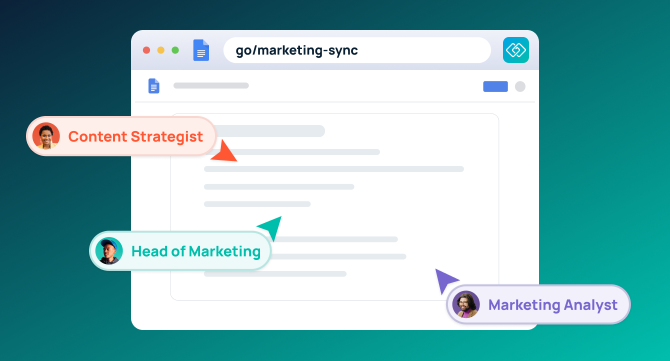

Someone on your team just answered the same question for the fourth time this month — where the Q3 deck lives, what the approved logo files are called, who owns the pricing sheet. They stopped what they were doing to dig it up, again, because asking is faster than searching. Multiply that across every recurring question on a team, and the real cost isn’t finding information. It’s how often someone else has to stop and find it for you.
Context-switching compounds the cost. Knowledge workers spend nearly 20 percent of the workweek looking for internal information or tracking down colleagues who can help, according to the McKinsey Global Institute. The tools meant to solve this often add to it.
This guide covers 10 team productivity tools across the full stack: knowledge access, communication, search, task management, automation, scheduling, and writing. Each earns its place by solving a distinct problem and meeting four criteria — speed of adoption, AI capability, use-case specificity, and third-party validation.
Team Productivity Tools Compared
| Tool | Best For | Key Feature | Pricing |
|---|---|---|---|
| GoLinks | Instant knowledge access | Human-readable go/links + GoAI | Free; Basic from $2/user/month |
| Slack | Team communication | AI thread summaries, 2,000+ integrations | Free; Pro from $7.25/user/month |
| Notion | Docs and wikis | AI-grounded workspace search | Free; Plus from $10/user/month |
| Asana | Project management | Smart Goals, AI risk detection | Free; Starter from $10.99/user/month |
| ClickUp | All-in-one workspace | ClickUp Brain, Autopilot Agents | Free; Unlimited from $7/user/month |
| Zapier | Workflow automation | 9,000+ app connections, AI Copilot | Free; Professional from $19.99/month |
| Fireflies | Meeting intelligence | Auto-transcription, action item capture | Free; Pro from $10/user/month |
| Reclaim | Calendar management | Habit and focus block protection | Free; Starter from $10/user/month |
| Grammarly | Writing quality | Tone, clarity, grammar across all tools | Free; Pro from $12/user/month |
| GoSearch | Search, agents, and workflow automation | Hybrid indexing + permission-aware agents and workflows | Free; Pro from $20/user/month |
What Are Team Productivity Tools?
Team productivity tools are software that reduce friction in daily work across communication, knowledge access, task tracking, automation, and scheduling.
The best tools specialize rather than spanning all of it. A meeting transcription tool and a no-code automation platform both reduce friction; they reduce different friction.
The current landscape has one notable shift: AI-native features are now table stakes. Every major tool in this category has added an AI layer. What separates the leaders isn’t whether they have AI — it’s whether that AI meaningfully reduces the time between needing something and having it. Knowledge access speed has become the differentiator that matters most.
The 10 Best Team Productivity Tools in 2026
1. GoLinks
Best for: Instant knowledge access across distributed teams
GoLinks turns long, forgettable URLs into human-readable short links — go/links — that anyone on the team can create, share, and recall without looking anything up. Type go/brand-kit and you’re there. Say it in a meeting and your colleague can navigate there immediately.
That verbal shareability is the detail most tools can’t replicate. When a link works spoken aloud, it changes how teams communicate in meetings, Slack messages, and async video. GoAI extends this further, surfacing relevant resources across all saved links without requiring a manual search.
Advanced features — Geo-links for regional redirects, Variable Go Links® for parameterized access — handle complexity that static short links can’t. And because setup doesn’t require a dedicated IT team, adoption happens fast.
Active users see roughly three hours of productive time back each week, according to GoLinks’ own product data.
Pros:
- Human-readable links reduce cognitive load
- GoAI surfaces resources without manual search
- Verbally shareable in meetings, calls, and async video
- Geo-links eliminate duplicate regional links
- Low adoption barrier — Free and Basic tiers are self-serve, no dedicated IT setup required
Cons:
- Purpose-built for knowledge access, not project management
- Consistent naming conventions matter for full value
Pricing: Free plan available; Basic from $2/user/month; Pro from $4/user/month; Enterprise custom-priced
2. Slack
Best for: Team communication and AI-assisted collaboration
Slack is the communication default for most knowledge-work teams, and for good reason. With 2,000+ integrations and AI features for thread summarization and task creation, it does more than send messages.
The tradeoff: Slack can become the place where work gets discussed instead of done. Channels multiply, notifications pile up, and a decision made six months ago can be difficult to find. It’s an essential tool, but left unchecked, it turns into the very friction it was meant to remove.
Pros:
- Dominant adoption across knowledge-work teams
- AI thread summarization cuts catch-up time
- Integrates with nearly every tool in a modern stack
Cons:
- High cost for small teams on full-feature plans
- Information decays fast inside channels
- Limited offline capability
Pricing: Free plan available; Pro from $7.25/user/month (annual billing); Business+ from $15/user/month; Enterprise Grid custom-priced
3. Notion
Best for: Docs, wikis, and AI-powered knowledge bases
Notion is the closest thing to a universal workspace: docs, databases, project views, and an AI assistant that grounds its answers in your own content. For teams that need structured internal documentation — onboarding wikis, SOPs, product specs — it’s hard to beat.
The limitation is retrieval. Finding a specific resource in Notion requires knowing where to look and navigating nested pages. It’s excellent for creating and organizing information; less so when you need something fast. Teams often pair Notion with a link management layer for exactly this reason. If you’re evaluating it specifically as a documentation platform, see how it compares to dedicated knowledge management tools.
Pros:
- Broad feature set across docs, databases, and project views
- AI answers grounded in your own workspace content
- Flexible enough to replace several documentation tools
Cons:
- Navigation complexity grows with team size
- Not built for instant retrieval or verbal shareability
Pricing: Free plan available; Plus from $10/user/month (annual billing); Business from $18/user/month; Enterprise custom-priced
4. Asana
Best for: AI-powered project and task management
Asana’s AI features draft goals from historical project data and flag projects at risk of missing deadlines before they escalate — an upgrade from manually setting targets with no grounding in what the team can realistically ship.
For structured project work with multiple stakeholders and hard deadlines, it’s one of the more mature platforms available. It suits informal, fast-moving teams less well, where the overhead of maintaining a full project structure isn’t worth it.
Pros:
- Smart Goals tied to historical delivery data
- Proactive AI risk detection surfaces blockers early
- Strong Zapier integration for downstream automation
Cons:
- Heavyweight for simple task tracking
- Not a general knowledge access tool
Pricing: Personal plan free for up to 2 users; Starter from $10.99/user/month (annual billing); Advanced from $24.99/user/month; Enterprise custom-priced
5. ClickUp
Best for: All-in-one workspace with AI automation
ClickUp’s approach is consolidation: dashboards, chat, docs, tasks, and ClickUp Brain AI under one roof. Brain answers questions like “who created this task?” or “what’s blocking this project?” without requiring a context switch. Autopilot Agents handle recurring work without manual triggers, and Brain Max can query external apps for cross-stack data.
The tradeoff is surface area. ClickUp can do almost anything, which means onboarding takes longer and underutilization is a real risk. Teams that commit to it fully tend to get the most out of it.
Pros:
- ClickUp Brain answers workflow questions on demand
- Autopilot Agents reduce recurring manual work
- Replaces multiple point solutions
Cons:
- Steep learning curve
- Overkill for teams with focused, simple workflows
Pricing: Free Forever plan available; Unlimited from $7/user/month (annual billing); Business from $12/user/month; Enterprise custom-priced
6. Zapier
Best for: No-code automation across 9,000+ apps
Zapier connects your stack without requiring engineering involvement. Its Copilot feature builds automation workflows from plain-English descriptions — describe what you want to happen, and it drafts the Zap. Agents handle multi-step autonomous tasks across tools.
At 9,000+ app connections, almost any integration a team needs is already supported. The investment is upfront: automation requires workflow design before it pays off. Teams that do that work consistently get compounding returns.
Pros:
- Copilot drafts workflows from natural language
- 9,000+ app connections cover most stacks
- Agents operate autonomously across tools
Cons:
- Not a knowledge access or communication tool
- Requires workflow design investment before payoff
Pricing: Free plan available (100 tasks/month); Professional from $19.99/month (annual billing, 750 tasks — priced by task volume, not per seat); Team from $69/month; Enterprise custom-priced
7. Fireflies
Best for: AI meeting transcription and action item capture
Fireflies automatically transcribes, summarizes, and extracts action items from meetings. Fred bot, its AI assistant, searches across your meeting history to surface past decisions or commitments. For teams that lose track of what was decided and by whom, it closes a real gap.
The limitation is scope: Fireflies is a meeting tool, not a general productivity platform. Accuracy varies with audio quality. But as a focused solution for one of the most common productivity drains — the “what did we decide in that meeting?” problem — it works.
Pros:
- Automatic transcription removes manual note-taking
- Fred bot surfaces past meeting content on demand
- Integrates with Zapier for downstream automation
Cons:
- Value limited to meeting contexts
- Accuracy varies with audio quality
Pricing: Free plan available; Pro from $10/user/month (annual billing); Business from $19/user/month; Enterprise from $39/user/month
8. Reclaim
Best for: AI calendar management and habit protection
Reclaim finds space for tasks, habits, and focus blocks based on what’s on your calendar and your task list, then adjusts your schedule when priorities shift. Integrations with Asana, Notion, and ClickUp let it pull tasks directly from your project management tool.
Most scheduling tools let you block time manually. Reclaim does it for you. For individuals and teams that lose focus time to unplanned meetings and reactive work, that’s the difference that matters.
Pros:
- Protects recurring habits and focus blocks automatically
- Syncs with PM tools to align tasks and calendar
Cons:
- Primarily individual-focused; team features are more limited
- Requires consistent task entry to function well
Pricing: Lite plan free; Starter from $10/user/month (annual billing); Business from $15/user/month; Enterprise from $22/user/month
9. Grammarly
Best for: AI writing clarity and communication quality
Grammarly works wherever there’s a text box — email, docs, Slack, browser forms. It catches grammar and tone issues in real time, and its generative features draft and rewrite content on demand.
For teams where written communication directly affects outcomes — sales outreach, customer support, marketing copy — the consistency it adds compounds over time. Less essential for teams whose external communication volume is low, but broadly useful.
Pros:
- Works across every writing context in the browser
- Tone and clarity suggestions reduce miscommunication
- Widely adopted, so onboarding friction is low
Cons:
- Full feature set requires a paid plan
- Not a collaboration or knowledge access tool
Pricing: Free plan available; Pro from $12/user/month (annual billing, supports teams up to 149 seats — Grammarly folded its former Business tier into Pro); Enterprise custom-priced
10. GoSearch
Best for: Search, agents, and workflow automation grounded in company context
GoSearch is an AI knowledge layer, not just a search box. Ask a question once — “what’s our refund policy for annual plans?” — and get a sourced answer pulled from whichever app holds it, whether that’s Slack, Drive, Jira, or Confluence. Retrieval is the starting point: the same context that grounds the answer also grounds custom agents and no-code workflows built on top of it, so an answer can trigger an action instead of ending at a citation.
GoSearch indexes shared knowledge for speed, while querying personal and sensitive data in real time through connectors, so results reflect each employee’s existing permissions rather than a stale snapshot. Agents and workflows inherit that same grounding, reading and writing across connected tools without engineering having to wire up custom logic for each use case.
Where GoLinks resolves the resource you already know exists, GoSearch resolves the question you can’t map to a single document — and turns that answer into an automated next step when there’s one to take.
Pros:
- Search, agents, and workflows all run on the same grounded company context — no separate integration work per use case
- Hybrid architecture balances index speed with live, real-time access to sensitive data
- Permissions carry through from source systems, per employee, across search and automation alike
- Built for every employee, not just technical teams; no-code workflow and agent building means no engineering overhead to deploy
Cons:
- Value scales with the number of connected sources — a two-app stack sees less lift
- Duplicates native in-app search for teams that work primarily inside one tool
Pricing: Free plan available; Pro from $20/user/month with no seat minimum; Enterprise priced per user/month starting at 35 seats, with implementation, onboarding, and training included
The Layer Most Productivity Stacks Are Missing
Most productivity tools solve adjacent problems: communication, task management, automation, scheduling. What they don’t solve is retrieval — the moment a team member needs a specific resource and has to interrupt their work to find it. Multiply that across headcount and frequency, and a small tax on flow becomes a significant drag.
GoLinks addresses retrieval at the source. When any internal resource has a human-readable go/link, the answer to “where is that?” is always the same: type or say the link. Because go/links are verbally shareable, they work across every other tool on this list — in Slack messages, in Notion docs, spoken aloud in Fireflies-transcribed meetings. They don’t replace the stack; they make it easier to use.
Go/links solve retrieval when you know the resource exists and just need to reach it. But sometimes you don’t know it exists, or the answer isn’t in any single document — that’s where GoSearch fits. A go/link gets you to a known destination in seconds; GoSearch answers a question by pulling from every connected app at once, and can carry that answer into an agent or workflow instead of stopping at the citation. Together, GoLinks and GoSearch cover both cases: the resource you already know how to name, and the one you’d have to ask a question to find.
How We Chose These Tools
Four criteria drove the selection:
Speed of adoption. A tool no one uses doesn’t improve productivity, so every pick here has a meaningful free tier or a low-friction onboarding path.
AI capability. Feature parity alone doesn’t cut it anymore. Each tool was judged on whether its AI actually reduces manual work — not on whether it simply bolted on a chatbot.
Use-case specificity. All-in-one suites and focused point solutions both made the list — each had to solve its core problem better than the alternatives.
Third-party validation. G2 rankings, Gartner Peer Insights scores, and documented user feedback were used to test vendor claims.
Ready to reduce knowledge friction for your team? Start with GoLinks.
Access and share resources instantly with GoLinks
Try for free
Frequently Asked Questions About Team Productivity Tools
How do I choose the right team productivity tool?
Start by identifying your primary friction point, then pick the tool built for that specific problem. Knowledge access? GoLinks. Search, agents, and automation grounded in company context? GoSearch. Communication? Slack. Task management? Asana or ClickUp. Automation? Zapier. Prioritize tools your team will actually use — simplicity beats feature density, and an unused license is a net loss.
How many productivity tools does the average team use?
The average organization runs well over 100 SaaS applications, and after two years of consolidation that number is rising again — up 11% year over year, according to BetterCloud’s 2026 State of SaaS report. AI is the driver: organizations now deploy an average of 27 AI-powered SaaS applications, roughly 22% of the total portfolio. Mid-market organizations saw the sharpest jump, from 116 apps to 164 in a single year. More tools means more places information can hide, which is why the retrieval layer matters more as a stack grows.
What’s the ROI of team productivity tools?
The return comes from time recovered. Knowledge workers lose roughly 59 minutes a day searching for information, so to calculate ROI for a specific tool, multiply the minutes it saves per person per day by headcount and loaded hourly cost, then subtract license spend. Tools that cut search and context-switching tend to show returns fastest, since that time cost is recurring and hits everyone on the team, not just power users.
Do AI productivity tools replace human oversight?
No — AI productivity tools reduce manual work but still require human review, especially for anything customer-facing or consequential. AI summarization, transcription, and drafting all produce output that needs verification: meeting transcripts miss context, AI-generated summaries can drop nuance, and automated workflows execute exactly what they were configured to do, including mistakes. The practical model is AI handling the first pass and a person owning the final decision.
How do team productivity tools relate to knowledge management?
Knowledge management is a subset of productivity — organizing and retrieving information at work. For a focused comparison of KM platforms, see our review of the top knowledge management tools. GoLinks sits at the intersection: it addresses retrieval, which is where most KM investments break down.
What are the best alternatives to Notion for team knowledge access?
GoLinks, GoSearch, GetGuru, and ClickUp are the strongest alternatives, depending on what you need. GoLinks solves retrieval — a go/link takes seconds where navigating nested Notion pages takes time — while Notion remains better for documentation structure; most teams run both rather than choosing. GoSearch searches across every connected app and returns permission-aware answers rather than a list of pages. GetGuru focuses on AI-powered knowledge verification and a single source of truth. ClickUp offers a broader workspace with built-in docs.
What’s the difference between GoLinks and GoSearch?
GoLinks gets you to a resource you can name; GoSearch answers a question when you can’t name one, and can act on that answer. A go/link is a shortcut to a known destination — type go/brand-kit and you’re there. GoSearch queries across every connected app, returns a sourced answer with each employee’s permissions applied, and can hand that answer off to a custom agent or no-code workflow instead of stopping at the citation. Teams commonly run both: go/links for the resources people request repeatedly, GoSearch for everything that doesn’t have a single obvious home or that needs to trigger an action.
If my team already uses Slack, do we also need GoLinks?
Slack solves communication; GoLinks solves knowledge access — different problems with minimal overlap. Go/links can be shared inside Slack messages and work verbally in meetings, and they specifically reduce the “where is that link?” interruptions that accumulate inside Slack channels.