


Quick Answer: The best knowledge management tools for enterprise teams in 2026 are GoSearch, Confluence, Microsoft SharePoint + Copilot, Notion, Guru, Google Drive, Jira, and Document360. The right choice depends on where your knowledge lives. If it’s in one ecosystem, use that ecosystem’s tool: Confluence and Jira for Atlassian, SharePoint + Copilot for Microsoft 365, or Google Drive for Google Workspace. If it’s spread across five or more systems, GoSearch searches 100+ apps, keeps each source’s permissions, and returns cited answers. Guru and Document360 fit teams with dedicated content owners. GoLinks works alongside any of them, turning resources into short links like go/onboarding so employees reach them in one step.
Organizations produce knowledge faster than they organize it, and the gap widens when headcount grows. Think of a SaaS company that doubles in size after a merger. New hires need architecture docs in Confluence, policies split between each company’s SharePoint sites, and dashboards only veteran staff know how to find. Three kinds of tools each solve part of that problem. A repository like Confluence gives the merged company one place to document what it knows. A cross-app search layer like GoSearch answers questions from both companies’ systems without moving any content. An access layer like GoLinks gives new hires short links to the resources they need on day one, wherever those files live. Most enterprises need at least two of the three.
This guide compares the leading knowledge management tools and software for enterprises in 2026. Looking for tools for individual note-taking and research instead? See our guide to the best personal knowledge management software.
Which Knowledge Management Tool Fits Which Problem?
Use this table to narrow your shortlist. It compares each tool’s best use, whether it stores or finds knowledge, its reach across apps, and its main limitation.
| Tool | Best for | Stores or finds knowledge | Cross-app reach | Principal limitation |
|---|---|---|---|---|
| GoSearch | Knowledge spread across five or more systems; remote and fast-growing teams | Finds: indexes shared content, queries sensitive data live | 100+ apps | Fewer analyst reports than decade-old incumbents |
| GoLinks | Instant access to resources already stored in Confluence, Drive, and other tools; onboarding | Neither: points to it | Any resource with a URL | Opens known resources; answering questions from content is GoSearch’s job |
| Confluence | Engineering and product documentation on Atlassian | Stores | Atlassian plus about 20 Rovo connectors | Deepest AI context stays inside Atlassian |
| SharePoint + Copilot | Microsoft 365 enterprises | Stores | Microsoft Graph plus admin-enabled connectors | Answer quality depends on how SharePoint is structured |
| Notion | Flexible wikis for growing teams | Stores | Select connectors; Enterprise Search in beta | No published Confluence or ServiceNow coverage |
| Guru | Expert-verified answers for support and enablement | Both | 100+ integrations | Ongoing curation; quote-only pricing |
| Google Drive | Google Workspace teams | Stores | Workspace only | Slack, Jira, and support tools stay invisible |
| Jira | Sprint and decision history | Stores | Atlassian plus Rovo connectors | Needs Confluence for documentation |
| Document360 | Product docs, SOPs, and help centers | Stores | Help desk integrations and an MCP server | Answers come only from its own docs |
What Is a Knowledge Management Tool?
A knowledge management tool — also called knowledge management software or a knowledge management platform — helps organizations capture, organize, discover, and share information across teams. Where traditional knowledge bases store documentation in one place, modern knowledge management tools connect information across systems, surface answers with AI-powered search, and enforce permissions so employees see only what they should.
The distinction matters in practice. A repository answers “where is the onboarding doc?” — assuming it was filed in the right place and the person searching knows it exists. A knowledge management tool answers “how much PTO do I have in my first year?” by reading the doc, the policy in the HR system, and the exception thread in Slack, then returning one answer the employee is cleared to see. That shift, from storage to retrieval, is where the tools below differ most.
For a deeper look at how knowledge moves through an organization, see our guides to the knowledge management process and AI-powered knowledge management.
How We Evaluated These Tools
We evaluated each tool across five areas, drawing on hands-on product experience, vendor documentation, and verified customer reviews on G2 and TrustRadius:
- Knowledge capture and organization — how effectively the tool stores and structures information
- AI-powered discovery — how quickly users can find answers, summaries, and relevant information
- Integrations — the breadth and depth of connections across workplace applications, and what each connector actually reaches
- Security and governance — permission inheritance, compliance certifications, and the controls that keep stale or sensitive content out of results
- Knowledge activation — the ability to turn knowledge into actions, workflows, and decisions
Of these five, integrations and security and governance separate enterprise tools most clearly. The Connectors, Security, and Governance table below compares each tool’s connector reach, security and compliance, and content governance.
The Best Knowledge Management Tools & Software for 2026
1. GoSearch
Best for: AI-powered knowledge management and enterprise search across the entire stack.
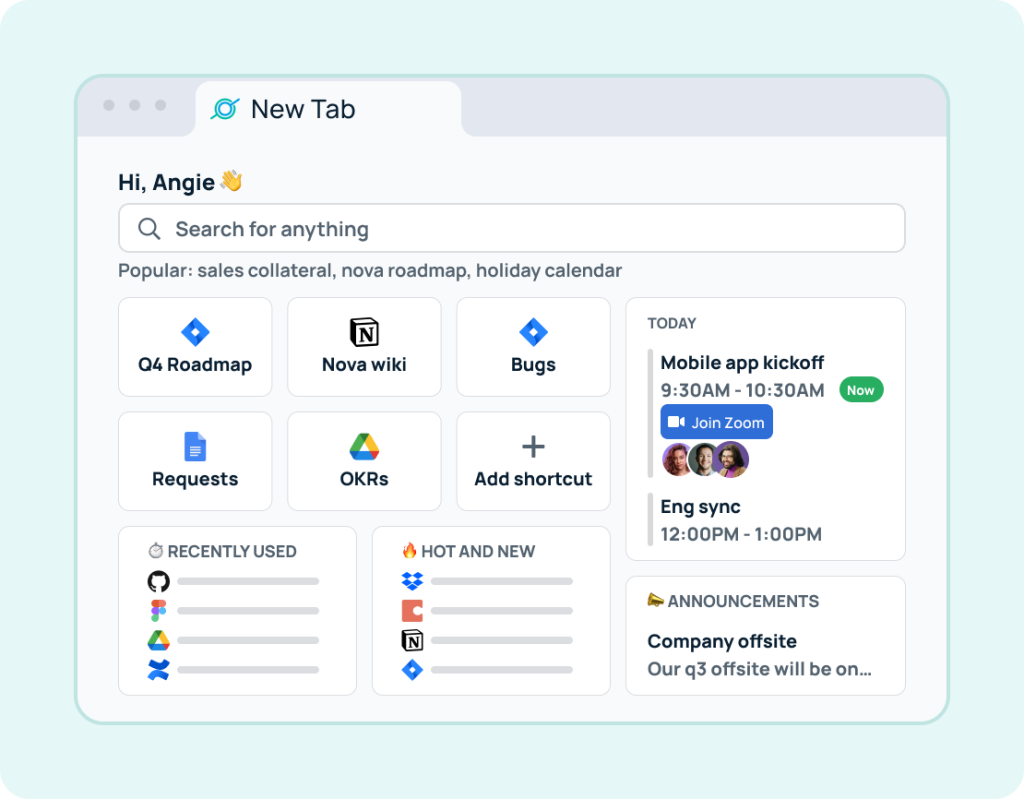
GoSearch, built by the GoLinks team, is a governed knowledge layer across your apps. Rather than housing documentation itself, it surfaces what already lives in Slack, Google Workspace, Confluence, Jira, GitHub, Salesforce, ServiceNow, Notion, Tableau, and 100+ other applications, carrying each source’s permissions through on every query and letting teams verify or retire content wherever it sits. Retrieval runs on a hybrid architecture — shared knowledge indexed, personal and sensitive data queried live through connectors, nothing copied into a separate system — which our AI enterprise search guide covers in depth.
Key capabilities:
- GoAI assistant — returns direct, cited answers in natural language rather than a ranked list of files
- Search across connected apps — semantic retrieval that indexes shared knowledge and queries sensitive data live, so nothing is copied into a separate system
- Content verification and deprecation — mark content verified or retire it across every connected system
- Moderator role — a permission tier for the people who maintain content, with no workspace-wide admin rights
- Sensitive data detection — auto-detects and flags PII for admin review
- Data indexing controls — control what gets indexed at the app and workspace level
- Permission-aware results — every query honors source-system permissions at retrieval time
- No-code AI workflows — multi-step automation across connected tools without engineering involvement
- Bring your own cloud and LLM API key — run on your own infrastructure and model of choice
Pros
- Deploys in days, often within a single afternoon
- Employees search once across all tools instead of needing to know which tool to search
- Answers arrive cited, so employees can verify the source rather than trusting a summary
- Hybrid architecture balances retrieval speed against keeping sensitive data in place
- Transparent Free, Pro, and Enterprise plans
Cons
- Fewer third-party analyst reports and legacy enterprise references than decade-old incumbents
Best for: Teams whose knowledge is spread across enough systems that consolidating it isn’t realistic, including remote and fast-growing teams that can’t wait on a migration, and who need governance — permissions, verification, retirement — to follow it wherever it lives.
2. Confluence
Best for: Documentation-heavy engineering and product teams using Atlassian tools.
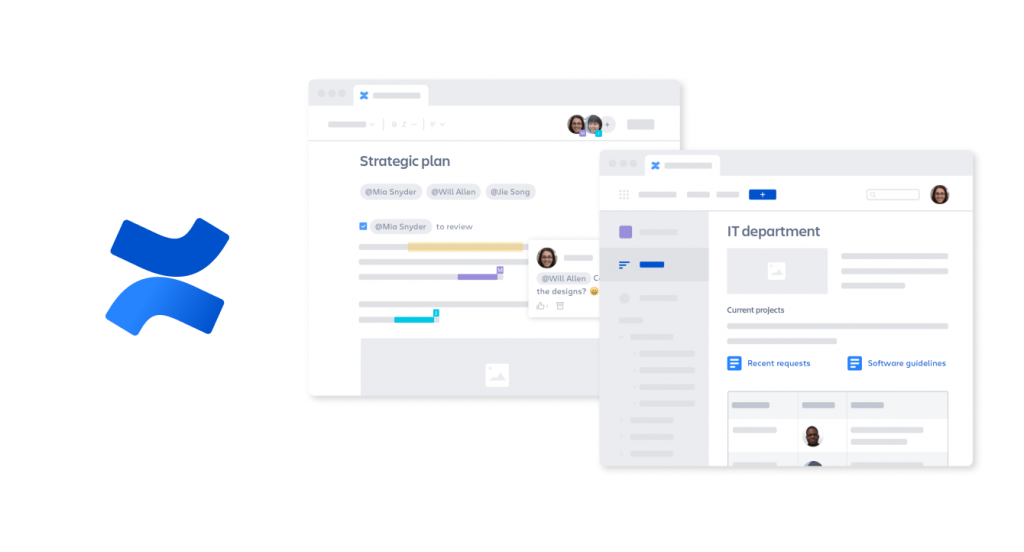
Confluence organizes knowledge into pages and spaces, providing structured documentation ideal for software development teams. As part of the Atlassian ecosystem, it integrates deeply with Jira for end-to-end project and knowledge management.
Key capabilities:
- Structured spaces — organize documentation by team, project, or company-wide topic
- Ready-made templates — layouts for planning, retrospectives, and strategy docs
- Rovo AI — conversational search, summaries, and agents across Confluence, Jira, and other Atlassian tools
- Granular permissions — control access down to the individual page level
Pros
- Deep, native integration with Jira and other Atlassian tools
- Rovo is included in paid Cloud plans rather than sold as a per-user add-on
- Strong governance with page-level permission controls
- Well-suited to technical documentation and architecture decisions
Cons
- Steeper learning curve than flexible tools like Notion, and heavyweight for smaller teams
- Reviewers consistently cite search relevance, page load performance, and navigation complexity as content scales
- Rovo connects to about twenty third-party apps, but its deepest context – the Teamwork Graph linking tickets, specs, and pull requests – stays within Atlassian products
See how Instacart uses Confluence and GoLinks to scale knowledge sharing across their engineering org.
3. Microsoft SharePoint + Copilot
Best for: Microsoft-centric enterprises
Microsoft’s knowledge management story runs through SharePoint as the content repository and Microsoft 365 Copilot as the AI layer on top of it. Organizations invested in Microsoft 365 choose this stack for its governance, compliance, and integration depth.
Key capabilities:
- SharePoint sites and libraries — structured document repositories with versioning and metadata
- Microsoft 365 Copilot — AI answers drawn from SharePoint content and Microsoft Graph, in the flow of work
- Microsoft Search — unified search across Microsoft 365 applications
- Compliance and governance — retention, sensitivity labels, and audit controls at enterprise scale
Pros
- Deep Microsoft 365 integration; already licensed at most enterprises
- Strong compliance and governance controls
- Enterprise scalability
Cons
- Complex administration and longer implementation timelines
- Copilot answer quality depends heavily on how well SharePoint content is structured and tagged
- The Viva Topics retirement left a gap in curated knowledge management that Copilot does not fully replace
- Inconsistent user experience across modules
Already running Copilot? See how GoSearch compares to Microsoft Copilot for enterprise search.
4. Notion
Best for: Flexible internal wikis and fast-growing teams.
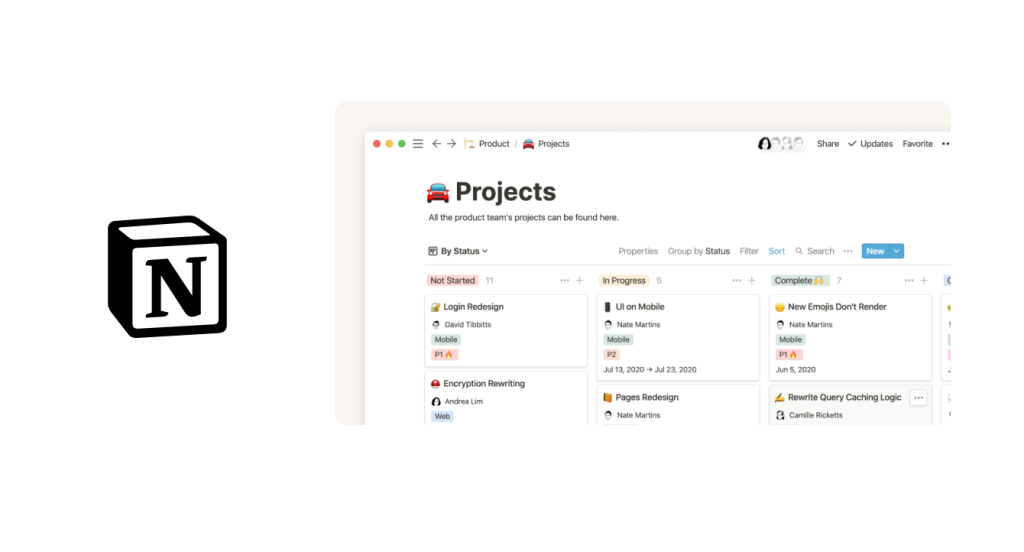
Notion is a highly customizable workspace that functions as a wiki, project tracker, and database in one. Teams use it to build internal knowledge hubs, run projects, and document processes in a single flexible environment.
Key capabilities:
- Drag-and-drop builder — flexible page editor with 50+ block types and pre-built templates
- Relational databases — connect and query information across pages and workspaces
- Multi-format views — toggle between docs, tables, kanban boards, and dashboards
- Notion AI and custom agents — agents that turn transcripts, notes, or documents into structured plans and deliverables without leaving the workspace
- Page verification — badge a page as up to date, with the badge showing in search results and AI citations (Business and above)
- Connected app search — search the workspace plus a set of connected tools including Google Drive, GitHub, Slack, and Salesforce, on higher tiers
Pros
- Extremely adaptable to different team structures and workflows
- Fast to set up with templates; works as a lightweight intranet for smaller organizations
- Modern user experience with easy adoption
- Search and agents sit inside the workspace rather than requiring a separate tool
Cons
- Feature density can overwhelm new users, and AI and connectors are limited to higher tiers
- Agent runs are credit-metered, adding a cost-management layer to scheduled and triggered workflows
- Answer quality depends heavily on how disciplined the workspace is; page verification helps teams mark what’s current, but a disorganized Notion still produces disorganized answers
- Enterprise Search is still in beta and limited to Business and Enterprise plans. Coverage for Confluence and ServiceNow is not listed, so teams with a source of truth there will hit gaps
Notion suits teams already living in Notion whose search needs don’t extend far beyond it. See GoSearch vs. Notion for a direct comparison.
5. Guru
Best for: Verified AI knowledge agents and employee enablement.

Guru has evolved into an AI Agent Center that combines enterprise search with a verified internal wiki. It suits teams that need AI answers grounded in expert-approved content rather than raw, unreviewed documents. For a feature-level breakdown, see GoSearch vs. Guru.
Key capabilities:
- Verified knowledge base — built-in verification workflows ensure answers rely on content explicitly approved by subject-matter experts
- Knowledge Agents — research and summarize across 100+ integrated apps, and verify or unverify content automatically as it changes
- Knowledge alerts — notifies employees automatically when verified content changes
Pros
- AI answers are grounded in verified content, which suits compliance-sensitive teams
- Agent builder covers common support and onboarding use cases
- Browser extension and in-workflow delivery reduce context switching
Cons
- No self-serve path — pricing is quote-only and the platform is sold packaged with a solutions-engineering engagement, so evaluation starts with a sales call rather than a trial
- Trades scalability for content control — ongoing card curation, verification, and governance overhead that automated discovery platforms don’t require
See how Hopin used Guru and GoLinks to scale knowledge management across a rapidly growing team.
6. Google Drive
Best for: Teams already in the Google Workspace ecosystem.
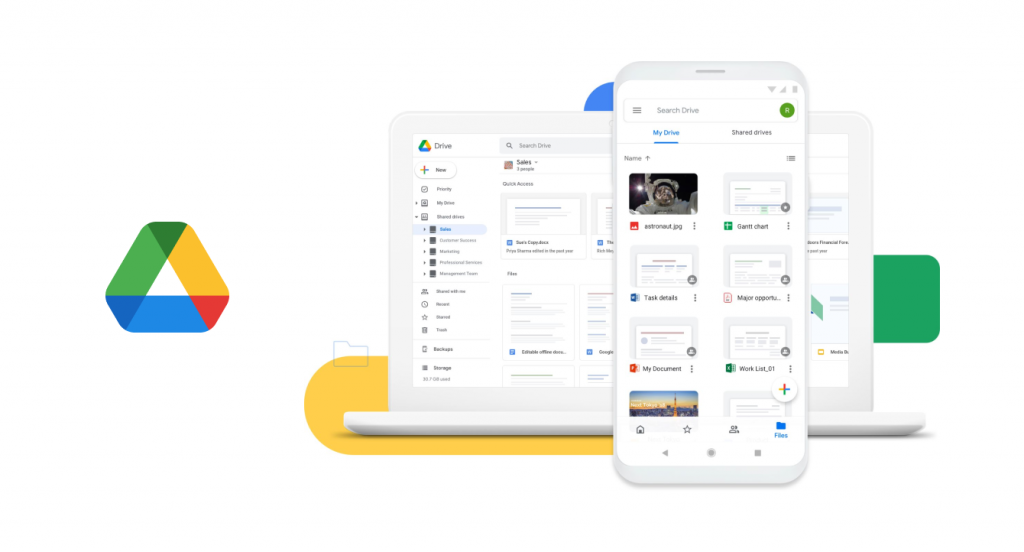
Most organizations already run on Google Drive, which makes it the default knowledge repository by accident rather than by choice. Built into Google Workspace, it handles file storage and real-time collaboration in an interface employees already know.
Key capabilities:
- Real-time co-editing — work simultaneously across Docs, Sheets, and Slides
- Gemini in Drive — semantic search that returns a cited answer at the top of results instead of a list of files to open
- Granular permissions — set view, comment, or edit rights file by file
Pros
- Near-zero adoption barrier; most employees already know it
- AI search answers questions rather than returning file lists
- No migration required — the content already lives there
Cons
- Reaches Workspace content only, so knowledge in Slack, Jira, or a support tool stays invisible
- AI features depend on Workspace edition and are still rolling out by region
- External sharing needs careful management to prevent data exposure
- Answer quality tracks how well files are named and organized
Learn how Signal Advisors paired Google Drive with GoLinks to onboard a remote workforce more effectively.
7. Jira
Best for: Agile project and sprint knowledge tracking.
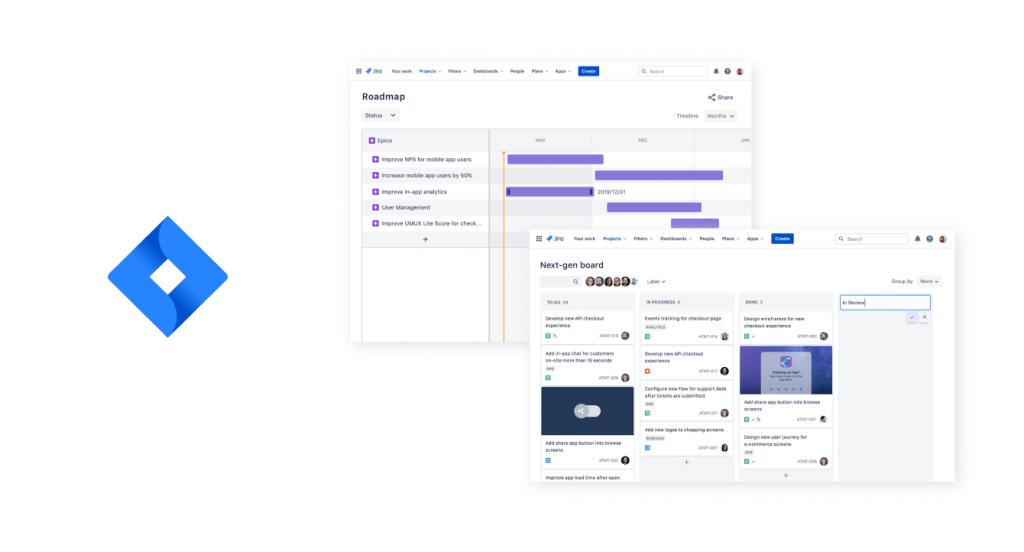
Jira is Atlassian’s project management platform built around agile methodology. While primarily a project tracker, it doubles as a knowledge management tool for teams that need to document sprint decisions, track issues, and maintain institutional memory tied to project history.
Key capabilities:
- Full agile support — scrum boards, kanban, sprints, and backlogs in one platform
- Detailed issue tracking — status, priority, assignee, and comments on every task
- Rovo AI — search, chat, and agents across Atlassian tools
- Confluence integration — link tickets directly to documentation for full project context
Pros
- Designed specifically for agile workflows
- Granular task tracking provides a rich record of project decisions
- Rovo comes bundled with paid Cloud plans
Cons
- Can feel overly complex for non-engineering teams
- Rovo usage is credit-metered, so heavy agent use bills extra
- Requires pairing with Confluence for full knowledge documentation
Jira knowledge is only useful if people can reach it — see how the GoLinks Jira integration turns boards, filters, and tickets into short links your team can actually remember.
8. Document360
Best for: Dedicated internal and customer-facing knowledge bases
Document360 is built for structured documentation — product docs, SOPs, API references, internal wikis, and help centers. Where the workspaces on this list treat documentation as one feature among many, Document360 treats it as the product.
Key capabilities:
- Ask Eddy AI — search and chatbot that return a cited answer from your published docs instead of a list of links
- Category manager — hierarchical organization that keeps large doc sets navigable
- Version control — track changes, compare versions, restore prior content
- Granular access control — public, private, and mixed-access bases with article-level permissions and SSO
Pros
- Purpose-built authoring, versioning, and review workflows
- Runs internal wikis and public help centers from one platform, with SEO controls
- Strong permission granularity for regulated and multi-audience documentation
Cons
- Answers come from your documentation only, not from Slack, Drive, or your ticketing system
- AI writer and search suites are gated to higher tiers, and deeper design work needs a developer
- Reviewers report editor lag on long documents and complex tables
Document360 can’t reach past its own content, but it can be reached — see how the Document360 MCP server in GoSearch connects your knowledge base to the rest of the stack.
Knowledge Management Tool Comparison
This table compares what each tool is, its AI layer, and how it’s priced.
| Tool | Type | AI layer | Pricing model |
|---|---|---|---|
| GoSearch | Enterprise knowledge layer | GoAI assistant, no-code agents | Free, Pro at $20/user/month, Enterprise by quote |
| Confluence | Documentation platform | Rovo | $5.42/user/month Standard, $10.44 Premium, Enterprise by quote; Rovo included, metered by credits |
| SharePoint + Copilot | Document repository | Microsoft 365 Copilot | $30/user/month add-on on top of a qualifying Microsoft 365 license; $21 for organizations under 300 users |
| Notion | Workspace and wiki | Notion AI, custom agents | Free, $10 Plus, $20 Business per member/month, Enterprise custom; Custom Agents $10 per 1,000 credits |
| Guru | Verified knowledge layer | Knowledge Agents | Quote-only — platform plus a solutions-engineering engagement, no published seat price |
| Google Drive | File storage | Gemini in Drive | Included in your Workspace edition; Gemini is bundled, not an add-on |
| Jira | Project tracker | Rovo | Per user, with the same Rovo credit allowances as Confluence |
| Document360 | Knowledge base | Eddy AI | Quote-only, priced per project; no free tier, 14-day trial |
| GoLinks | Access layer; pairs with any tool above | GoAI resource search | Free for up to 20 users; Basic $2 and Pro $4 per user/month; Enterprise by quote |
Type and AI layer tell you what a tool is. What it reaches, who it lets in, and what it does with content that has gone stale are the next three questions – and that’s where these tools separate.
Connectors, Security, and Governance
Three things decide whether a tool works as a knowledge management system at enterprise scale: how far its connectors reach, whether it inherits permissions correctly from the systems it reads, and what happens to content once it’s out of date. The last one separates knowledge management tools from search tools most clearly. Someone has to own content, verify it, and retire it.
Confluence and Jira share a row because they run on the same Rovo layer.
| Tool | Connectors | Security and compliance | Governance and content lifecycle |
|---|---|---|---|
| GoSearch | 100+ apps via native, MCP, and custom connectors, including GitHub, Tableau, and Looker Studio. Workspace connectors are indexed; personal connectors fetch live and store no copies. A partial re-index every five minutes picks up edits and permission changes | SOC 2 Type II; GDPR, CCPA, and HIPAA. AES-256 at rest, TLS in transit. Zero LLM data retention. Bring your own cloud and LLM API key. SSO via Okta, Entra ID, Google Workspace, Ping, OneLogin, Rippling, and JumpCloud; SAML/SCIM and audit log on Enterprise | File verification and deprecation on Enterprise, applied across every connected system rather than one workspace. Member, Moderator, and Admin roles — Moderators verify content, deprecate it, and manage announcements. Connectors scoped by team. PII detection flags content for admin review |
| Confluence + Jira | Atlassian products plus roughly twenty third-party connectors, including Google Drive, SharePoint, Slack, GitHub, and Box. Official Rovo MCP server. Data Center connectors sync on-premise content to cloud. Indexed objects are capped per user by tier — 100 on Standard, 250 on Premium, 625 on Enterprise | SOC 2, ISO 27001, PCI DSS, and FedRAMP. Rovo enforces Confluence permissions at the time of each query, and data stays in your cloud environment. Atlassian Guard adds org-wide SSO, MFA, and external-user controls | Page-level permissions. Admins can see indexed-object counts per third-party connector, and the SharePoint connector supports allowlists and blocklists |
| SharePoint + Copilot | Microsoft Graph plus admin-enabled Copilot connectors. Each declarative agent is capped at 100 SharePoint files, one list, 50 OneDrive files, and four public URLs | SOC 1/2/3 Type II; ISO 27001, 27017, 27018, and 27701; HIPAA via BAA; FedRAMP; PCI DSS. Copilot respects existing permissions and sensitivity labels and does not train foundation models on tenant data. EU Data Boundary covers most capabilities. Audit reports sit behind Service Trust Portal sign-in | SharePoint Advanced Management: Data Access Governance reports, Restricted Access Control, and Restricted Content Discovery. Restricted SharePoint Search is a temporary 100-site allow-list. Included with at least one Copilot license. Snapshot reports can take days to run on large tenants |
| Notion | AI connectors include Slack, Google Drive, GitHub, and Microsoft Teams, with Jira, Box, OneDrive, Salesforce, and Asana in beta. Enterprise Search is itself in beta and requires Business or Enterprise. Confluence and ServiceNow are not on the published list | SOC 2 Type 2; ISO 27001, 27701, 27017, and 27018; BSI C5; HIPAA with a BAA and Enterprise-grade features. GDPR and CCPA mapped. Enterprise adds SAML SSO, SCIM provisioning, audit logs, and DLP/SIEM connections. AI subprocessors are contractually barred from training on customer data | “Verify any page” adds an up-to-date badge that appears in search results and AI citations, on Business and above. Page history runs 7 days on Free, 30 on Plus, 90 on Business, and unlimited on Enterprise. Custom data retention and admin content search on Enterprise |
| Guru | 100+ integrations out of the box — Slack, Teams, Salesforce, Zendesk, Confluence, SharePoint — plus MCP delivery, so external AI tools draw from the same governed layer without rebuilding permissions per tool | SOC 2 Type II, HIPAA, and GxP. Audited annually for SOC 2 Type II, Microsoft 365 Certification, and Google CASA; crosswalked to GDPR, HECVAT, and CAIQ. SSO, SCIM, role-based access, DLP masking, encryption at rest and in transit. Permissions inherited and enforced in real time; customer data never trains Guru’s models | Verification workflows with usage signals, and Knowledge Agents that verify and unverify content automatically rather than only retrieving it. Every answer carries citations, audit trails, and lineage. Centralized audit logs across all consumers, human and AI |
| Google Drive | Google Workspace only | FedRAMP, CJIS, HIPAA, and ISO/IEC certifications. DLP controls, client-side encryption, context-aware access, and Assured Controls for data residency and sovereignty | Google Vault sets retention rules and legal holds on Drive files, scoped by organizational unit or shared drive. Drive labels classify files, manually or by AI auto-classification, and can drive label-based retention conditions. File approvals provide a review workflow, with approver and status metadata captured in Vault exports. Vault requires Business Plus, Enterprise, or equivalent |
| Document360 | Zendesk, Freshdesk, Slack, Intercom, Teams, and API access, all from the Business plan up. An MCP server connects the knowledge base to external LLMs | SOC 2, ISO, and GDPR. AES-256 at rest, TLS 1.2 in transit. Role-based access through IAM with segregation of duties, two-factor authentication, and end-to-end audit trails. Daily cloud snapshots and geo-replicated infrastructure | Custom workflow builder, version control, and article-level permissions. AI duplicate-content detection flags overlapping articles. SSO/SCIM and team auditing on Enterprise |
Knowledge Management Tools vs. Knowledge Sharing Tools
The tools above manage knowledge: they capture it, structure it, govern it, and make it findable. Knowledge sharing tools solve the adjacent problem of moving knowledge between people — answering questions, capturing tacit expertise, and surfacing who knows what. In practice that means a wider category, spanning training platforms, screen recording, digital asset management, chat, and employee connection tools alongside the platforms listed here.
If your bottleneck is employees repeatedly asking the same questions rather than an absence of documentation, start there instead: see our full guide to the best knowledge sharing tools for remote teams.
How to Choose the Right Knowledge Management Tool
Not every tool fits every team. Four questions narrow it down:
1. Where does your team already work?
- Google Workspace → Google Drive
- Microsoft 365 → SharePoint + Copilot
- Atlassian → Confluence and Jira
- Spread across five or more tools → GoSearch
2. What’s your biggest knowledge problem right now?
- “We have no central documentation” → Notion or Confluence
- “Our answers are out of date and nobody trusts them” → Guru
- “Support keeps answering the same tickets” → Document360
- “Our knowledge lives in too many systems to consolidate” → GoSearch
- “People can’t find resources we already have” → GoLinks, paired with any tool above
3. Do you need structured or flexible documentation?
- Structured (engineering specs, compliance, API references) → Confluence or Document360
- Flexible (wikis, projects, mixed content types) → Notion
4. How much curation can you sustain?
- A dedicated content owner → Guru
- No one owns it → a tool that searches what you already have
Add Fast Access with GoLinks
Discovery is half the problem; fast access is the other half. GoLinks is an instant-access layer for resources already stored in Confluence, Google Drive, SharePoint, and the other tools on this list. Any page, folder, dashboard, or file gets a short, memorable URL, such as go/wiki, go/onboarding, or go/salesdeck.
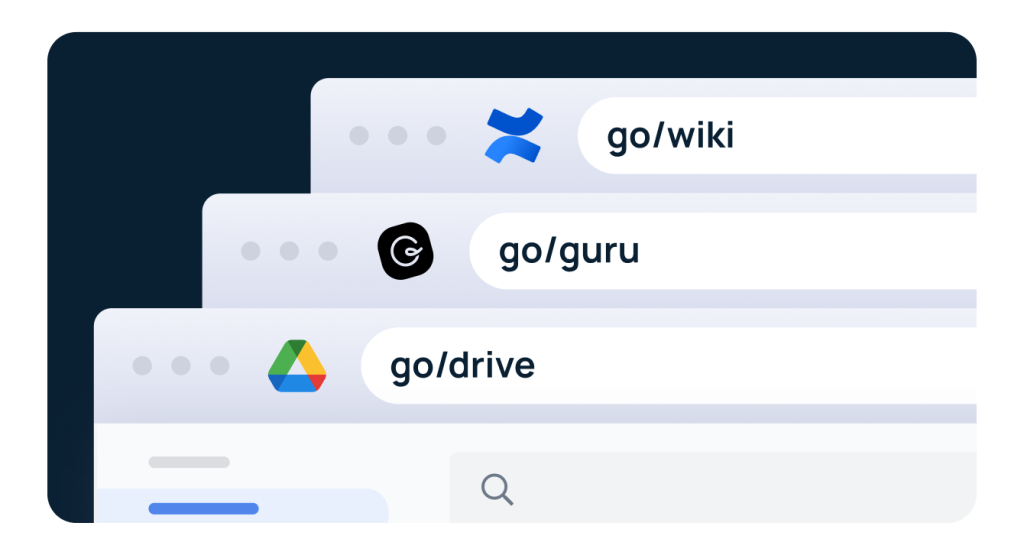
- Instant access — type go/resource instead of hunting through folders or search bars
- Verbal sharing — say a link out loud in a meeting without spelling out a full URL
- Single-point updates — when a resource moves, update the GoLink once instead of tracking down every place it was shared
- Cross-tool compatibility — works with every knowledge platform on this list, no integration required
- Not-found suggestions — when someone types a go link that doesn’t exist, GoLinks suggests related links instead of a dead end
- Usage analytics — see trending links, usage by team, and the search terms employees use, so content owners know which resources people rely on and look for
For remote and hybrid teams, GoLinks puts the same short links to work across knowledge tools, chat platforms, and daily workflows. Pair it with GoSearch to cover both halves: GoSearch helps employees discover information across every system, while GoLinks keeps the resources they use every day one keystroke away. For more on why the two are different jobs, see enterprise search vs. navigation tools.
Ready to unify knowledge across your organization? Try GoSearch for AI-powered knowledge discovery — and pair it with GoLinks to give your team instant access to the resources they use most.
Access and share resources instantly with GoLinks
Try for free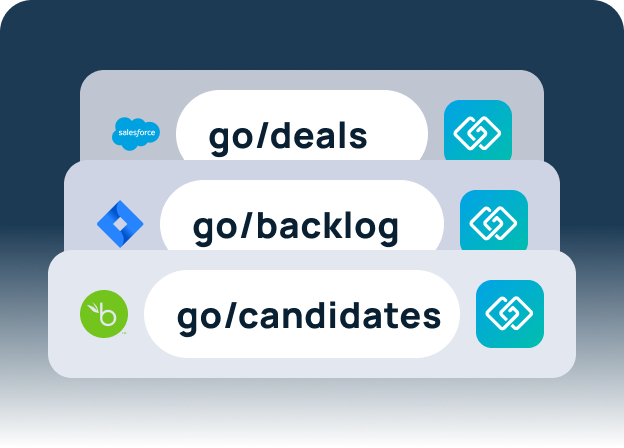
Knowledge Management Tools: Frequently Asked Questions
What is the difference between a knowledge management platform and a knowledge base?
A knowledge base is a repository of articles, FAQs, and documentation. A knowledge management platform covers the full lifecycle around it (creation, search, governance, and delivery) and usually adds the integrations, access controls, and AI a basic knowledge base lacks.
How do you keep knowledge base content from going stale?
Assign ownership and a review cycle. Guru and Notion let teams verify content within their own workspace, GoSearch verifies and deprecates it across connected systems, and Document360 uses approval workflows and version control. A tool can flag stale content, but someone still has to decide what replaces it.
How do I evaluate knowledge management tools for a large or distributed organization?
Check permissions and connector depth before features. A tool that searches across systems must inherit each source’s permissions, or it becomes a data exposure risk. Whether it covers your ticketing system, CRM, and code host matters more than its connector count; the Connectors, Security, and Governance table shows what each tool reaches. Distributed teams should also weigh content governance, since a stale answer that looks authoritative does more damage when no one is nearby to correct it.
What is the best knowledge management tool for remote engineering teams?
It depends on where engineering knowledge lives. Teams fully on Atlassian get the most from Confluence and Jira with Rovo. If docs span Confluence, GitHub, Google Drive, and Slack, GoSearch searches all of them with source permissions and returns cited answers inside Slack.
Which knowledge management tools suit fast-growing companies?
Prioritize deployment time and curation load over feature count. GoSearch deploys in days and reads existing systems, so nothing has to be migrated first. Notion’s templates speed up a new wiki, and GoLinks gives new hires one short link per resource from their first day.
Can a knowledge base create short links to internal files?
Most knowledge management tools generate long, tool-specific URLs. GoLinks adds a short go/link to any file or page in Confluence, Google Drive, SharePoint, or a dashboard, and shows how often teams use each one.