


GoLinks is expanding into more of the places where teams create, find, and share company resources.
This latest round of updates makes it faster to create go links, easier to use them inside the tools where work happens, and possible to bring your team’s go link library directly into AI tools like Claude and ChatGPT.
Here’s what’s new.
Key takeaways
- AI can now help create go links. GoLinks reads the page you’re linking to and suggests a relevant go link name and description.
- GoLinks is now available in Claude. Find existing go links and create new ones directly from a Claude conversation.
- GoLinks is available in ChatGPT. Search your team’s go link library and create new shortcuts without leaving ChatGPT.
- Go links are now clickable in Asana. The GoLinks app automatically turns go links in Asana tasks and comments into clickable links with previews.
- These updates are available across GoLinks plans. AI-suggested naming and the new integrations make existing workflows easier to use without requiring a separate product or workflow.
Create go links faster with AI
Creating a go link should be quick, but coming up with a useful name and description can still slow things down.
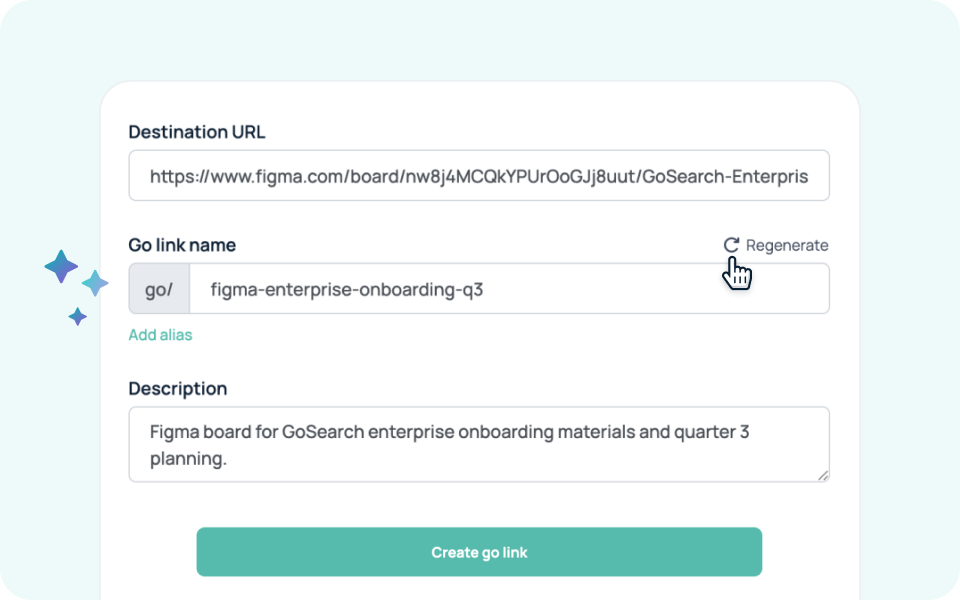
GoLinks now uses AI to help with that part of the process. When you create a go link from the GoLinks app or browser extension, GoLinks reads the page you’re linking to and suggests a name and short description based on the content.
You can use the suggestion as-is, edit it, or regenerate a different option. Once you’re happy with it, create the go link in a single click.
For example, if you’re on a Figma board called “GoSearch Enterprise Onboarding Q3 2026,” GoLinks can suggest a name like go/q3-ent-onboarding along with a description that explains what the board contains. A Jira project called “GoLinks Marketing” might get a suggestion like go/mktg-board.
The goal is to make creating a useful, understandable go link nearly as easy as creating a link itself. You don’t have to start with a blank name field or stop to think through the right naming convention every time.
AI-suggested naming also fits into the broader ways GoLinks uses AI. GoLinks can use semantic matching to help people find a go link even when they don’t remember its exact name, and it can suggest likely matches when someone lands on a go link that doesn’t exist. Now, AI helps on the creation side, too.
Learn more about how GoLinks uses AI in 2026 →
Bring your go links into Claude
Your team already has go links for the resources people use every day: deployment runbooks, API documentation, product roadmaps, HR portals, internal wikis, and more.
Now those shortcuts can be accessed directly from Claude.
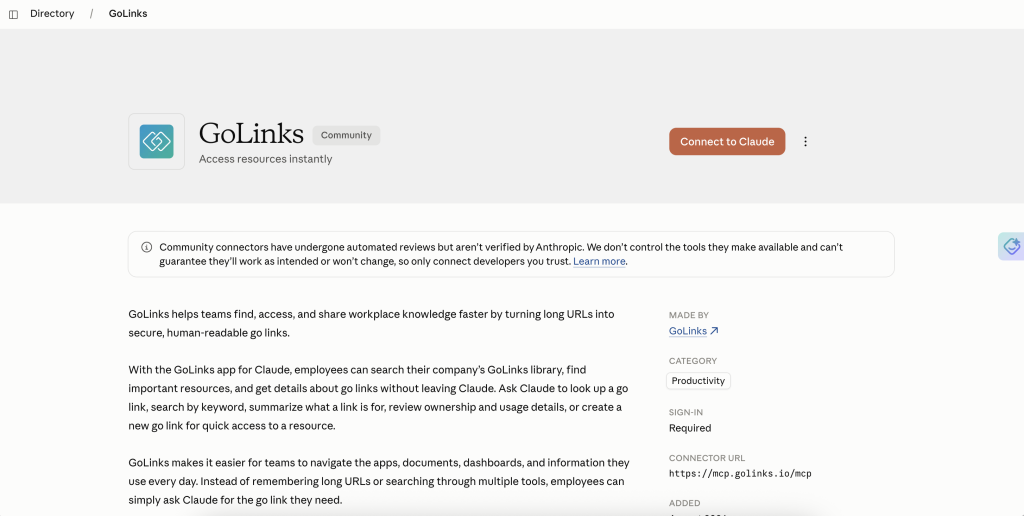
The GoLinks app for Claude connects to your workspace through the Model Context Protocol (MCP). Once connected, you can ask Claude to find a go link for a resource, search for an existing shortcut by destination URL, or create a new go link without leaving the conversation.
For example, instead of switching to GoLinks to find the shortcut for your incident response runbook, you can ask Claude:
“What’s the go link for our incident response runbook?”
Claude can search your team’s go link library and return the relevant shortcut.
You can also create a shortcut as part of the work you’re already doing. If you’re reviewing API documentation in Claude and realize the resource would be useful to your team, you can ask Claude to create a go link for it.
This makes GoLinks useful inside AI workflows without changing how your team manages its shortcut library.
Search and create go links in ChatGPT
GoLinks is also available in the ChatGPT App Store, giving your team another way to access its go link library from an AI workflow.
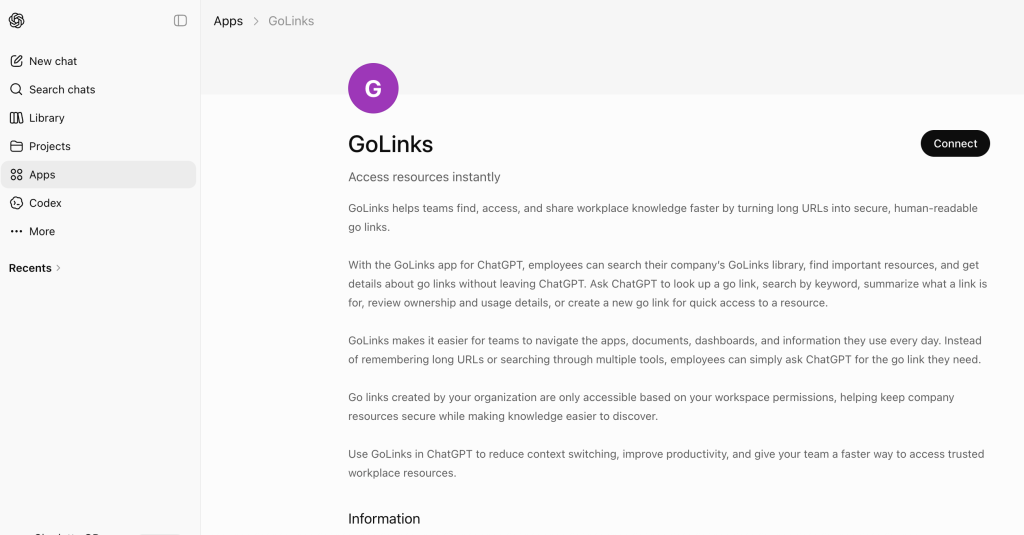
With the GoLinks app for ChatGPT, you can search for existing go links, find shortcuts based on their destination, and create new go links without switching back to the dashboard.
That can be useful when a go link is part of a larger task you’re already working through in ChatGPT.
For example, you might ask ChatGPT to find the shortcut for your company’s brand guidelines, locate an existing go link for a particular URL, or create a new shortcut for a resource your team will use repeatedly.
The result is the same go link your team already knows and shares, just accessed from the place where you’re already working.
Make go links clickable in Asana
Go links are designed to be shared anywhere, but until now, using them in some productivity tools meant teammates had to copy the shortcut into their browser.
The new GoLinks app for Asana removes that extra step.
Available through the Asana App Directory, the integration automatically turns go links in Asana task descriptions and comments into clickable links with previews. You can keep typing go links the same way you always have. Once the integration is enabled for a project, Asana recognizes the go link and renders it as a clickable link.
For example, a team can reference a go link like go/roadmap directly in an Asana task or comment. Instead of leaving those shortcuts as plain text, Asana turns them into links that teammates can open directly, along with a preview of the destination.
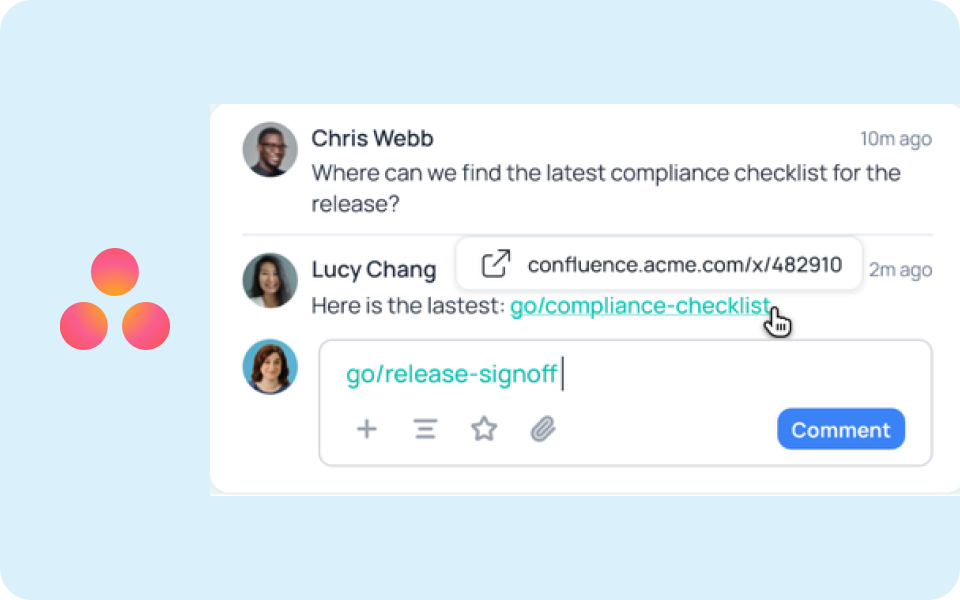
The integration is enabled at the project level, so teams can choose where they want go links to become clickable.
This is especially useful for projects where teams regularly reference the same internal resources. Engineering projects can link to runbooks and technical documentation. Marketing projects can reference campaign resources and brand guidelines. Operations teams can link to recurring processes and internal tools.
GoLinks is becoming more connected to the tools where work happens
Go links are most useful when they’re easy to create, easy to remember, and easy to use wherever your team works.
These updates extend GoLinks in each of those directions.
AI-suggested naming helps people create shortcuts without having to come up with a name and description from scratch. The Claude and ChatGPT integrations bring your go link library into AI conversations, where people are increasingly doing research, writing, coding, and other work. The Asana integration makes shortcuts immediately usable inside project work.
And these capabilities build on GoLinks’ existing integrations across the tools teams use every day.
The result is a more connected way to work with the resources your team already relies on. Your go links stay centralized in GoLinks, while your team can create, find, and use them from more places.
New to GoLinks? Sign up for a free account or get a personalized walkthrough of enterprise features.
Access and share resources instantly with GoLinks
Schedule a demo
Frequently asked questions
Can you use GoLinks with Claude?
Yes. The GoLinks app for Claude connects Claude to your GoLinks workspace through the Model Context Protocol (MCP). You can ask Claude to find an existing go link, search for a shortcut based on its destination URL, or create a new go link directly from a conversation. This lets you access your team’s existing shortcuts without switching between Claude and the GoLinks app.
What is the GoLinks app for Claude?
The GoLinks app for Claude brings your team’s go link library into Claude. Once connected, Claude can search existing go links and help create new ones based on the resources you’re working with. It’s useful when a go link is part of an AI workflow, such as finding a shortcut to internal documentation, a project resource, or a frequently used business application.
Can I use GoLinks in ChatGPT?
Yes. GoLinks is available as an app in the ChatGPT App Store. The GoLinks app lets you search your company’s go link library, look up shortcuts by destination, and create new go links directly from ChatGPT. This gives teams another way to find and create the shortcuts they use every day without leaving an AI conversation.
How do I use GoLinks in ChatGPT?
Install the GoLinks app from the ChatGPT App Store and connect it to your GoLinks account. Once connected, you can ask ChatGPT to find an existing go link or create a new one. For example, you could ask for the go link to a particular internal resource or create a shortcut for a page you’re working with. Your go links remain managed through GoLinks.
How do I make go links clickable in Asana?
Install the GoLinks app from the Asana App Directory and enable it for the projects where you want to use it. Once enabled, go links added to Asana tasks and comments are automatically recognized and converted into clickable links with previews. You can continue typing go links in the same format your team already uses, while teammates can open the destination with one click.
What can I use GoLinks for in Asana?
GoLinks can make frequently referenced company resources easier to access from Asana projects. Teams can use go links in task descriptions and comments to reference things like project documentation, runbooks, campaign resources, product plans, or internal tools. With the GoLinks app enabled, those shortcuts become clickable links with previews, so teammates can open the referenced resource without copying and pasting the go link elsewhere.
Does GoLinks work with AI tools?
Yes. GoLinks now works directly with AI tools including Claude and ChatGPT, allowing users to search and create go links from AI conversations. GoLinks also uses AI within its own link creation and discovery experiences, including AI-suggested names and descriptions. These capabilities make it easier to bring your team’s shared shortcuts into the AI tools and workflows people already use.