


The short answer: GoLinks is best for secure internal knowledge access: short, memorable links to company resources that require employee sign-in. Rebrandly focuses on branded public links for marketing, SMS, and customer communications. Many companies use both.
GoLinks and Rebrandly both shorten URLs, but they solve different problems. Rebrandly helps marketing teams distribute branded links to customers and track how audiences engage. GoLinks helps employees find and share internal resources, such as benefits pages, sprint boards, and runbooks, without knowing where those resources live. Bitly is another public-link tool built for campaigns, QR codes, and click analytics; see how it compares in GoLinks vs. Bitly.
This GoLinks vs. Rebrandly guide compares the two across knowledge management, security, analytics, integrations, pricing, and governance, so you can decide which fits your team or whether you need both.
What is GoLinks?
GoLinks is an internal link platform that gives employees short, memorable go links to company resources, protected by workplace sign-in. Instead of bookmarking a long Google Drive URL or searching Slack for a shared doc, an employee types go/benefits or go/sprint into their browser and lands on the right page.
Go links can point to any URL: Confluence pages, Google Drive folders, Jira boards, dashboards, code repositories, or HR portals. Because they are short and readable, employees can share them out loud in a meeting, print them on a poster, or type them from memory. To open a go link, employees sign in with their work account, so internal resources stay internal even if a link is shared outside the company. Learn more about how GoLinks works, from creating links to sharing them.
What is Rebrandly?
Rebrandly is a link management platform for creating, branding, and tracking public short links on a custom domain. A marketing team might publish a link such as yourbrand.link/fall-sale in an email campaign, a social post, an SMS message, or a QR code, then measure clicks by location, device, and referral source.
Rebrandly is built for external audiences. Its features include custom domains, QR codes, link-in-bio pages, UTM builders, retargeting pixels, conversion tracking, and mobile deep linking. See Rebrandly’s plan comparison for the full feature list.
GoLinks vs. Rebrandly: What Is the Difference?
GoLinks manages links employees use to reach internal knowledge. Rebrandly manages links customers click on public channels. The table below shows GoLinks vs. Rebrandly at a glance.
| Feature | GoLinks | Rebrandly |
|---|---|---|
| Primary use case | Internal knowledge access and sharing | Branded public links for marketing and customer communications |
| Audience | Employees | Customers, prospects, and social audiences |
| Link format | go/benefits, go/sprint | yourbrand.link/offer |
| Access control | Workplace sign-in required to open every link | Links are public by default; password protection on Professional and up (capped per month) |
| Hosting | Single-tenant: each customer’s instance runs in its own VPC | Dedicated infrastructure on Enterprise |
| Knowledge discovery | Universal search on every plan; tags, collections, and AI-powered search on Pro and up | Link tags and notes for organizing campaigns |
| Destination updates | Update anytime on any plan, without changing the link | None on Free; 10–150 per month on Essentials through Growth |
| Workplace integrations | 15+ integrations, including browser extensions, Slack, Google Docs, Jira, Zapier, and Claude | 50+ app integrations focused on marketing, social, and automation |
| Analytics | Basic analytics and link edit history on Pro; workspace analytics and audit log on Enterprise | Click analytics by location, device, and referrer; conversion tracking on Professional and up |
| Verbal shareability | Designed to be said aloud and typed from memory | Readable, but built for clicking rather than recall |
| Pricing model | Free plan; paid plans priced per user; Enterprise by custom quote | Free plan; paid tiers priced by monthly link volume; Enterprise by custom quote |
| Best-fit buyer | IT, HR, and operations leaders improving internal knowledge access | Marketing, growth, and SMS teams running public campaigns |
Which Is Better for Knowledge Management?
GoLinks is the better fit for knowledge management because it gives employees stable paths to resources across every tool where company knowledge lives. Rebrandly is not designed for internal knowledge access.
GoLinks works alongside your knowledge systems
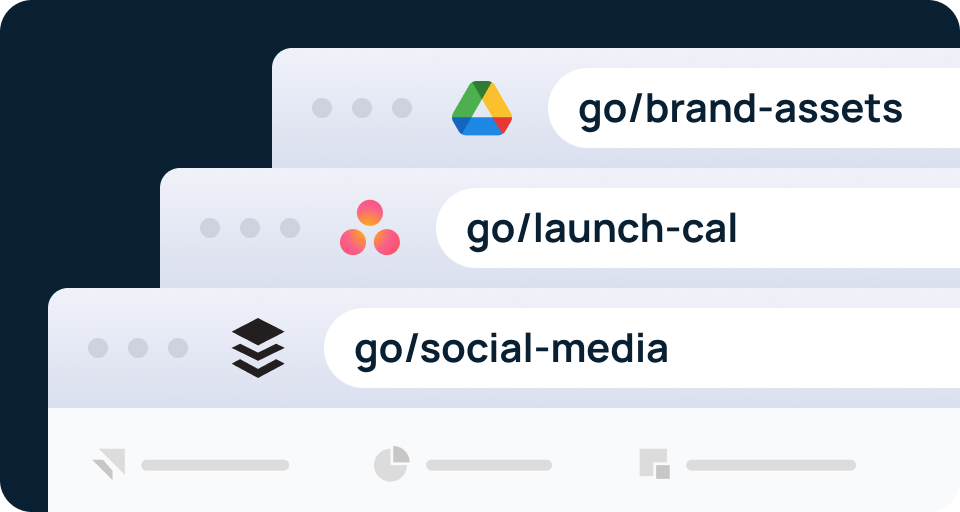
Most companies store knowledge in several places: policies in Confluence, templates in Google Drive, tickets in Jira, and decisions in Slack. GoLinks doesn’t replace those systems. It adds a navigation layer on top of them, so an employee can reach the right resource without knowing which tool holds it.
Three features support this:
- Tags group links by role, department, or app, so a new hire can browse every link tagged “onboarding.”
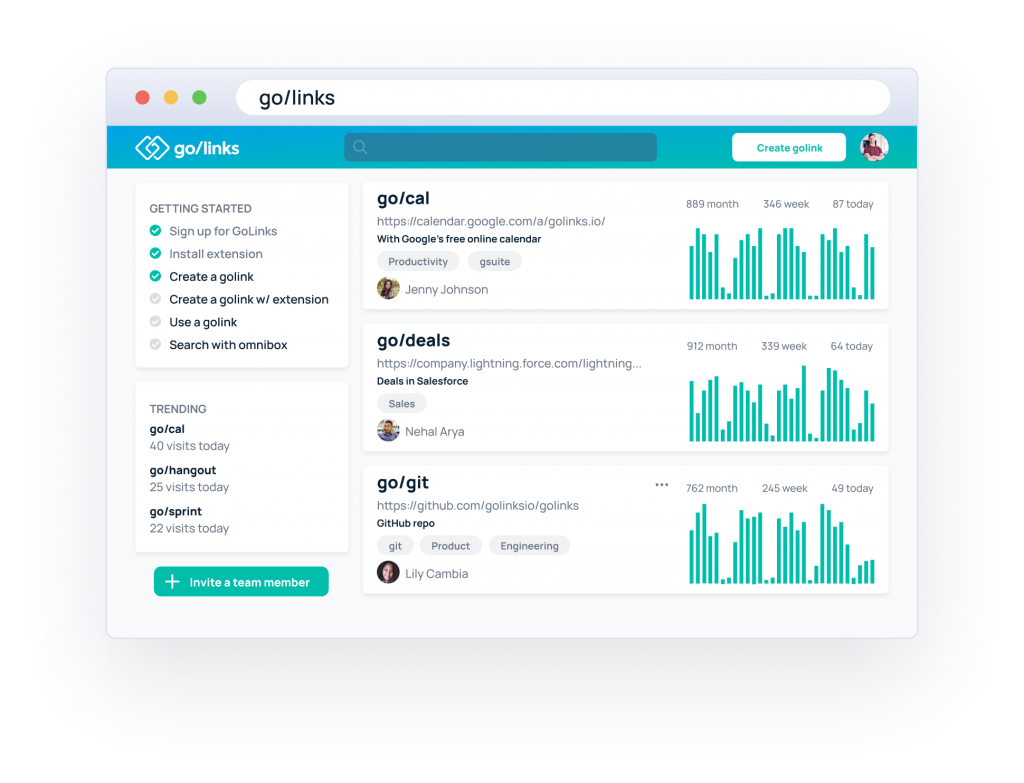
- The GoLinks dashboard shows which links employees use most, which surfaces the resources a team relies on.
- Keyword search in the browser extension and dashboard helps employees find a go link when they don’t remember its exact name.
Navigation vs. search
Go links work best when an employee knows what they need: the benefits guide, the sprint board, the expense policy. For exploratory questions, such as “What did we decide about the Q3 pricing change?”, an enterprise search platform is the better tool. Many teams use both: go links for known destinations and search for everything else.
Examples in practice
- An HR employee opens go/benefits. The link resolves to the current benefits guide, even after HR moves or updates it.
- An engineer shares go/sprint in a standup. Everyone on the call types it from memory instead of waiting for a link in chat.
- An IT administrator updates a destination. When the IT runbook moves from Confluence to a new wiki, the administrator changes where go/runbook points. Every doc, Slack message, and bookmark that uses the link keeps working.
- A marketer publishes a campaign link through Rebrandly. The link carries the brand’s domain, and the team tracks clicks by region and device. This is a public-facing task, and Rebrandly is built for it.
How Do GoLinks and Rebrandly Handle Security?
Both platforms protect user accounts. The difference is who can open a link: GoLinks requires workplace sign-in for every link, while Rebrandly links are public by default.
GoLinks. Employees sign in with their work email or SSO to open a go link, so anyone outside the company who receives one can’t reach the resource. On the Enterprise plan, admins can connect a SAML-based SSO provider, such as Okta, OneLogin, or Azure AD, and use SCIM to add and remove users automatically. GoLinks is SOC 2 Type II certified and GDPR compliant. It encrypts data in transit and at rest, logs every connection, and runs annual third-party penetration tests. Each customer’s instance runs in its own VPC. Visit the GoLinks security page for SSO setup, audit logging, and how GoLinks handles vendor security reviews.
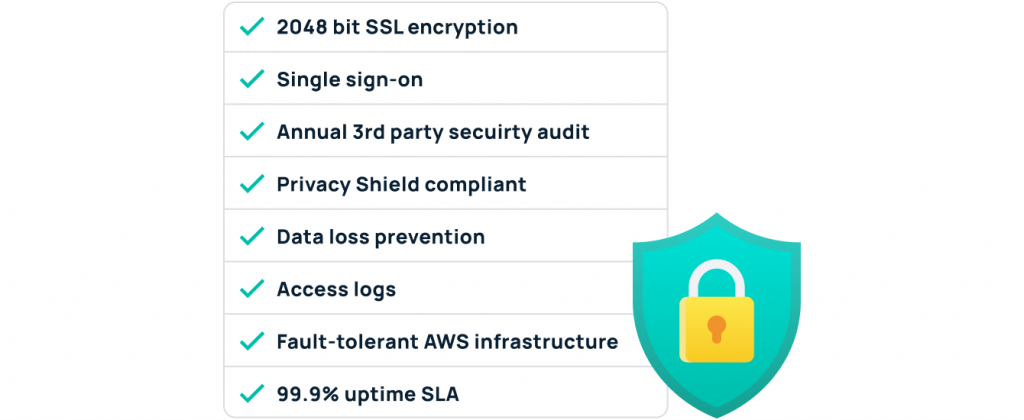
Rebrandly. Rebrandly links are designed to be opened by anyone. Every plan includes two-factor authentication and SOC 2 Type 2 certification. Password-protected links start on the Professional plan, advanced role permissions start on Growth, and SSO (SAML) with SCIM provisioning requires an Enterprise contract.
Bottom line: Choose GoLinks when the links point to internal resources that only employees should reach. Choose Rebrandly when the links are meant to be public.
How Do Analytics, Integrations, and AI Access Compare?
Each platform’s analytics and integrations follow its audience: GoLinks measures how employees use internal resources, and Rebrandly measures how customers respond to campaigns.
Analytics
GoLinks shows which links employees use and how often, so teams can see which resources matter and which have gone stale. The Pro plan adds basic analytics, and the Enterprise plan adds an analytics dashboard and a full audit history of every go link.
Rebrandly tracks clicks by country, city, device, language, and referral source, depending on plan. The Professional plan and up add conversion tracking, which connects a click to a signup or purchase.
Integrations
GoLinks works where employees already work. Browser extensions for Chrome, Firefox, Safari, Opera, and Brave let employees type go links into the address bar. The Slack app turns go links into clickable links and shows each link’s description. The Google Docs and Jira apps make go links clickable in documents and issues. Teams can also build workflows with GoLinks on Zapier. See all GoLinks integrations.
Rebrandly offers 50+ integrations built around a marketing stack, including social platforms, automation tools, webhooks, and an API for creating links at volume.
AI access
GoLinks builds AI into how employees find resources. GoAI adds AI-powered search to GoLinks, so employees can find the right resource even when they don’t remember its go link. With GoLinks in Claude, employees can also find and create team go links without leaving a conversation. Rebrandly’s AI access serves a different job: its MCP server lets marketers create and manage branded campaign links through chat.
How Much Do GoLinks and Rebrandly Cost?
Both platforms offer a free plan and paid tiers, but they price on different units. Rebrandly prices by the number of links created each month. GoLinks prices per user, with custom pricing for Enterprise.
GoLinks offers a free plan for up to 20 users, and paid plans start at $2 per user per month, so teams can roll out go links company-wide without a large upfront commitment. Every plan includes unlimited go links, so costs don’t rise as employees add links. The Pro plan ($4 per user per month) adds AI-powered search, tags, link edit history, and basic analytics. Enterprise adds SSO with SCIM, workspace analytics, and audit logs for IT and security teams. Compare plans on the GoLinks pricing page.
| Plan | Price | Users | Notable features |
|---|---|---|---|
| Free | $0 | Up to 20 | Unlimited links; Google SSO; browser extension; 15+ integrations; mobile apps |
| Basic | $2/user/month | Unlimited | Unlimited links; user management; role-based access control; bulk import |
| Pro | $4/user/month | Unlimited | AI-powered search; tags; private links; link edit history; basic analytics |
| Enterprise | Custom quote | Unlimited | SSO with SCIM; workspace analytics; audit log; API and webhooks; 99.95% uptime SLA |
Rebrandly pricing as of September 2026, per Rebrandly’s pricing page:
| Plan | Price (monthly / billed annually) | Links per month | Notable limits |
|---|---|---|---|
| Free | $0 | 10 | 1 custom domain; engagement data on 100 clicks/month |
| Essentials | $11 / $8 per month | 250 | 2 custom domains; 10 destination edits/month |
| Professional | $32 / $22 per month | 1,500 | 3 custom domains; teammates; password-protected links; conversion tracking |
| Growth | $99 / $69 per month | 3,500 | 10 custom domains; advanced role permissions; mobile deep linking |
| Enterprise | Custom quote | Custom | SSO and SCIM; HIPAA; dedicated support |
What Does Implementation and Governance Look Like?
GoLinks governance centers on keeping internal links accurate as resources move. Rebrandly governance centers on keeping campaign links on-brand and within plan limits.
Setting up GoLinks. Employees install the browser extension and sign in with their work identity. Most teams start by creating go links for the resources people ask about most, such as go/benefits, go/handbook, and go/it-help. Adoption grows as employees share links in meetings and chat.
Keeping go links accurate. A few practices keep a GoLinks library useful over time:
- Naming conventions. Agree on patterns, such as go/hr-benefits or go/eng-oncall, so employees can guess a link before they search for it. Our guide to go link naming conventions covers how to set these up.
- Duplicates and dead links. Review the dashboard for duplicate links and links nobody uses, and retire or redirect them.
- Audits. On Enterprise, use audit history to see who created or changed a link and when.
- Onboarding. Give new hires a short list of go links on day one, such as go/onboarding, so they learn where to find answers.
Setting up Rebrandly. Teams connect a custom domain, set up workspaces and teammates by plan, and build links through the dashboard, integrations, or API. Governance focuses on domain use, role permissions, and staying within monthly link and destination-edit limits.
When Should You Choose GoLinks or Rebrandly?
The right choice depends on who opens the link: employees or the public.
Choose GoLinks if:
- Employees struggle to find resources spread across Confluence, Google Drive, Jira, and Slack.
- Links point to internal resources that only signed-in employees should reach.
- You want links people can say in a meeting and type from memory.
- IT needs to update destinations centrally without breaking links in existing docs and messages.
Choose Rebrandly if:
- You publish links to customers through email, social, SMS, or QR codes.
- Brand recognition on the link itself matters for click-through.
- You need campaign analytics such as location, device, referral source, and conversions.
- You need marketing features such as UTM builders, retargeting pixels, or mobile deep linking.
Use both if your company needs internal knowledge access and public campaign links. The two tools complement each other: GoLinks serves employees, and Rebrandly serves customers.
Give your team one memorable path to every resource. Start free with GoLinks, with up to 20 users and unlimited go links, or book a demo to plan a company-wide rollout.
Access and share resources instantly with GoLinks
Try for free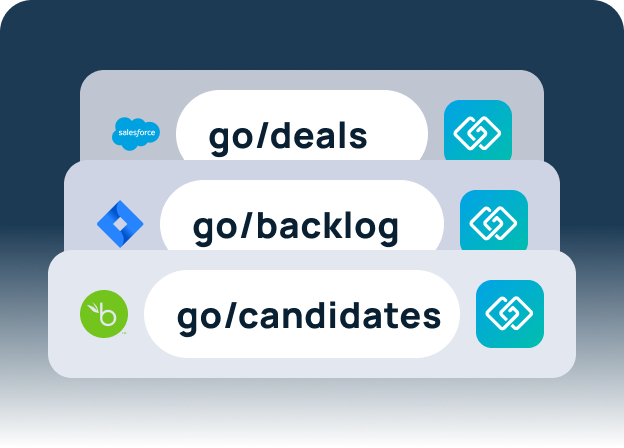
GoLinks vs. Rebrandly: Frequently Asked Questions
GoLinks is a Rebrandly alternative only for internal links. Rebrandly links are public by default and built for marketing campaigns, so GoLinks is the better fit when employees need to reach internal resources. For public campaign links, GoLinks is not a substitute.
Yes. A go link can point to any URL, including Confluence pages, Google Drive files and folders, Jira boards, and dashboards. Employees don’t need to know which tool holds a resource to reach it.
Both offer SSO and SCIM on their Enterprise plans. GoLinks goes further for internal use by requiring workplace sign-in before any go link resolves.
Yes. Many companies use GoLinks for internal resources and Rebrandly for public campaign links. The tools serve different audiences, so they don’t conflict.