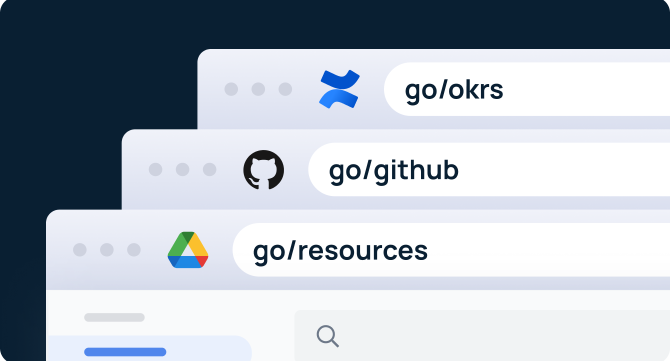

Internal short links are simple, memorable URLs (like go/benefits) that help employees instantly access tools and resources without searching. They reduce information-hunting, streamline workflows, and standardize how teams navigate internal knowledge.
Internal short links — also known as go/links, golinks, or go links — give teams a faster, more innovative way to access the information they need at work. Instead of digging through nested folder structures, jumping between tools, or asking coworkers where something lives, employees can type a short link like go/sprint or go/benefits and land exactly where they need to go.
Research shows that employees spend 3.6 hours every day searching for information required to do their jobs. With documentation scattered across Gantt charts, Kanban boards, Slack channels, Google Drive, project management systems, and wikis, critical knowledge becomes fragmented — and hard to find.
Internal short links eliminate this friction. By turning long, messy URLs into simple, memorable shortcuts, they dramatically reduce search time, streamline navigation, and boost productivity across every department.
What Are Internal Short Links?
Internal short links are simple, human-readable shortcuts that instantly redirect employees to essential tools, documents, and resources within an organization. Unlike external URL shorteners like Bitly, internal short links are designed specifically for accessing workplace knowledge. They:
- Only work inside your company
- Require employee authentication
- Are fully customizable
- Provide usage analytics and insights
A helpful way to think about it: you might use Bitly to share a short URL on social media. Internal short links — like those created with GoLinks — apply the same concept inside your organization, but with enterprise-grade governance, permissions, and search visibility.
Instead of long, hard-to-remember URLs, employees get clean, intuitive shortcuts such as:
- go/salesdeck
- go/onboarding
- go/roadmap
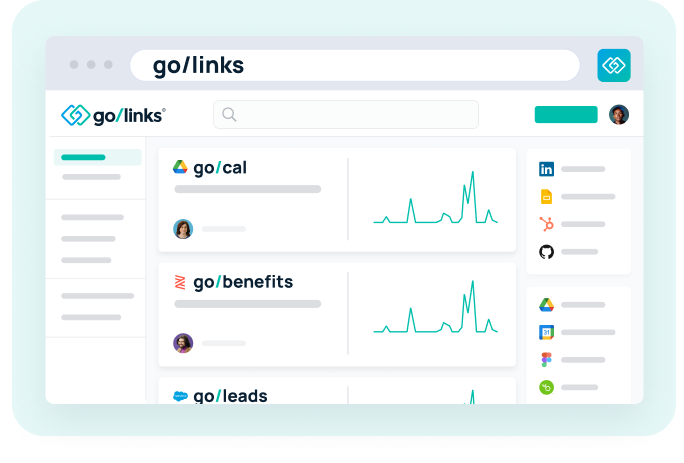
These internal short links are easy to remember and even easier to use, enabling teams to access what they need without having to dig through folders or navigate multiple tools.
Why Internal Short Links Work
Internal short links are powerful because they simplify how employees find and share information. They help teams:
- Eliminate repetitive questions about where resources live
- Reduce time spent searching across tools and folders
- Preserve context by linking directly to the right version of a doc or dashboard
- Improve onboarding and decrease ramp time for new hires
- Standardize knowledge organization without forcing behavior change
Instead of opening multiple tabs or trying to remember where something was saved, an employee simply types go/<keyword> and arrives at the right place instantly.
Who Uses Internal Short Links?
Organizations of every size — from startups to global enterprises — rely on internal short links to streamline knowledge access and minimize tool switching. Teams adopt GoLinks to centralize resources, standardize internal link naming conventions, and maintain clean, consistent knowledge structures across the company.

Common examples include:
- Company-wide: go/holidays, go/onboarding
- Marketing: go/guidelines, go/brand, go/campaigns
- Engineering: go/jira, go/sprint, go/release
- Sales: go/enablement, go/demo, go/accounts
- HR: go/benefits, go/policies, go/handbook
- Customer Success: go/tickets, go/escalations, go/playbooks
- Finance: go/expenses, go/payroll, go/budget
For major projects, internal short links keep teams aligned with shortcuts like go/sprint, go/roadmap, and go/launch — eliminating guesswork and making internal resource routing effortless.
How Internal Short Links Improve Productivity
1. Faster access to information
Employees can instantly open the right doc, dashboard, spreadsheet, or wiki — even if they don’t know where it’s stored. A quick go/<keyword> replaces minutes of searching.
2. Cleaner knowledge architecture
Internal short links allow teams to create consistent naming conventions (like go/salesprocess, go/qa, go/designsystem) that cut through the clutter of scattered apps and folders.
3. Better onboarding
New hires don’t need to memorize tools, platforms, or file paths. A simple set of internal short links guides them to the most important resources from day one.
4. Tool and resource management
Internal short links reveal meaningful usage patterns, such as:
- Which links and resources are used most
- Which tools are underutilized
- What teams rely on daily
This helps IT and operations teams eliminate duplicates, reduce spend, and strengthen documentation.
5. Usage reporting & analytics
GoLinks provides daily, weekly, and monthly usage metrics, allowing you to track adoption, identify trends, and optimize how teams access information.
6. Improved wiki navigation
Instead of clicking through nested wiki pages, teams can use targeted links like:
- go/engineering
- go/salestools
- go/api-docs
Employees land on the exact page they need — instantly.
Who Can Use Your Company’s Internal Short Links?
Internal short links are secure and private. Only users in your organization can access them.
- First, users must authenticate via SSO or email sign-in
- Then, GoLinks redirects them to the destination URL
- If that final destination requires its own permissions (e.g., a private Jira board or Google Doc), those access rules still apply
Internal short links never override existing tool permissions — they simply speed up how users get there.
Why Companies Use Internal Short Links
Internal short links have been around for more than a decade. Engineers at NCSU and Google pioneered early versions, enabling teams to access any internal resource with just a few keystrokes. Since then, the concept has become a standard inside leading organizations.
Today, go/links are widely used at companies such as:
- Yahoo
- Netflix
What used to require custom internal engineering can now be adopted by any organization through GoLinks — making internal short links accessible to teams of every size.
So, should your company use internal short links?
If your goals include improving productivity, streamlining knowledge access, and reducing wasted time, the answer is yes.
GoLinks powers internal short links for thousands of teams around the world, helping organizations of every size streamline knowledge access and move faster.
Get started with GoLinks for free and see how quickly your team can work with a smarter internal link management system.
Access and share resources instantly with GoLinks
Try for free
Frequently Asked Questions About Internal Short Links
The top platforms designed specifically for internal short links include GoLinks, which supports authentication, access controls, analytics, and go/URLs. Traditional URL shorteners, such as Bitly or TinyURL, aren’t designed for internal, secure, company-only routing.
Adoption is strongest when teams standardize naming conventions, introduce go to links during onboarding, assign departmental owners, and use internal short links during daily workflows (such as stand-ups, meetings, documentation, and Slack threads).
Teams should focus on clarity, consistency, short keywords, and relevance. Avoid duplicates, overly long names, personal-use links, or anything that adds clutter. Naming conventions like go/jira, go/brand, or go/expenses help employees know what to expect.
Tools like GoLinks provide company-wide internal link management, analytics, permissions, naming controls, and automated redirects. They simplify how teams manage resources and replace custom-built internal routing systems.
External shorteners like Bitly focus on public-sharing use cases. Internal short links require authentication, integrate with SSO, maintain existing permission structures, and are built for secure, internal navigation — not public link distribution.