
What Is a URL Shortener?
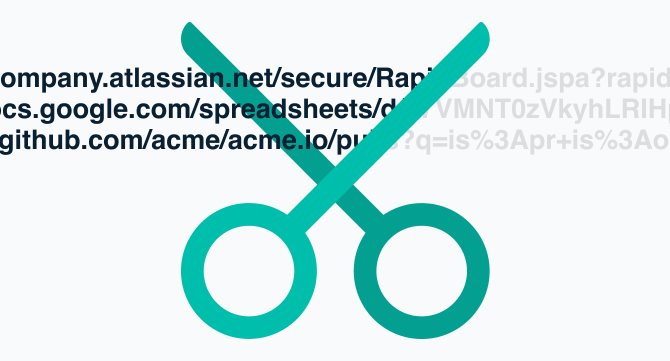
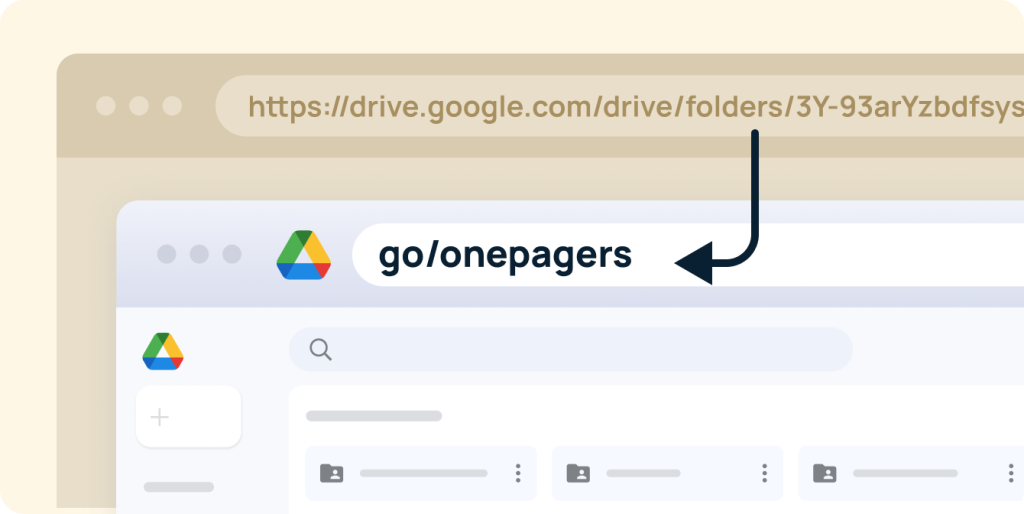
A URL shortener (also called a link shortener, link compressor, or link shrinker) is a tool that converts a long, complex web address into a shorter, more manageable link. Using a URL shortener, you can transform lengthy URLs — often filled with numerous characters and parameters — into concise, easy-to-share links. These shortened links save space (especially useful for social media posts and emails) and make the URLs more memorable and aesthetically pleasing.
Related concepts:
- 301 redirect — A permanent HTTP redirect that passes SEO link equity to the destination URL.
- 302 redirect — A temporary redirect that retains link equity at the short URL; useful when the destination may change.
- Custom domain — A branded domain (e.g.
yourbrand.co) used in place of a generic shortener domain. - Branded links — Short URLs that include your company name or a memorable keyword.
- UTM parameters — Tracking codes appended to destination URLs to measure campaign performance.
- Link tracking — The analytics layer that records clicks, devices, referrer data, and location for each shortened URL.
How Does a URL Shortener Work?
Behind the scenes, every URL shortener maintains a database that maps each short link to its destination. Here’s how it works the moment someone clicks:
- User clicks the short link — e.g.
go/onboardingorbit.ly/3xYzAbc - Request hits the shortener’s server — the service looks up the short code in its database
- Server finds the original URL — the mapping resolves to the full destination address
- HTTP redirect is issued — typically a
301(permanent) or302(temporary) redirect - User’s browser follows the redirect — they land on the destination page, usually within milliseconds
- Click is logged — metadata like timestamp, device type, location, and referrer is recorded for analytics
301 vs. 302 redirects: A 301 is permanent and passes SEO link equity to the destination. A 302 is temporary and retains equity at the short URL — useful when the destination may change.
What Are the Benefits of a URL Shortener?
There are good reasons to use a URL shortener beyond just trimming long links — and they vary depending on whether you’re using one for external marketing or internal team use.
For marketing & external use
- Increased click-through — Shorter URLs on search results have a 250% higher click-through rate, according to a MarketingSherpa Benchmark Report on Search Marketing.
- Brandable links — Custom URLs built on your own domain signal trust and make your brand immediately recognizable in emails, ads, and print.
- Social media efficiency — Shortened URLs take up less character space and look cleaner in posts, bios, and campaigns.
For enterprise & internal use
- Internal knowledge sharing — Link management is one of the top ways to make resources easier to share. Tools like GoLinks help employees access important information faster through streamlined internal knowledge sharing.
- Link tracking — Platforms like GoLinks track clicks and link creation so you know which web pages, apps, or topics your employees and teams use most.
- Better sharing on internal platforms — Long links can look like spam. Custom shorteners turn them into clean, legible links teammates will trust.
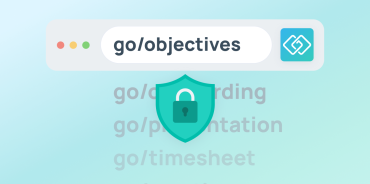
- Link masking — URL shortening changes the visible web address, which can clean up unwieldy URLs. Most enterprise tools like GoLinks include security features to ensure this can’t be misused.
What Are the Different Types of URL Shorteners?
Not all URL shorteners are built the same. The right type depends on your use case, audience, and security requirements.
Public URL shorteners are free tools open to anyone — no account required. They’re fast and convenient for one-off personal use but offer little to no analytics, branding, or security controls. Examples: TinyURL, Bitly (free tier).
Branded URL shorteners let you use a custom domain (e.g. yourbrand.co/link) so shortened URLs reflect your company identity. They’re common in marketing and social media campaigns where brand recognition and trust matter. Examples: Rebrandly, Bitly (paid), BL.INK.
Enterprise / internal URL shorteners are designed for use inside an organization. Links are only accessible to authenticated employees, and the tools integrate with SSO, analytics dashboards, and existing enterprise systems. They prioritize knowledge sharing, security, and access controls over public shareability. Example: GoLinks.
Self-hosted URL shorteners give you full ownership of the infrastructure. You run the software on your own servers, which means maximum privacy and customization — but also responsibility for maintenance and uptime. Best for technically resourceful teams. Examples: Yourls, Polr.
7 of the Best URL Shorteners
1. GoLinks
Best for: Enterprise teams that need internal, human-readable links with access controls and knowledge-sharing workflows.
GoLinks connects teams to the apps and information they access daily. Human-readable go links replace long URLs and can be shared in browsers, apps, visually, or even in conversation. Links are only available to your employees, fully customizable using memorable keywords, and designed to streamline internal knowledge sharing.
2. Rebrandly
Best for: Marketing teams that want custom-domain branded links with QR code generation and link performance tracking.
A public-facing custom URL shortener for branding, tracking, and sharing shortened URLs with custom domain names. Includes link popularity tracking and automatic QR code generation. See how it stacks up in this GoLinks vs. Rebrandly comparison.
3. Bitly
Best for: Businesses and marketers who need a well-known branded link shortener with strong analytics and broad third-party integrations.
A leading custom URL shortener offering automatically shortened links alongside data and analytics to help business owners improve customer experiences. If you’re evaluating options, see how GoLinks compares as a Bitly alternative for enterprise teams.
4. TinyURL
Best for: Individuals who need a quick, free, no-account link shortener with no tracking or branding requirements.
A free, no-frills link-shortening tool. Less user-friendly, but does the job if you just need to shorten links without organizing or tracking them. For a feature-by-feature breakdown, see the GoLinks vs. TinyURL comparison.
5. BL.INK
Best for: Data-driven marketers who want granular click analytics — broken down by time, location, device, and referrer — on branded short links.
Creates custom-branded short links using real words. Features an intuitive dashboard to track link clicks by time of day, location, language, device type, and referrer.
6. Ow.ly
Best for: Social media managers already using Hootsuite who want link shortening and tracking built directly into their existing workflow.
Developed by Hootsuite and included in all Hootsuite accounts. Lets you shorten, distribute, and track performance for shortened URLs from the Hootsuite dashboard.
7. Yourls
Best for: Developers and technical teams who want full ownership of their URL shortening infrastructure via a self-hosted, open-source solution.
Your Own URL Shortener — a self-hosted, open-source platform ideal for those who know how to code and prefer building things themselves.
Find the Right URL Shortener for Your Team
A good URL shortener does more than trim links — but the right one depends on what you’re trying to solve. For marketers and external campaigns, tools like Bitly or Rebrandly handle branded links and click analytics well. For teams that need to share internal resources, onboarding docs, or cross-functional tools, a purpose-built solution like GoLinks goes further: links are human-readable, employee-only, and designed to make knowledge findable at scale rather than just shareable in the moment.
Try GoLinks free and replace your most-shared links with keywords your team will actually remember.
Access and share resources instantly with GoLinks
Try for free
Frequently Asked Questions About URL Shorteners
GoLinks is built for internal use, not public link sharing. Links are only accessible to authenticated employees, which means better security and access control out of the box. Where Bitly and TinyURL generate opaque short codes, GoLinks uses human-readable keywords — like go/onboarding or go/q4-roadmap — that can be shared verbally, in chat, or in print. It also integrates with SSO and existing enterprise systems in ways public shorteners aren’t designed to support.
Start by choosing a service that offers link encryption, access controls, and audit logging rather than open public links. For internal use, employee-only tools like GoLinks limit who can create and access links entirely. Regardless of tool, teams should establish a policy around verifying unfamiliar links before clicking — shortened URLs obscure the destination by design.
Most URL shortening platforms track click volume, geographic location, device type, and referrer data for each link. Enterprise tools like GoLinks go further, logging link creation and usage patterns across teams — so you can see not just who clicked, but which resources employees are actually using day to day.